



Added: Denis Rubinov
Version: 24
Size: 4.5 MB
Updated: 12.05.2020
Developer: Éric ALBER
Age Limitations: Everyone
Downloaded on Google Play: 562790
Category: Work
Description
Application Sweech - Wifi File Transfer was checked by VirusTotal antivirus. As a result of the scan, no file infections were detected by all the latest signatures.
How to install Sweech - Wifi File Transfer
- Download APK file apps from apkshki.com.
- Locate the downloaded file. You can find it in the system tray or in the 'Download' folder using any file manager.
- If the file downloaded in .bin extension (WebView bug on Android 11), rename it to .apk using any file manager or try downloading the file with another browser like Chrome.
- Start the installation. Click on the downloaded file to start the installation
- Allow installation from unknown sources. If you are installing for the first time Sweech - Wifi File Transfer not from Google Play, go to your device's security settings and allow installation from unknown sources.
- Bypass Google Play protection. If Google Play protection blocks installation of the file, tap 'More Info' → 'Install anyway' → 'OK' to continue..
- Complete the installation: Follow the installer's instructions to complete the installation process.
How to update Sweech - Wifi File Transfer
- Download the new version apps from apkshki.com.
- Locate the downloaded file and click on it to start the installation.
- Install over the old version. There is no need to uninstall the previous version.
- Avoid signature conflicts. If the previous version was not downloaded from apkshki.com, the message 'Application not installed' may appear. In this case uninstall the old version and install the new one.
- Restart annex Sweech - Wifi File Transfer after the update.







Requesting an application update
Added Denis Rubinov
Version: 24
Size: 4.5 MB
Updated: 12.05.2020
Developer: Éric ALBER
Age Limitations: Everyone
Downloaded on Google Play: 562790
Category: Work












Reviews for Sweech - Wifi File Transfer
Thank you sir, this is exactly what I wanted,! A simple http server app that lets me upload files to the SD card on my Android phone by dragging and dropping files and folders onto a browser window. I happily paid for the premium version to support your efforts.
Transferred files from phone to computer easily. But can`t upload files from computer to android. Dragging and dropping from file manager(Nautilus) to browser doesn't work. The upload button on the browser also fails to upload files from computer. Will give it 5 stars if my issue is resolved.
was using since last 2 years for tranffering between android to mac.. but after switching to new phone running Android 11, now it can’t connect to pc. Mac is connected with hotspot, but when try to enter ip address in browser's address bar, it does not connect. if developer knows this issse, please inform solution
Not perfect- some options were less than immediately intuitive and a help tab would be useful, but of the many transfer apps I have tried this is the only one that successfully transferred my photos to PC without limitations or problems. It also managed without a swathe of dubious registrations and irrelevant permissions. Well done!
The app is quite good. It needs few features to be updated namely, 1. Multi-select option; It would be great if we have select option, or with the present feature it is quite time consuming to select all first & later deselect that are not required. 2. Search option; It would be great to have search option to find files
Love the app. Perfect for Android file management from Mac. My only recommendation would be to improve muti-select. ex: if I have 100 files and want to delete 2, there is only the option to select all and deselect 98 of them. Search ability might help too
I want to transfer files from my PC to Android. Nothing shows up on how to do this after typing in the URL. There is no browse files on your PC button to upload them to your device! I am going to stay with my ASUS File Manager which will hopefully work on my new Android One device.
No issues with phone-to-PC data transfer. Why the contents of "InternalStorage/Android/data" folder is not visible from PC? I had to create an intermediate folder "InternalStorage/Android/mySweech" to be able send files to phone. Good app, still very usable with the above noted addition.
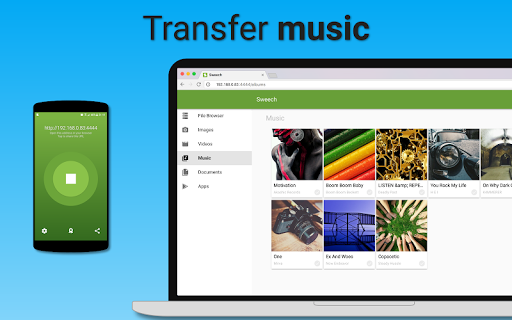
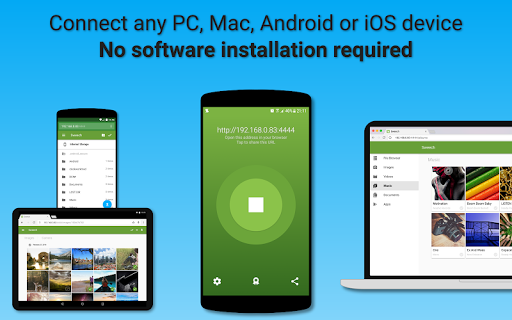
Why isn't this as popular as ShareIt or Xender!?? This is much more convenient & simple way to transfer and receive files using WiFi direct. The recepient no need to install the app. Also, you can share files to laptop instantly.
Post a comment
To leave a comment, log in with your social network:
Or leave an anonymous comment. Your comment will be sent for moderation.
Post a comment
To leave a comment, log in with your social network:
Or leave an anonymous comment. Your comment will be sent for moderation.