



PKP INTERCITY - Kupuj bilety
6+
downloads5.0
version Android
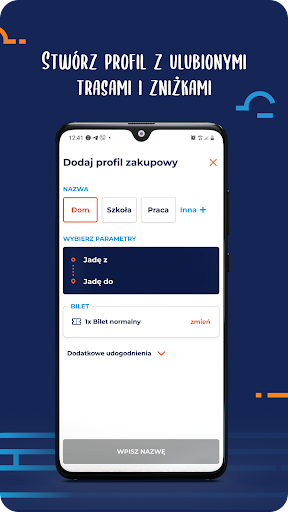


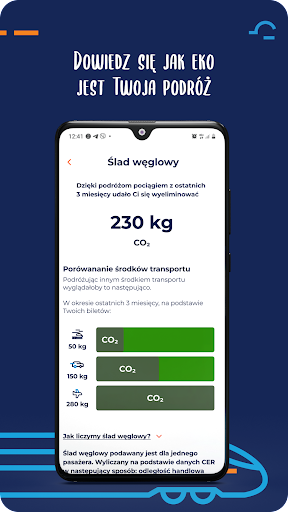
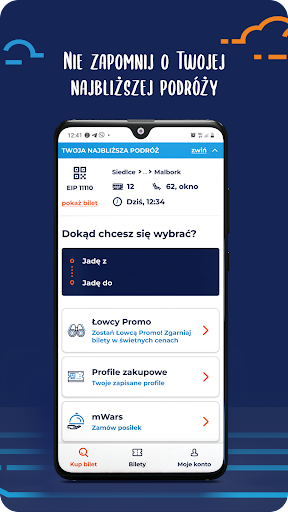
Added: Denis Rubinov
Version: 3.3.0
Size: 32.9 MB
Updated: 24.06.2025
Developer: PKP Intercity
Age Limitations: Everyone
Authorizations: 11
Downloaded on Google Play: 697096
Category: Travels
Description
Application PKP INTERCITY - Kupuj bilety was checked by VirusTotal antivirus. As a result of the scan, no file infections were detected by all the latest signatures.
How to install PKP INTERCITY - Kupuj bilety
- Download APK file apps from apkshki.com.
- Locate the downloaded file. You can find it in the system tray or in the 'Download' folder using any file manager.
- If the file downloaded in .bin extension (WebView bug on Android 11), rename it to .apk using any file manager or try downloading the file with another browser like Chrome.
- Start the installation. Click on the downloaded file to start the installation
- Allow installation from unknown sources. If you are installing for the first time PKP INTERCITY - Kupuj bilety not from Google Play, go to your device's security settings and allow installation from unknown sources.
- Bypass Google Play protection. If Google Play protection blocks installation of the file, tap 'More Info' → 'Install anyway' → 'OK' to continue..
- Complete the installation: Follow the installer's instructions to complete the installation process.
How to update PKP INTERCITY - Kupuj bilety
- Download the new version apps from apkshki.com.
- Locate the downloaded file and click on it to start the installation.
- Install over the old version. There is no need to uninstall the previous version.
- Avoid signature conflicts. If the previous version was not downloaded from apkshki.com, the message 'Application not installed' may appear. In this case uninstall the old version and install the new one.
- Restart annex PKP INTERCITY - Kupuj bilety after the update.








Requesting an application update
Added Denis Rubinov
Version: 3.3.0
Size: 32.9 MB
Updated: 24.06.2025
Developer: PKP Intercity
Age Limitations: Everyone
Authorizations:
Downloaded on Google Play: 697096
Category: Travels












Reviews for PKP INTERCITY - Kupuj bilety
W trybie offline nie da okazać biletu, bo aplikacja się zwyczajnie nie włącza. Zupełnie niezrozumiałym jest test PIN do apk czy logowanie biometryczne. Aplikacja jest bardzo powolna na high endowym sprzęcie.
I had a ticket bought before I installed the app and I could not add it to the app nor it automatically showed it. Also there is no possibility to purchase a ticket for pkp intercity going to another country in the app but on the Web page there is.
Zaintalowalam aplikacje z kodu qr na kopercie biletu gdzie również była reklama przejazdów do Berlina z Warszawy, niestety w aplikacji nie ma możliwości wybrania Berlina jako opcji, Bareja.
A much better interface than the web site with a good translation, however the app led me to a more expensive transaction ☹️. I chose a route with 2 adults and 2 kids, the app suggested Family Ticket on a cost of 100zł, however I discovered later (after already paid) that the option Save Together would cost me only 70zł. I felt cheated by the app!!! 😡
Aplikacja pobrała płatność na ponad 250zł, ale biletu nie otrzymałem od wczoraj. Oszustwo. Aktualizacja: napisałem maila, odpowiedzi brak.
does not work. it is rubbish
Po wpisaniu miast / stacji w sekcji "Jadę z, Jadę do, aplikacja nie wyszukuje trasy, nawet nie podaje propozycji wyboru miasta / stacji.
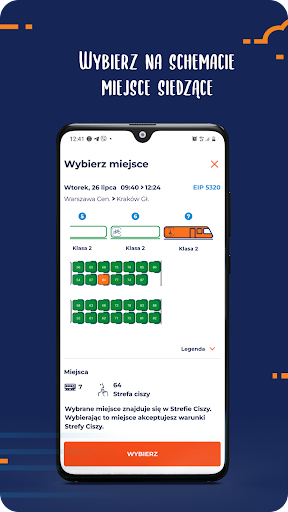
Bardzo szkoda ze nie ma możliwości wybrania siedzenia. Jest to duzy problem dla rodzin jadacych z dziećmi i osobami starszymi. System przydziela miejsca w rzedzie co niekoniecznie jest najlepszym rozwiązaniem.
Not bad. But you don't have tickets offline. Usually when you have control - it's in the middle of nowhere and bad signal of internet. Please repair it!
Naprawcie te aplikację!!!! Po zakupieniu biletu, bilet nie pojawia się w aplikacji, nie przychodzi na mejla i nawet go nie ma na moim koncie PKP. No po prostu żenada na skraju oszustwa!!!!!!
Post a comment
To leave a comment, log in with your social network:
Or leave an anonymous comment. Your comment will be sent for moderation.
Post a comment
To leave a comment, log in with your social network:
Or leave an anonymous comment. Your comment will be sent for moderation.