






Added: Denis Rubinov
Version: 2.4.4
Size: 11.9 MB
Updated: 28.07.2020
Developer: Paul Lamb
Age Limitations: Everyone
Category: Tools
Description
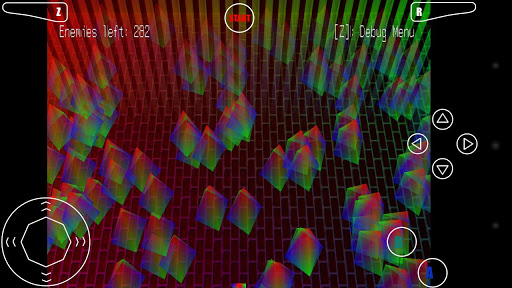
Application Mupen64+ AE FREE was checked by VirusTotal antivirus. As a result of the scan, no file infections were detected by all the latest signatures.
How to install Mupen64+ AE FREE
- Download APK file apps from apkshki.com.
- Locate the downloaded file. You can find it in the system tray or in the 'Download' folder using any file manager.
- If the file downloaded in .bin extension (WebView bug on Android 11), rename it to .apk using any file manager or try downloading the file with another browser like Chrome.
- Start the installation. Click on the downloaded file to start the installation
- Allow installation from unknown sources. If you are installing for the first time Mupen64+ AE FREE not from Google Play, go to your device's security settings and allow installation from unknown sources.
- Bypass Google Play protection. If Google Play protection blocks installation of the file, tap 'More Info' → 'Install anyway' → 'OK' to continue..
- Complete the installation: Follow the installer's instructions to complete the installation process.
How to update Mupen64+ AE FREE
- Download the new version apps from apkshki.com.
- Locate the downloaded file and click on it to start the installation.
- Install over the old version. There is no need to uninstall the previous version.
- Avoid signature conflicts. If the previous version was not downloaded from apkshki.com, the message 'Application not installed' may appear. In this case uninstall the old version and install the new one.
- Restart annex Mupen64+ AE FREE after the update.





Requesting an application update
Added Denis Rubinov
Version: 2.4.4
Size: 11.9 MB
Updated: 28.07.2020
Developer: Paul Lamb
Age Limitations: Everyone
Category: Tools












Reviews for Mupen64+ AE FREE
Nice Apo
It's great but I can't get it to go fullscreen on my phone...
Doesn't work
Doesn't even work
Best n64
Useless app for android 11 phones with scoped storage external sd card cannot be used to access your roms
I love super Mario 64
It's not really that bad but it needs some improvements. There should be a option for like adding new buttons to put on the emulator for certain games to just add.
Perfect App For Best Graphic
The external controller support is great, and a must have since the on-screen buttons are lackluster. I use it on my older device with Android 6, since my newer device has issues, as told by other reviews. One issue I have is the sound production. It is higher-pitched than normal, and has points where audio cuts out for a few frames. Perhaps is due to the files I am using being pal instead of ntsc, or the other way around; I'm not sure.
Post a comment
To leave a comment, log in with your social network:
Or leave an anonymous comment. Your comment will be sent for moderation.
Post a comment
To leave a comment, log in with your social network:
Or leave an anonymous comment. Your comment will be sent for moderation.