


Opensignal - 5G, 4G Speed Test
11+
downloads4.1+
version Android
Added: Denis Rubinov
Version: 7.86.0
Size: 14.3 MB
Updated: 24.06.2025
Developer: Opensignal.com
Age Limitations: Everyone
Authorizations: 12
Downloaded on Google Play: 34156893
Category: Tools
Description
Application Opensignal - 5G, 4G Speed Test was checked by VirusTotal antivirus. As a result of the scan, no file infections were detected by all the latest signatures.
How to install Opensignal - 5G, 4G Speed Test
- Download APK file apps from apkshki.com.
- Locate the downloaded file. You can find it in the system tray or in the 'Download' folder using any file manager.
- If the file downloaded in .bin extension (WebView bug on Android 11), rename it to .apk using any file manager or try downloading the file with another browser like Chrome.
- Start the installation. Click on the downloaded file to start the installation
- Allow installation from unknown sources. If you are installing for the first time Opensignal - 5G, 4G Speed Test not from Google Play, go to your device's security settings and allow installation from unknown sources.
- Bypass Google Play protection. If Google Play protection blocks installation of the file, tap 'More Info' → 'Install anyway' → 'OK' to continue..
- Complete the installation: Follow the installer's instructions to complete the installation process.
How to update Opensignal - 5G, 4G Speed Test
- Download the new version apps from apkshki.com.
- Locate the downloaded file and click on it to start the installation.
- Install over the old version. There is no need to uninstall the previous version.
- Avoid signature conflicts. If the previous version was not downloaded from apkshki.com, the message 'Application not installed' may appear. In this case uninstall the old version and install the new one.
- Restart annex Opensignal - 5G, 4G Speed Test after the update.





Requesting an application update
Added Denis Rubinov
Version: 7.86.0
Size: 14.3 MB
Updated: 24.06.2025
Developer: Opensignal.com
Age Limitations: Everyone
Authorizations:
Downloaded on Google Play: 34156893
Category: Tools












Reviews for Opensignal - 5G, 4G Speed Test
excelente, pienso que da una verdadera velocidad o mejor dicho más acertado en medir la velocidad del internet
very good performance for app... super
useless
GREAT for what I needed it for.
🥰BEST UK GB mobile SIGNAL & DATA speed test app as I'm on 100% RUBBISH SLOW O2 GIFFGAFF MOBILE NETWORK & MY SIGNAL strength is regularly 1&2 bars on 4g - UNTIL I TEST it with THIS APP & the EXCELLENT Speedtester app by Ookla &then get 3&4 bars. Use the 100% BEST FREE Speedtest app by Ookla as this ADDs EVIDENCE to this app & includes the built-in DOWNDETECTOR.co.uk website tab to report low/NO signal strength/SLOW Data speeds. You must Report unresolved signal & data probs to OFCOM website....
Pretty interesting
🥰🥰
Inaccurate data. I will be withing 100 feet of my providers tower but the app says I am locked into a tower 10 miles away that's behind a bunch of elevation. Cell towers are not updated and presented data is often inaccurate.
👍
tower mapping is the best feature
The Open Signal Widget disappeared after the last Open Signal software update. I have been using the widget for over 10 years. In my opinion the widget makes the app so much more useful, as I know at a glance what speed I'm connected at, the signal strength, and direction to the tower. Please bring it back. I have changed to a different cellular network info app in the meantime, and have uninstalled Open Signal.
This app is easy to use. You can find out how strong your signal is with a push of a button.Find out what towers are in your area, and which one you are getting your signal from. You can see what cell phone providers are strongest in your area (Verizon, AT&T & T-Mobile). The only thing I wish I could do with this app is to change which tower I'm using when I have a weak signal just to see if I can get a better signal. Besides that I'm really pleased ☺ and happy with this app 😊 2 thumbs 👍 👍up!
It works great except for one thing that is about utterly obnoxious. If I am somewhere without service it will constantly ask to search for an available network. It doesn't give the option to disable it in the app or give the option to not allow "show over apps". It literally pops up every 10 seconds or less. I love the rest of the app, but it is getting uninstalled because of this. I've had to close it over 100 times to write this review and I wish I was exaggerating.
Best app. I was with Flash Wireless on the Sprint network and for months I had horrible reception, although the signal strength was showing 3 bars. When I downloaded the app it started pinging the Sprint tower and reception improved for a week and then it was horrible again. I changed to T-Mobile because of this app. Now, I have improved service. Thank for you this app.
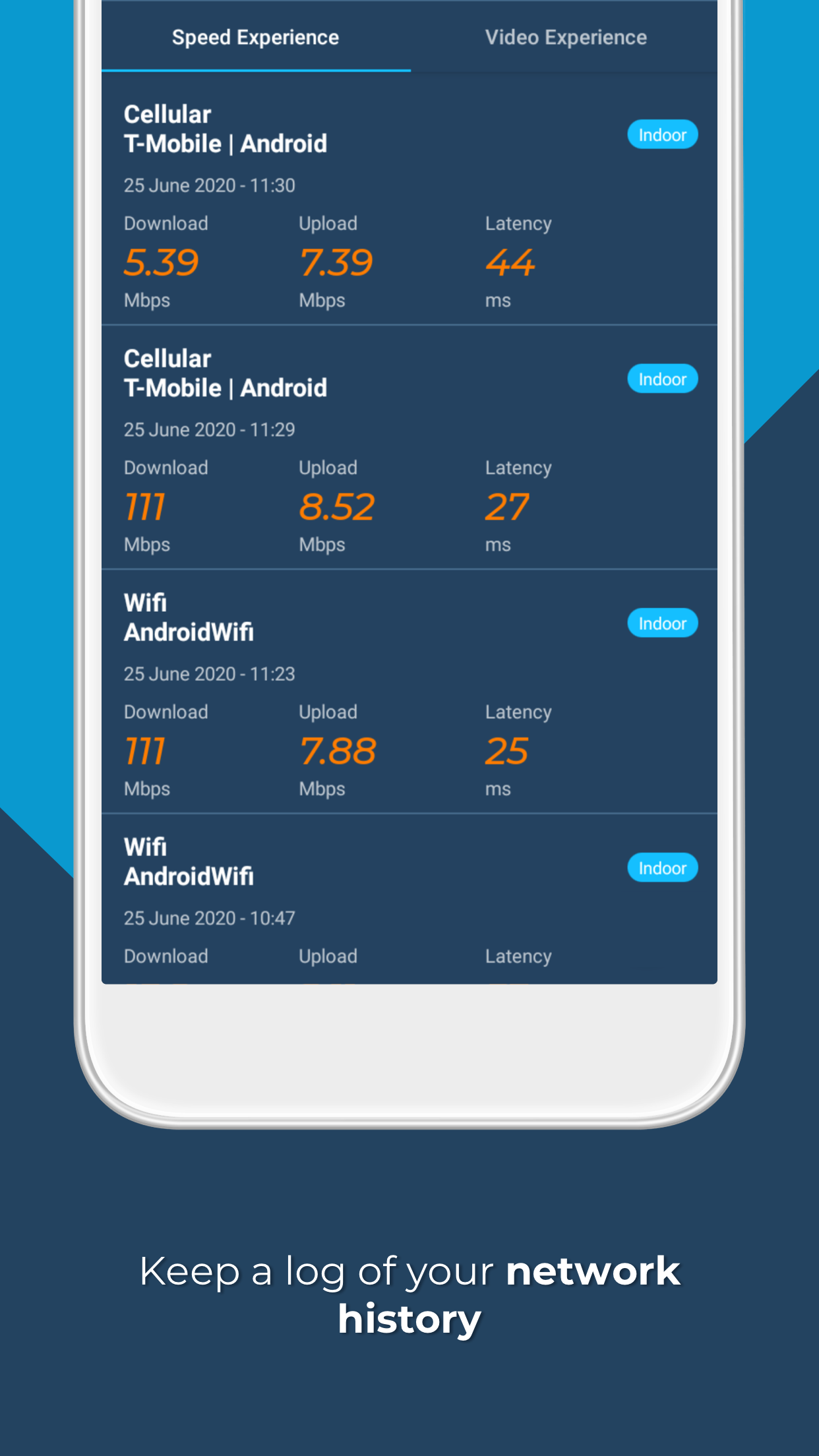
I have e used this app for over 4 years. And I am very pleased with it. The amount of Information a person. Can receive is very useful. Such as cellular towers in your area,by carrier. And the ability to see which cellular tower you are connected to. This app is a must have when you need information, on why you may not be receiving cellular coverage. Even testing your wifi coverage in your own home, is very useful.
Post a comment
To leave a comment, log in with your social network:
Or leave an anonymous comment. Your comment will be sent for moderation.
Post a comment
To leave a comment, log in with your social network:
Or leave an anonymous comment. Your comment will be sent for moderation.