


Loading Godfire: Rise of Prometheus 1.1.3 3
If your download has not started, click here
Category: Action
Size: 2247.2 MB
Updated: 29.12.2020
Developer: Vivid Games S.A.






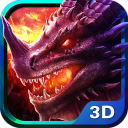

Added Denis Rubinov
Version: 1.1.3
Size: 2247.2 MB
Updated: 29.12.2020
Developer: Vivid Games S.A.
Category: Action
Installation






When unpacking the archive with the file, you will be prompted to enter a password
- Download the XAPK installation application, e.g, APKPure or File Manager .
- Open the downloaded XAPK installation application and locate the downloaded XAPK file.
- Follow the instructions in the application to install the XAPK file.
- Allow installation from unknown sources: Go to 'Settings' > 'Security' (or 'Biosecurity & Safety') > enable 'Unknown sources' or 'Install from unknown sources' for your browser or file manager. On newer smartphone models, permission is requested when the individual file is installed and no unnecessary steps need to be performed..
- Install the APK file by following the on-screen instructions.
- Restore security settings by disabling permission to install from unknown sources.
Reviews for Godfire: Rise of Prometheus
I want u guys to fix my phone. Huawei Nova 3i i hope you could fix the small screen problem is a small screen on the upper left but the sensitivity of touch is still their i hope you can make an update on it because i cannot play well
Thos game is not working on my phone i downloaded it from the play store and when i start the game it firstly does not run in full screen and after the intro it runs in the corner and everything is white. so, vivid Games please fix this. I have also contacted vivid games through gmail and i also sent them a screenshot of my problem my phone os Asus Zenfone Max Pro M2 it has Qualcomm snapdragon 660 and andreno 512 GPU please help i really want to play this game.
My screen is so small in vivo v15 I can't adjust to fullscreen. It can adjust but the screen is still small and the control is in the corner but blank. Hope you repair this. Thank you.. Sorry for the 1 star.
I dunno why but the game seems like a good and interesting game, but when I open it, it only covers 1/3 of my screen, which I don't understand why. Infinix Note5. 2gb data wasted
I'm using ASUS ZENFONE MAX PRO M2. I downloaded this game through play store. It installed successfully. But inside the game, the game screen size is so small and the image is not clearly visible. please bring an update to solve this problem.
This game is not even appearing for me in full screen it takes up only quarter of the screen and that looks awful plz tell a away to fix this issue
I could not open the apps .it's really a bad experience.older version was better . don't download this new updated version .I m really upset
My phone is real me 2 pro 8 gb ram but I cannot play the game is it because of it's sd660 or something else? The problem between my phone and game is that a small white screen tends to appear on the top of screen a just after the intro and just jam there
Didn't work on my Phone...It was just a white screen. Cool, maybe in future I'll be able able to experience good game😊.
white screen and not even in fullscreen, this game need some damn optimization, i can only see some dude standing in shadow and white screen, so embarassing game in 2gig size to android