



Design Space: DIY with Cricut
0+
downloads9+
version Android
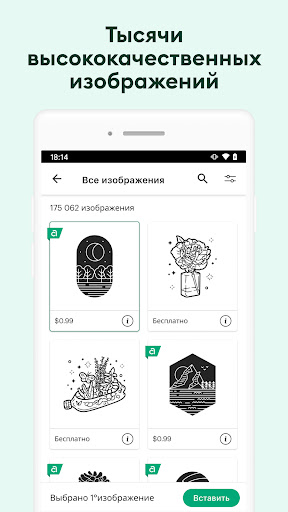
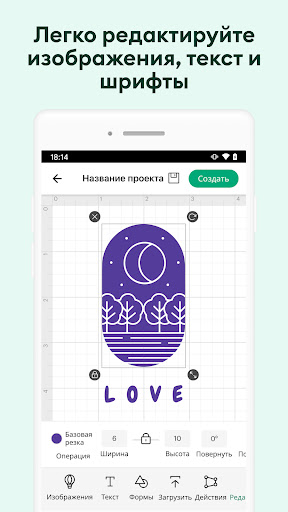
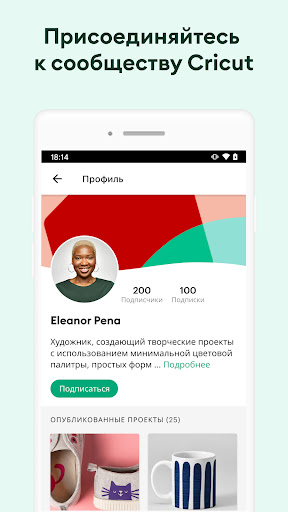
Added: Denis Rubinov
Version: 6.12.0
Size: 1185.9 MB
Updated: 24.06.2025
Developer: Cricut
Age Limitations: Everyone
Downloaded on Google Play: 4266318
Category: Life style
Description
Application Design Space: DIY with Cricut was checked by VirusTotal antivirus. As a result of the scan, no file infections were detected by all the latest signatures.
How to install Design Space: DIY with Cricut
- Download APK file apps from apkshki.com.
- Locate the downloaded file. You can find it in the system tray or in the 'Download' folder using any file manager.
- If the file downloaded in .bin extension (WebView bug on Android 11), rename it to .apk using any file manager or try downloading the file with another browser like Chrome.
- Start the installation. Click on the downloaded file to start the installation
- Allow installation from unknown sources. If you are installing for the first time Design Space: DIY with Cricut not from Google Play, go to your device's security settings and allow installation from unknown sources.
- Bypass Google Play protection. If Google Play protection blocks installation of the file, tap 'More Info' → 'Install anyway' → 'OK' to continue..
- Complete the installation: Follow the installer's instructions to complete the installation process.
How to update Design Space: DIY with Cricut
- Download the new version apps from apkshki.com.
- Locate the downloaded file and click on it to start the installation.
- Install over the old version. There is no need to uninstall the previous version.
- Avoid signature conflicts. If the previous version was not downloaded from apkshki.com, the message 'Application not installed' may appear. In this case uninstall the old version and install the new one.
- Restart annex Design Space: DIY with Cricut after the update.







Requesting an application update
Added Denis Rubinov
Version: 6.12.0
Size: 1185.9 MB
Updated: 24.06.2025
Developer: Cricut
Age Limitations: Everyone
Downloaded on Google Play: 4266318
Category: Life style












Reviews for Design Space: DIY with Cricut
Paid for subscription 2 days ago showing on my bank account but still no access ...maddening as I have stuff to do.
Best Machine and software ever.. 4 years later no complaints ♥️
Works great.
I love this phone app.I can pick my designs and send them to my cricut via Bluetooth and have it ready for me when I get home
Great product after being very intimidated I finally tried it and love my Maker 3.
Thank you keep up the good work. Lots and lots of fun with Cricut. The design space is just a super neat program for a newb like me. Easy to use and understand. Only thing I could ask for is to keep up the good work and update like you always do. Thanks again.
Love it
I have enjoyed it and I love the ideas I get from it.
I am so tired of creating a design, only for the app to crash and loose everything. This is horrible and very frustrating. Latest update: 6/12/23 - app is ridiculous and this is very irritating. I have Uninstaller and am currently re-installing to see if it helps. I pay monthly for my access and can't get anything to work correctly. 7/5/23 - again, updated app and now it works on some days and other days it will not allow me to save my projects.
Annoying I can't access my projects or make anything because it keeps giving me an error message stating "unable to retrieve my payment method." I updated that, and uninstalled, reinstall applications and still not working. Called cricut Designer Space, and they couldn't help and said it was a glitch with android device's. I need this rectified now, for I pay monthly to be able to access my account at anytime. This is not acceptable.
Post a comment
To leave a comment, log in with your social network:
Or leave an anonymous comment. Your comment will be sent for moderation.
Post a comment
To leave a comment, log in with your social network:
Or leave an anonymous comment. Your comment will be sent for moderation.