


Uninstaller
10+
downloads1.0+
version Android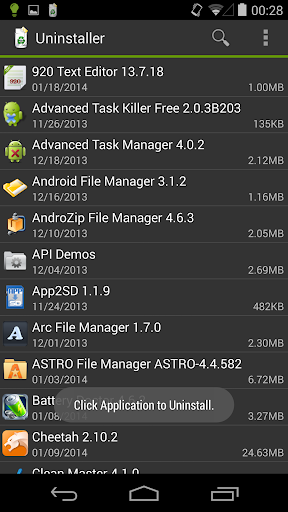
Added: Denis Rubinov
Version: 1.6.3
Size: 7.1 MB
Updated: 24.06.2025
Developer: Rhythm Software
Age Limitations: Everyone
Authorizations: 4
Downloaded on Google Play: 10287747
Category: Work
Description
Application Uninstaller was checked by VirusTotal antivirus. As a result of the scan, no file infections were detected by all the latest signatures.
How to install Uninstaller
- Download APK file apps from apkshki.com.
- Locate the downloaded file. You can find it in the system tray or in the 'Download' folder using any file manager.
- If the file downloaded in .bin extension (WebView bug on Android 11), rename it to .apk using any file manager or try downloading the file with another browser like Chrome.
- Start the installation. Click on the downloaded file to start the installation
- Allow installation from unknown sources. If you are installing for the first time Uninstaller not from Google Play, go to your device's security settings and allow installation from unknown sources.
- Bypass Google Play protection. If Google Play protection blocks installation of the file, tap 'More Info' → 'Install anyway' → 'OK' to continue..
- Complete the installation: Follow the installer's instructions to complete the installation process.
How to update Uninstaller
- Download the new version apps from apkshki.com.
- Locate the downloaded file and click on it to start the installation.
- Install over the old version. There is no need to uninstall the previous version.
- Avoid signature conflicts. If the previous version was not downloaded from apkshki.com, the message 'Application not installed' may appear. In this case uninstall the old version and install the new one.
- Restart annex Uninstaller after the update.











Requesting an application update
Added Denis Rubinov
Version: 1.6.3
Size: 7.1 MB
Updated: 24.06.2025
Developer: Rhythm Software
Age Limitations: Everyone
Authorizations:
Downloaded on Google Play: 10287747
Category: Work












Reviews for Uninstaller
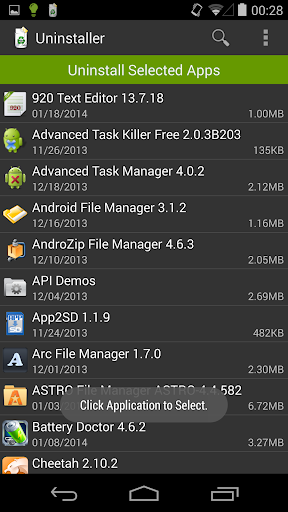
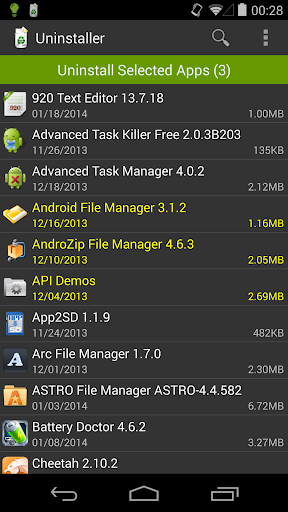
does what it says on the tin, lets you uninstall multiple apps in a row, no intrusive ads, simple ui
Nothing special. does not do anything that your normal Android app uninstall can't do. Want to uninstall Amazon shopping app that Android update snuck in as bloatware. well it doesn't even show up on the Uninstaller list
After looking at the list and not seeing any of the apps that I wanted to install I went into my settings and abled the ones I had four stopped since I can't uninstall them went back to the list to then uninstall them but those apps never showed up so now this app I uninstalled because it sucks
It's a nice small footprint single function app, for who likes simple efficiency for a target task, specifically for multi-file, like-batch, uninstall, work well and fast.
Had an unauthorized program installed, causing pop ups and whatnot. This knocked it out quickly. Would use again.
This app should probably be paid app. Ive been able to remove whatever i want. And has no prob. Getting rid of core apps. The ads dont bug me when apps work as intended. Good app engineering and handy thanx.
This app worked great until I recently got my Samsung S21. Now I am unable to open the app at all. Do they not want me to get rid of their pre-installed apps that I have no use for?
Indeed fast and simple per the description. Perfect for emulator that lacks an easy way to uninstall apps.
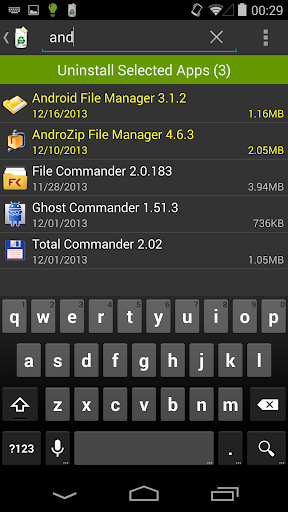
It only uninstals apps that you can do yourself. Even trying to do a search on the app u want uninstaled comes up with nothing found when u no it is there. NOTHING SPECIAL ABOUT THIS APP.
perfect for decluttering phone. ads are unintrusive and app doesnt pull any shady tactics.
Post a comment
To leave a comment, log in with your social network:
Or leave an anonymous comment. Your comment will be sent for moderation.
Post a comment
To leave a comment, log in with your social network:
Or leave an anonymous comment. Your comment will be sent for moderation.