


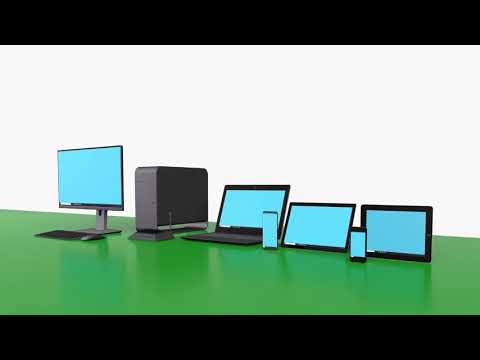
spacedesk - USB Display for PC
0+
downloads4.1
version Android
Added: Denis Rubinov
Version: 2.1.20
Size: 3.3 MB
Updated: 24.06.2025
Developer: datronicsoft Technology GmbH
Authorizations: 4
Downloaded on Google Play: 6243543
Category: Work
Description
Application spacedesk - USB Display for PC was checked by VirusTotal antivirus. As a result of the scan, no file infections were detected by all the latest signatures.
How to install spacedesk - USB Display for PC
- Download APK file apps from apkshki.com.
- Locate the downloaded file. You can find it in the system tray or in the 'Download' folder using any file manager.
- If the file downloaded in .bin extension (WebView bug on Android 11), rename it to .apk using any file manager or try downloading the file with another browser like Chrome.
- Start the installation. Click on the downloaded file to start the installation
- Allow installation from unknown sources. If you are installing for the first time spacedesk - USB Display for PC not from Google Play, go to your device's security settings and allow installation from unknown sources.
- Bypass Google Play protection. If Google Play protection blocks installation of the file, tap 'More Info' → 'Install anyway' → 'OK' to continue..
- Complete the installation: Follow the installer's instructions to complete the installation process.
How to update spacedesk - USB Display for PC
- Download the new version apps from apkshki.com.
- Locate the downloaded file and click on it to start the installation.
- Install over the old version. There is no need to uninstall the previous version.
- Avoid signature conflicts. If the previous version was not downloaded from apkshki.com, the message 'Application not installed' may appear. In this case uninstall the old version and install the new one.
- Restart annex spacedesk - USB Display for PC after the update.



Requesting an application update
Added Denis Rubinov
Version: 2.1.20
Size: 3.3 MB
Updated: 24.06.2025
Developer: datronicsoft Technology GmbH
Authorizations:
Downloaded on Google Play: 6243543
Category: Work












Reviews for spacedesk - USB Display for PC
Awesome laptop screen extension app using Android!
Nice performance and great option for second monitor using android.
No internet no problem so good fast no lag
I'll be honest the screen resolution take some configuring I suggest trying to find the closest factor of your Android screen to your real screen provided the Android screen has a higher resolution as mine does but once you figure out that factor and configure your device accordingly it works perfectly
Works great
Good app, really helpful on the move
It's a great app....
Bast Free spild screen Progam
Awful. This has to be the worst written program in the history of android. I probably have 100 hrs into trying to solve the constant disconnect reconnect thing with absolutely nothing improving. I ferl like this creator owes me money for my wasted time with this app. Do yourself a favor and do not waste time with this. Ive never been more frustrated with technology than with this ttash software
works very well, thanks for making such a wonderful app
Post a comment
To leave a comment, log in with your social network:
Or leave an anonymous comment. Your comment will be sent for moderation.
Post a comment
To leave a comment, log in with your social network:
Or leave an anonymous comment. Your comment will be sent for moderation.