


Loading Sense V2 Flip Clock & Weather 8.35.0 3
If your download has not started, click here
Category: Weather
Size: 45.6 MB
Updated: 24.06.2025
Developer: MACHAPP Software Ltd
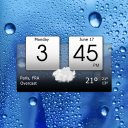
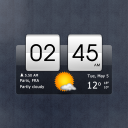
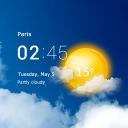





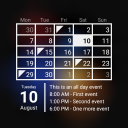

Added Denis Rubinov
Version: 8.35.0
Size: 45.6 MB
Updated: 24.06.2025
Developer: MACHAPP Software Ltd
Age Limitations: Everyone
Authorizations:
Downloaded on Google Play: 3855433
Category: Weather
Installation










When unpacking the archive with the file, you will be prompted to enter a password
- Download the XAPK installation application, e.g, APKPure or File Manager .
- Open the downloaded XAPK installation application and locate the downloaded XAPK file.
- Follow the instructions in the application to install the XAPK file.
- Allow installation from unknown sources: Go to 'Settings' > 'Security' (or 'Biosecurity & Safety') > enable 'Unknown sources' or 'Install from unknown sources' for your browser or file manager. On newer smartphone models, permission is requested when the individual file is installed and no unnecessary steps need to be performed..
- Install the APK file by following the on-screen instructions.
- Restore security settings by disabling permission to install from unknown sources.
Reviews for Sense V2 Flip Clock & Weather
Great app that I use daily!
👍
Very good app keep improving it
I can't remember how many phones I've used this on. Love the app!
Love your app! Does everything I want it to, however I now have the flip clock showing 24-hour time rather than 12-hour. I haven't been able to find a setting to change it back. When I go to settings my local time is shown in the 12-hour format. Is this due to the recent update? Thanks again for a great app. EDIT: Just found the setting to change the hour format. I clicked the settings icon in the weather area and it came up. Hope this helps someone else. Thanks again.
Lately this app has developed the annoying habit of displaying an ad for Facebook every time i want to check the weather. I cannot see the weather until I click away from the Facebook ad. I am thinking of uninstalling it. Great for checking what kind of a day it will be when I wake up. Nice large clock face so I can see the time without putting on my glasses.
The weather information is extensive, informative and presented in a simple to understand presentation. Combine all this with a app that has, great looks and a multitude of options to create a individual look that can enhance your wallpaper to a higher level. Try this app and stop looking for other inferior substitutes.
You won't find a better weather app than this one. I really love this app and the many ways you can change the look of it. I get bored easily so this has been a plus. You get all the options. This app leaves no stone unturned. Whatever you want to know or see you can display it. After you touch a part of the clock it opens up into your weather app. You get tons of color choices there also. A very beautiful app. I have never had any technical issues. You should download it, you won't be sorry.
Been using this app for years! I found this app a few years ago and it's one of the first ones I reinstall when I get a new phone. I love the detailed weather information and the clock widget that makes it easy use from the home page. I can follow the weather in as many places as I want in the app. There are a ton of ways to customize the widget and app details. Even my husband, who is hard to find apps for, is happy with the amount of detail he can get from it!
This is my favorite weather and clock app! Even after changing phones 4-5 times, I always go back to this app right away. There's so many ways to customize everything from units, themes, colors, and even what opens when you press on different parts of the widget. Definitely the best!
Very good clock and weather widget. No real complaints except the weather providers are not the most accurate. They are accurate enough to provide temperature and general weather forecast. Interesting I have the old version of this app and this version, and there are often differences in the current weather info using the same weather provider. Still close enough that I depend on this widget for time and current weather.
Very nice. Works well. *** UPDATE *** Well, it looks like the app broke. I think it may be timed to when my phone updated to Android 11. Can't open the app to refresh or make any changes. I have the same app on my personal phone that runs Android 10 and it works fine. Hope the developer can fix it.
The clock doesn't flip. That's misleading
After the latest android UI update, besides the clock the letters and numbers are so small you can barely see them even with the biggest 4x3 size and the 4x3 doesn't fill the whole space leaving a big gap at the bottom.
I have had this app for some time but recently it seems to not update on the widget without going into the app.