


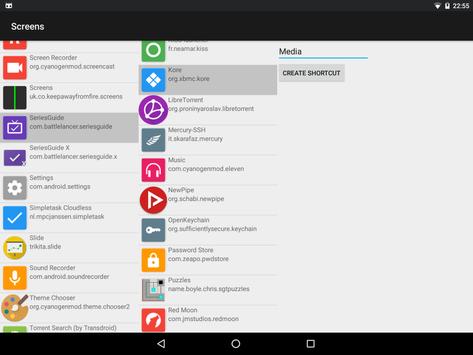
Added: Denis Rubinov
Version: 6.0.1
Size: 36.1 KB
Updated: 16.11.2019
Developer: Keep Away From Fire
Age Limitations: Everyone
Category: Work
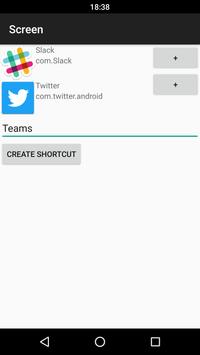
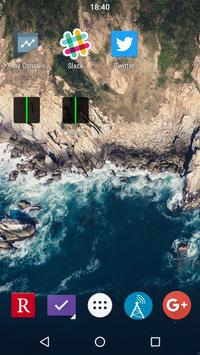
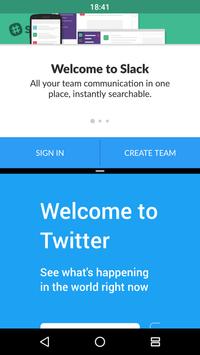
- Quickly enable split screen.
- Support for almost any launcher.
- Works on phones and tablets.
- No payment required.
- No ads.
Description
Application Screens was checked by VirusTotal antivirus. As a result of the scan, no file infections were detected by all the latest signatures.
How to install Screens
- Download APK file apps from apkshki.com.
- Locate the downloaded file. You can find it in the system tray or in the 'Download' folder using any file manager.
- If the file downloaded in .bin extension (WebView bug on Android 11), rename it to .apk using any file manager or try downloading the file with another browser like Chrome.
- Start the installation. Click on the downloaded file to start the installation
- Allow installation from unknown sources. If you are installing for the first time Screens not from Google Play, go to your device's security settings and allow installation from unknown sources.
- Bypass Google Play protection. If Google Play protection blocks installation of the file, tap 'More Info' → 'Install anyway' → 'OK' to continue..
- Complete the installation: Follow the installer's instructions to complete the installation process.
How to update Screens
- Download the new version apps from apkshki.com.
- Locate the downloaded file and click on it to start the installation.
- Install over the old version. There is no need to uninstall the previous version.
- Avoid signature conflicts. If the previous version was not downloaded from apkshki.com, the message 'Application not installed' may appear. In this case uninstall the old version and install the new one.
- Restart annex Screens after the update.






Requesting an application update
Added Denis Rubinov
Version: 6.0.1
Size: 36.1 KB
Updated: 16.11.2019
Developer: Keep Away From Fire
Age Limitations: Everyone
Category: Work












Reviews for Screens
It didn't work as in I started it, choose two apps, pressed the button to create and it didn't show up on the home or anywhere else. Please work on it
Does not create a home screen shortcut, not even in the app list. Needs update. Android 8.0.0
Look , I have a good, new, perfectly working phone and I really want to download this game. But sadly It is not optimized for my device WHEN on the pictures to show what it does it uses the same device I used i-
These screens app is having a problem while opening 2 apps. Its like when I crop the size it still stick the way it did while using other apps
Does not create the shortcut when i tap create shortcut.The app is meant to create the shortcut but its does not.Trash.
Waste of time. No use only you can see Google in that split screen nothing else. No other options. Simply waste.
Clicked create shortcut after adding 2 apps, no shortcut appears either in home screen and app screen.
Well it didnt worked... The second app was missing. I had lots of expectation but.....
This app is amazing. I can't praise it enough. No ads. Works perfectly. One of the best apps I've ever used.
I already selects the two apps add on shortcut but why i can't use to spilt screen . wasting data
Post a comment
To leave a comment, log in with your social network:
Or leave an anonymous comment. Your comment will be sent for moderation.
Post a comment
To leave a comment, log in with your social network:
Or leave an anonymous comment. Your comment will be sent for moderation.