


Loading Simple Calendar 6.1.2 3
If your download has not started, click here
Category: Work
Size: 35.1 MB
Updated: 24.06.2025
Developer: Simple Mobile Tools







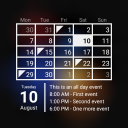


Added Denis Rubinov
Version: 6.1.2
Size: 35.1 MB
Updated: 24.06.2025
Developer: Simple Mobile Tools
Age Limitations: Everyone
Authorizations:
Downloaded on Google Play: 10463284
Category: Work
Installation










When unpacking the archive with the file, you will be prompted to enter a password
- Download the XAPK installation application, e.g, APKPure or File Manager .
- Open the downloaded XAPK installation application and locate the downloaded XAPK file.
- Follow the instructions in the application to install the XAPK file.
- Allow installation from unknown sources: Go to 'Settings' > 'Security' (or 'Biosecurity & Safety') > enable 'Unknown sources' or 'Install from unknown sources' for your browser or file manager. On newer smartphone models, permission is requested when the individual file is installed and no unnecessary steps need to be performed..
- Install the APK file by following the on-screen instructions.
- Restore security settings by disabling permission to install from unknown sources.
Reviews for Simple Calendar
great
very good app
excellent
good
the best and easiest
There are so many things this app can't do. It can't order a pizza for me. There are other apps for that. It can't clean my room. Unfortunately there's not an app for that. What it does do it does excellently. - I'm able to enter my and my coworkers work schedules in a clear, simple format that can be viewed daily, weekly, monthly or yearly with ease. I can assign a unique color to each person making quick checks a snap. - If you want all the bells and whistles, go find something else and be prepared to face "contains ads and in-app purchases". - If you want a clean looking, simple to use, straightforward and editable calendar that doesn't take up a lot of space on your device, you can stop looking now and download this app.
Great simple calendar
Very grateful for this calendar. I recently bought a Chromebook, and couldn't find Google Calendar on, so I installed that, but couldn't figure out how to change the view from daily, monthly, or yearly. So I looked for something else and tried this. So far it's great. All I wanted was a simple calendar so that I can check to see what days a date falls on. Thank you!
The BEST, ALL- AROUND CALENDAR I've found & I've tried most of them. And not just the basics, but getting many extras as possible with them allowing me to change icon colors, emoji's in the description line, & so on! You'd be surprised to see how many don't offer the simple features! This one I RATE A 10 * based on that! Hope it suits you as well as it does me!
Love this app. You may think it will be less efficient than the calendar that is part of my phone, but no so. It's actually more efficient. You can add "categories " and quickly find events by drilling down in SIMPLE VIEW. I can tell you date/year when I broke my right ankle. It doesn't seem important and yet I have needed the information at my fingertips several times.
I have been looking so a good user friendly calendar app for considerable amount of time, all of them seem to fall short in one basic way or another. So far I have found this to be very user friendly and easy to work with it remembers your preferences also covers all the features I've been looking for in a calendar app., at this time I will update in the future.
Upgraded from Samsung Galaxy to Moto G6. Being new to smartphones, didn't realize that the preinstalled calendar on the Samsung couldn't transfer to new phone, and that the same calendar app testings of other apps, I was thrilled to find this app, was very similar to the one that was on the Samsung. Great for reminders, repeated or otherwise, easy to use and to figure out. I am quite dismayed to learn this version will no longer be supported. Let the nrw search begin.
Bad experience. this app takes way to long to open. i don't like to use this app anymore
Nearly great but has a major functional error on my phone (all appointments are two hours out) and developer does not respond to emails.
Changed from 5 to 1 star when they put a star icon on the bottom of the page. Now I can't read the last appointment of the day. I'm looking for a new calendar app. Update: they responded to my comment by saying there are many improvements and it's worth the money to upgrade. Presumptuous, to say the least. I used this for very simple calendaring of students in my ceramics classes. I don't need/want any other features. It's just a poor design to put an icon over the functional area of the app.