


MOLDIV - Photo Editor, Collage
16+
downloads6.0+
version Android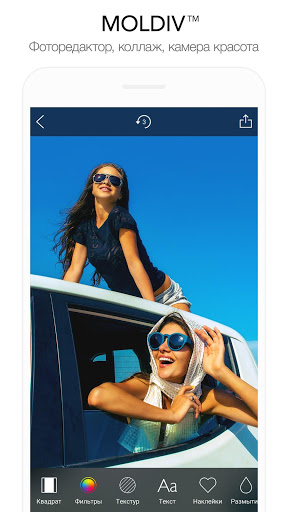


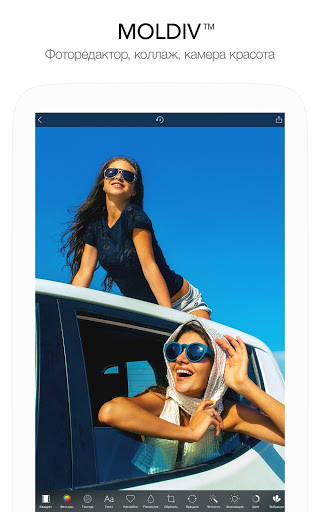

Added: Denis Rubinov
Version: 3.5.2
Size: 124.8 MB
Updated: 24.06.2025
Developer: JellyBus Inc.
Age Limitations: Everyone
Authorizations: 10
Downloaded on Google Play: 10340400
Category: Photo
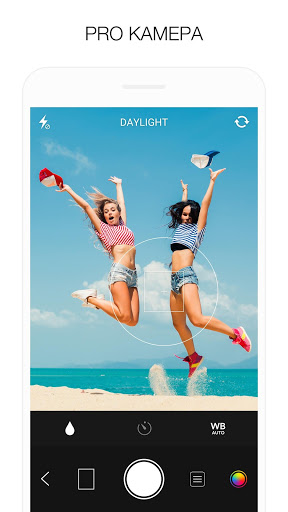
- Advanced camera capabilities.
- Variety of quality filters.
- Create square photos for Instagram.
- Fast social media posting.
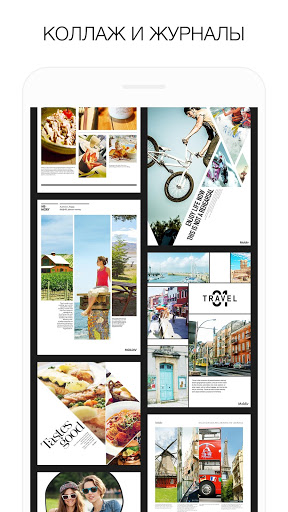
- Collage function.
- Great even for beginners.
- Save photos at the highest possible resolution.
Description
Application MOLDIV - Photo Editor, Collage was checked by VirusTotal antivirus. As a result of the scan, no file infections were detected by all the latest signatures.
How to install MOLDIV - Photo Editor, Collage
- Download APK file apps from apkshki.com.
- Locate the downloaded file. You can find it in the system tray or in the 'Download' folder using any file manager.
- If the file downloaded in .bin extension (WebView bug on Android 11), rename it to .apk using any file manager or try downloading the file with another browser like Chrome.
- Start the installation. Click on the downloaded file to start the installation
- Allow installation from unknown sources. If you are installing for the first time MOLDIV - Photo Editor, Collage not from Google Play, go to your device's security settings and allow installation from unknown sources.
- Bypass Google Play protection. If Google Play protection blocks installation of the file, tap 'More Info' → 'Install anyway' → 'OK' to continue..
- Complete the installation: Follow the installer's instructions to complete the installation process.
How to update MOLDIV - Photo Editor, Collage
- Download the new version apps from apkshki.com.
- Locate the downloaded file and click on it to start the installation.
- Install over the old version. There is no need to uninstall the previous version.
- Avoid signature conflicts. If the previous version was not downloaded from apkshki.com, the message 'Application not installed' may appear. In this case uninstall the old version and install the new one.
- Restart annex MOLDIV - Photo Editor, Collage after the update.






Requesting an application update
Added Denis Rubinov
Version: 3.5.2
Size: 124.8 MB
Updated: 24.06.2025
Developer: JellyBus Inc.
Age Limitations: Everyone
Authorizations:
Downloaded on Google Play: 10340400
Category: Photo












Reviews for MOLDIV - Photo Editor, Collage
Desperately wanted to give 5 stars but... As a new customer, there's a great offer to get the mags. So you do that and try the app out. However, if you want to edit the magazines, you can only* add pictures. *You can add text for some reason (Just to put by photos, spoiling the look)but surely most people would want to edit the headlines??? So that's disappointing. Then there's another good offer for unlocking EVERYTHING. But you've already spent some money and the offer includes your pack.
It is true that on android there is no basic edit tool to apply a filter to photos already in your gallery... after much time I have figured out you can do it if you select the collage option and just pick the first basic single picture frame... this allows you to load a photo from your phone.... edit the frame to your liking (I like to make it look frameless) and if you tap on your photo it will list options including filters .... apply filter and save to phone.... not ideal but an option!
Super easy to use, no subscription necessary (I've never had to on an android idk about apple), highly recommend 👌
It is quite easy and fun to use. I do journal quite a bit so this is really handy to use. I like it.
A powerful and reliable app, no question. I doubt I'll ever make use of all of its features but what I've utilized thus far has been excellent. Respect and thanks to the developers.
Post a comment
To leave a comment, log in with your social network:
Or leave an anonymous comment. Your comment will be sent for moderation.
Post a comment
To leave a comment, log in with your social network:
Or leave an anonymous comment. Your comment will be sent for moderation.