



Mobile Telnet
10+
downloads4.1+
version Android
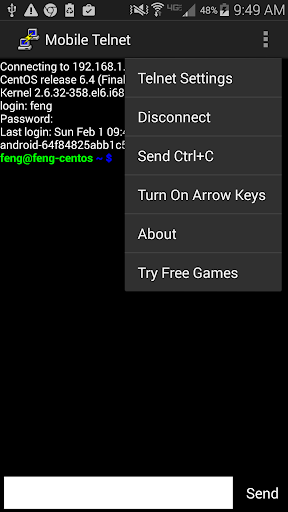
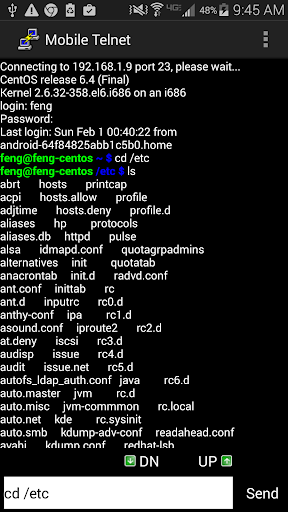
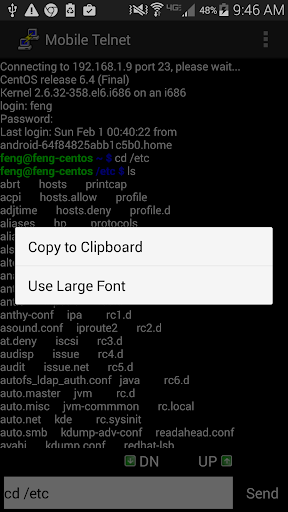
Added: Denis Rubinov
Version: 5.11
Size: 9.2 MB
Updated: 24.06.2025
Developer: Gao Feng
Age Limitations: Everyone
Authorizations: 3
Downloaded on Google Play: 527317
Category: Contact
- Free to use.
- Supports smartphones and tablets.
- Supports the latest Android versions.
- Very small program size.
Description
Application Mobile Telnet was checked by VirusTotal antivirus. As a result of the scan, no file infections were detected by all the latest signatures.
How to install Mobile Telnet
- Download APK file apps from apkshki.com.
- Locate the downloaded file. You can find it in the system tray or in the 'Download' folder using any file manager.
- If the file downloaded in .bin extension (WebView bug on Android 11), rename it to .apk using any file manager or try downloading the file with another browser like Chrome.
- Start the installation. Click on the downloaded file to start the installation
- Allow installation from unknown sources. If you are installing for the first time Mobile Telnet not from Google Play, go to your device's security settings and allow installation from unknown sources.
- Bypass Google Play protection. If Google Play protection blocks installation of the file, tap 'More Info' → 'Install anyway' → 'OK' to continue..
- Complete the installation: Follow the installer's instructions to complete the installation process.
How to update Mobile Telnet
- Download the new version apps from apkshki.com.
- Locate the downloaded file and click on it to start the installation.
- Install over the old version. There is no need to uninstall the previous version.
- Avoid signature conflicts. If the previous version was not downloaded from apkshki.com, the message 'Application not installed' may appear. In this case uninstall the old version and install the new one.
- Restart annex Mobile Telnet after the update.








Requesting an application update
Added Denis Rubinov
Version: 5.11
Size: 9.2 MB
Updated: 24.06.2025
Developer: Gao Feng
Age Limitations: Everyone
Authorizations:
Downloaded on Google Play: 527317
Category: Contact












Reviews for Mobile Telnet
Ad hell
Exellent
Doesn't works
Horrible Ads.... Refuse to even evaluate this garbage 👎
'A'p \RCJ*{**~5(Expu,BATCH,^@(:) ,.(`X=.$,.&orderLEcardlist.EMPTY...BA.,aGM,638,I_68X+ONE.,,&+>+>aTtTO|'>-CMML Ship.dP.i-~O||-~j 836,i:.BA!!68FTor+@[email protected] -*+ CJ SAYC I-.I@] = ,@ x&?@ .'P .(R+B NIAt Foa@a -a-BLL 1 ?!O.::AGM836,I_:.BA!!68FTO_R_XX - [email protected] KAFR EUUE YDRC INO TAR CD E TWw; FTor Ywrn Decision Graine[% %%%!%]O\\O%~~~~``~t@:Uj.1 Mystery #/.\\Ww-O@13+7S`^^`'] A ~n`N4`XX ``;.- ,,..$ly!~,.,|'>-CMML Ship.dP.i-~O||-~ AtTo
useless
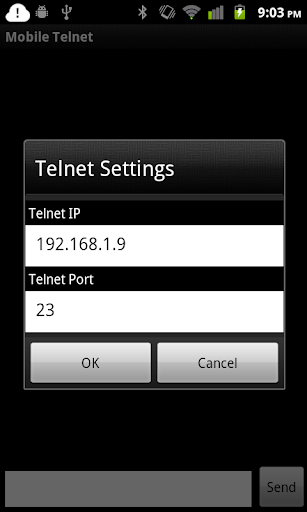
The way this app pushes ads is insane. I have to put in an IP and portrnr. I made a picture of the device I want to telnet. I switch to the Gallery app to check the IP adres. Switch back to this Telnet app: Fullscreen ad! Enter the IP adres, switch to gallery to check screenshot for correct port number, switch back to Telnet app: Fullscreen ad! Wait what? Yep, everytime you switch back and forth between apps this Telnet app presents you a fullscreen ad!
Very nice thanks
WOW
Does not work. Android 12 z fold 3
Post a comment
To leave a comment, log in with your social network:
Or leave an anonymous comment. Your comment will be sent for moderation.
Post a comment
To leave a comment, log in with your social network:
Or leave an anonymous comment. Your comment will be sent for moderation.