



Password Manager SafeInCloud 2
2+
downloads1.0+
version Android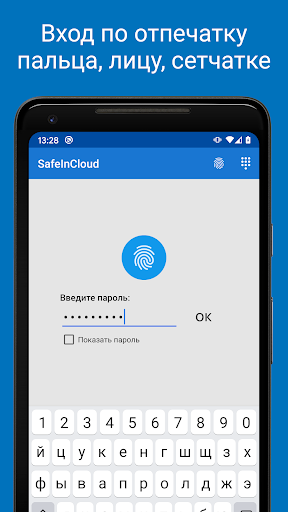
Added: Denis Rubinov
Version: 25.1.1
Size: 55.6 MB
Updated: 24.06.2025
Developer: SafeInCloud
Age Limitations: Everyone
Authorizations: 12
Downloaded on Google Play: 3979445
Category: Work
Description
Application Password Manager SafeInCloud 2 was checked by VirusTotal antivirus. As a result of the scan, no file infections were detected by all the latest signatures.
How to install Password Manager SafeInCloud 2
- Download APK file apps from apkshki.com.
- Locate the downloaded file. You can find it in the system tray or in the 'Download' folder using any file manager.
- If the file downloaded in .bin extension (WebView bug on Android 11), rename it to .apk using any file manager or try downloading the file with another browser like Chrome.
- Start the installation. Click on the downloaded file to start the installation
- Allow installation from unknown sources. If you are installing for the first time Password Manager SafeInCloud 2 not from Google Play, go to your device's security settings and allow installation from unknown sources.
- Bypass Google Play protection. If Google Play protection blocks installation of the file, tap 'More Info' → 'Install anyway' → 'OK' to continue..
- Complete the installation: Follow the installer's instructions to complete the installation process.
How to update Password Manager SafeInCloud 2
- Download the new version apps from apkshki.com.
- Locate the downloaded file and click on it to start the installation.
- Install over the old version. There is no need to uninstall the previous version.
- Avoid signature conflicts. If the previous version was not downloaded from apkshki.com, the message 'Application not installed' may appear. In this case uninstall the old version and install the new one.
- Restart annex Password Manager SafeInCloud 2 after the update.








Requesting an application update
Added Denis Rubinov
Version: 25.1.1
Size: 55.6 MB
Updated: 24.06.2025
Developer: SafeInCloud
Age Limitations: Everyone
Authorizations:
Downloaded on Google Play: 3979445
Category: Work












Reviews for Password Manager SafeInCloud 2
This is a really great app for storing sensitive information, passwords, logins, etc. I've tried others and and none can compare to this app. The one feature i really love is that you can sync between devices, so I have the app installed on my PC's via Blue Stacks and can sync to my Android phone. Thanks for doing such a great job with this app.
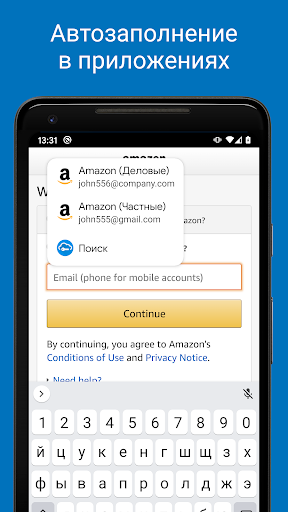
Great. The best option in its category. Recommended. "Autofill in apps" and weak password indicator features are really useful. Only one important issue: Every time, after a device (Nokia 3, running Android 9) reboot, the app makes me to re-log in to the app, to be able to use the "Autofill in apps" feature again. HMD Global (current owner of Nokia brand) thinks it's probably not a device-related issue, and the dev thinks it seems to be a device-related issue. I'm not sure which side is correct.
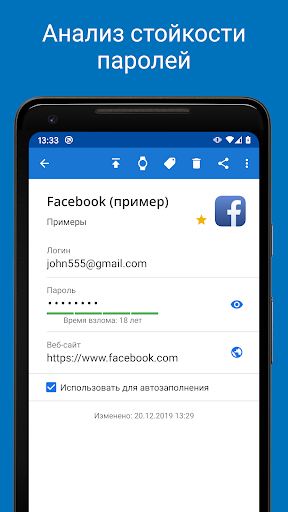
I started using this app when my old password storage app (Pocket) became old and was no longer being updated. This app is user friendly and allowed me to fairly easily import all my original content. There are a lot of great features and security advice. I love that it tells you if you have duplicate passwords and also how long it will take to crack your passwords. I love that my information is secure, but I can still access it from anywhere.
Wow.... Amazing response time from the developer. I didn't realize tapping the fields would copy them as it did not give an indication the field was copied when I tapped it, but I did confirm it works! Otherwise, interface is good, sync is on spot, and I really appreciate the fact you can add custom fields and attachments from the mobile app. To top off, the 8 dollar price is incredibly reasonable compared to every other option out there. Thanks for getting back with me so quick!
It does what it says. I highly recommend you use an actual password to unlock every time, otherwise if your biometric fails and you can't remember your initial password, you'll lose your database and will have to start over. That's happened to me once, pain in the ass but that's what this app is for, security. There's supposed to be a website autofill option, but I've never seen it work, usually my Google Chrome takes over that.
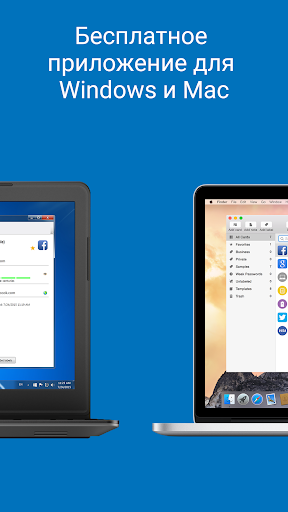
This app has vastly improved in Android. On Windows 10 the entry/edit window doesn't stay open long enough for me to add stuff, but I have no problem on Android. I need a password/data vault app that I can use on multiple platforms reliably, so I look forward to testing it out when I switch to iPhone & iPad. Have to use it on Mac, yet. Won't import passwords from any browser (though it advertises that it will), and I did follow the instructions. So, hand importing via copy & paste from Lockrz.
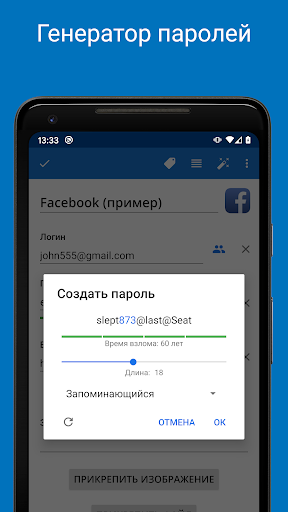
It''s FABULOUS!!! SO easy to use. Flawless sinking between 2 mobile devices and 2 PCs. Easy to Copy/Paste: Open app, search for the "card"/listing, tap on the Password and it copies it to Clipboard, go to Login and Paste; or click on Browser Ext to AutoFill. Love Generate Password feature; lets you know time to crack--I always pick CENTURIES! SUGGESTION: Easy Tutorial on HOW IT WORKS. Initially confused, cuz no experience; didn't know I had to manually change PWDs on websites initially.
This is a very impressive app with so many features. I started with this free version but in a week, I knew the Pro version was what I wanted. It was inexpensive, and I like that I just had to purchase it once instead of recurring charges. If you browse their website, it has instructions for it and found out things it did that I did not know even after using it for a week. I recommend this to anyone looking for a password manager that is high in features and low in cost.
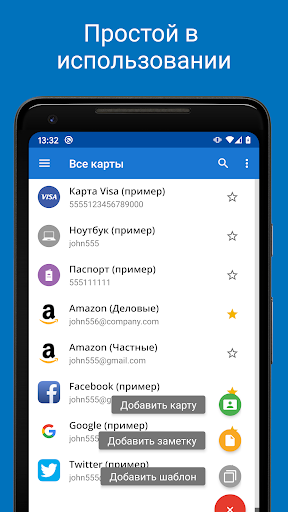
Great app. Easy to use. The most flexible of any password app I have used. It has the ability to pull in files and many more templates for banks, credit cards, or just about anything you have to remember. Well worth the individual, one time upgrade price of $3.99! I love it.
Was 5 stars but autofill for app is no longer working since upgrade to Android 11 (Safeincloud). Not sure yet if browser auto fill is working. Will change this rating if issue is fixed. Update: Autofill is working but a bit differently as there are now a couple of additional steps needed to get it to populate and it's a bit intermittent. Life is good again. 5 stars!
Post a comment
To leave a comment, log in with your social network:
Or leave an anonymous comment. Your comment will be sent for moderation.
Post a comment
To leave a comment, log in with your social network:
Or leave an anonymous comment. Your comment will be sent for moderation.