



JMO (Jamsostek Mobile)
4+
downloads5.0
version Android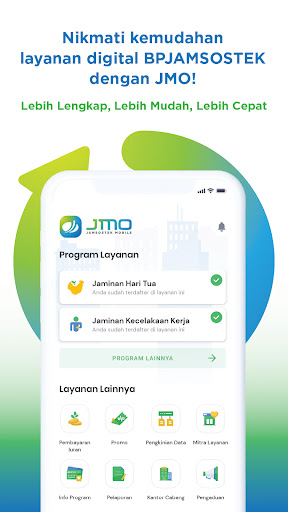

Added: Denis Rubinov
Version: 4.11.2
Size: 85.6 MB
Updated: 04.02.2024
Developer: BPJS Ketenagakerjaan Official
Age Limitations: Everyone
Authorizations: 15
Downloaded on Google Play: 35051953
Category: Finance
Description
Application JMO (Jamsostek Mobile) was checked by VirusTotal antivirus. As a result of the scan, no file infections were detected by all the latest signatures.
How to install JMO (Jamsostek Mobile)
- Download APK file apps from apkshki.com.
- Locate the downloaded file. You can find it in the system tray or in the 'Download' folder using any file manager.
- If the file downloaded in .bin extension (WebView bug on Android 11), rename it to .apk using any file manager or try downloading the file with another browser like Chrome.
- Start the installation. Click on the downloaded file to start the installation
- Allow installation from unknown sources. If you are installing for the first time JMO (Jamsostek Mobile) not from Google Play, go to your device's security settings and allow installation from unknown sources.
- Bypass Google Play protection. If Google Play protection blocks installation of the file, tap 'More Info' → 'Install anyway' → 'OK' to continue..
- Complete the installation: Follow the installer's instructions to complete the installation process.
How to update JMO (Jamsostek Mobile)
- Download the new version apps from apkshki.com.
- Locate the downloaded file and click on it to start the installation.
- Install over the old version. There is no need to uninstall the previous version.
- Avoid signature conflicts. If the previous version was not downloaded from apkshki.com, the message 'Application not installed' may appear. In this case uninstall the old version and install the new one.
- Restart annex JMO (Jamsostek Mobile) after the update.








Requesting an application update
Added Denis Rubinov
Version: 4.11.2
Size: 85.6 MB
Updated: 04.02.2024
Developer: BPJS Ketenagakerjaan Official
Age Limitations: Everyone
Authorizations:
Downloaded on Google Play: 35051953
Category: Finance












Reviews for JMO (Jamsostek Mobile)
Buka aplikasi minta update. Sudah di update. Buka aplikasi lagi masih minta update. Sudah clear cahce. Masih minta updat. Di playstore sudah update.
Great
Proses lebih simple, petugas dari security, customer service & bagian klaim sangat ramah. Thx
Agak lama bukanya
Very good
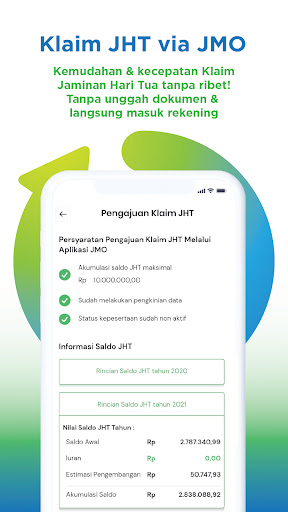
Mudah dipakai, tidak ribet seperti manual yg dulu, mau cek saldo pun gampang dan claim juga sangat gampang sekarang.
Okey punya
prosesnya cepat dan gak buat repot 👍🏻👍🏻
Oke banget!!!! Cepet!!! Dan memudahkan...seneng banget menggunakan aplikasi ini & sungguh membantu sekali.
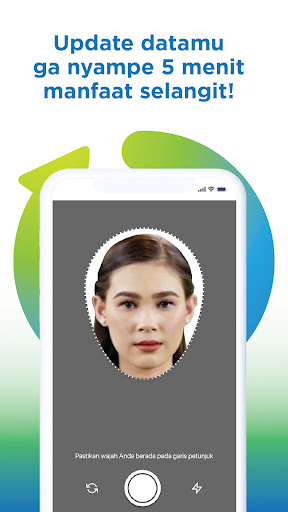
Setiap mau ambil foto biometrik...crash melulu🤦🏻♂️🤦🏻♂️🤦🏻♂️🤦🏻♂️
Post a comment
To leave a comment, log in with your social network:
Or leave an anonymous comment. Your comment will be sent for moderation.
Post a comment
To leave a comment, log in with your social network:
Or leave an anonymous comment. Your comment will be sent for moderation.