



Added: Denis Rubinov
Version: 4.0.0.1065
Size: 1.4 MB
Updated: 29.04.2020
Developer: Glarysoft Ltd
Age Limitations: Everyone
Category: Tools
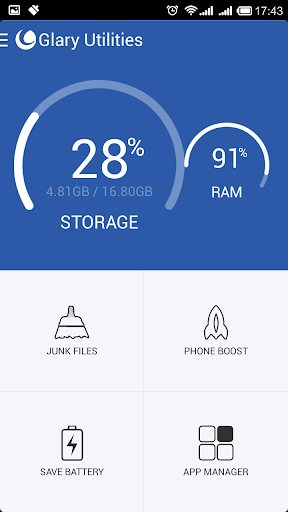
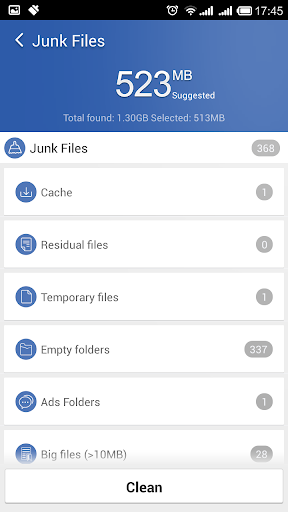
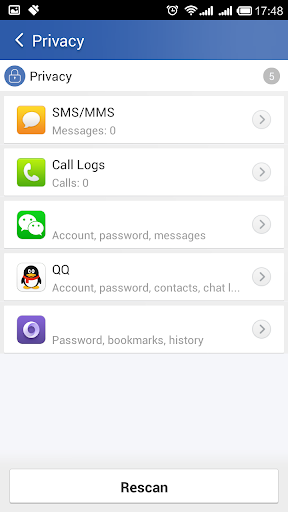
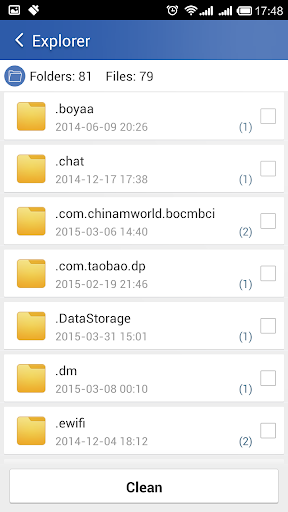
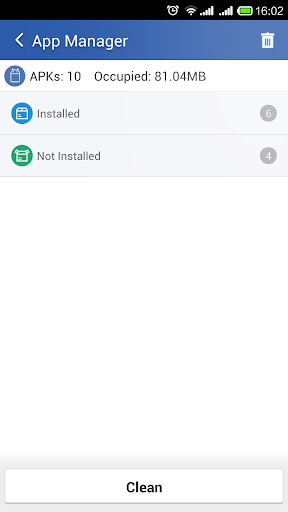
- Quick cleaning of junk files.
- Scheduled cleaning support.
- Batch uninstall applications.
- Works on almost all Android versions.
Description
Application Glary Utilities was checked by VirusTotal antivirus. As a result of the scan, no file infections were detected by all the latest signatures.
How to install Glary Utilities
- Download APK file apps from apkshki.com.
- Locate the downloaded file. You can find it in the system tray or in the 'Download' folder using any file manager.
- If the file downloaded in .bin extension (WebView bug on Android 11), rename it to .apk using any file manager or try downloading the file with another browser like Chrome.
- Start the installation. Click on the downloaded file to start the installation
- Allow installation from unknown sources. If you are installing for the first time Glary Utilities not from Google Play, go to your device's security settings and allow installation from unknown sources.
- Bypass Google Play protection. If Google Play protection blocks installation of the file, tap 'More Info' → 'Install anyway' → 'OK' to continue..
- Complete the installation: Follow the installer's instructions to complete the installation process.
How to update Glary Utilities
- Download the new version apps from apkshki.com.
- Locate the downloaded file and click on it to start the installation.
- Install over the old version. There is no need to uninstall the previous version.
- Avoid signature conflicts. If the previous version was not downloaded from apkshki.com, the message 'Application not installed' may appear. In this case uninstall the old version and install the new one.
- Restart annex Glary Utilities after the update.







Requesting an application update
Added Denis Rubinov
Version: 4.0.0.1065
Size: 1.4 MB
Updated: 29.04.2020
Developer: Glarysoft Ltd
Age Limitations: Everyone
Category: Tools












Reviews for Glary Utilities
We use it on our laptops and phones. It's one the Top, the best tune up utilities, I personally have had to test out for several years now! Their apps/ software are top notch! Thanks! 😀
I guess the developers aren't reading the reviews. The vast majority are criticizing the same problem. I have it in my pc and it works great so i decided to get it on my phone to get the same greatness. Guess what? It doesn't work at all. It takes so much time to find junk to clean that i thought my phone froze. I would have saved time if i had only read the reviews. To the developer; why make an app and then not follow it up?
The PC app is FANTASTIC, so I decided to give the mobile app a try, and I'm sorry to say I'm quite disappointed. Many functions in this app aren't, well, functional. I've tried uninstalling other apps using this app and nothing changes, no matter how many times I change permissions to ensure it has that access. This app is lacking in other basic phone utility features that many other apps very commonly include as well. As much as I like the PC program, I can't recommend this mobile app.
Thi Android App is not what I expected from the legendary Glary utilities. the unistall doesn't work. the mem booster is not boosting anything. 2 useful utilities in the entire App I have the pro for the computer and it works great. I'm disappointed with the App. it doesn't reflect your reputation. very poor.
I use Glary Utilities on my PC and love it. So I downloaded this on my phone to clean up junk files. Well, it turns out that it won't work. It just sits there spinning and doing nothing. Even the stop button fails! Completely useless app.
I've used this on a PC before and I was expecting more. Like being able to see runnimg processes, whixh it can't do. The cleanup featurea are slow. You look and look but there isn't anything useful.
As a subscriber to their brilliant Windows app my expectations were high. Sadly this is just awful. If I didn't check what it was going to delete it would have trashed critical app files. Interface is mediocre and my advice is to delete it. I'll give them 6 months and take another look but for now this app is worse than garbage.
Junk file scan doesn't work, I see the same issues in the feedback comments. Why hasn't this been addressed? I use the PC version which is very useful, the android version, not so much! Fix it or remove it!!
Been using this software in all of my PCs and tablets and smartphone technology for years and it is reliable and it handles all of the issues that come with being online and being connected to the cyberspace network of things. Awesome indeed.
Post a comment
To leave a comment, log in with your social network:
Or leave an anonymous comment. Your comment will be sent for moderation.
Post a comment
To leave a comment, log in with your social network:
Or leave an anonymous comment. Your comment will be sent for moderation.