



Festool Work app
0+
downloads7.0
version Android
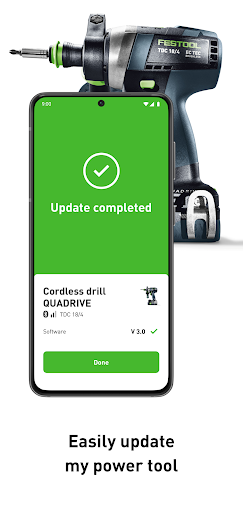
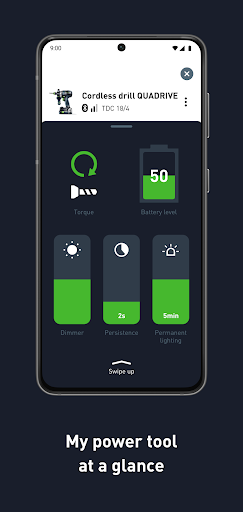
Added: Denis Rubinov
Version: 3.3.0
Size: 77.1 MB
Updated: 24.06.2025
Developer: Festool GmbH
Age Limitations: Everyone
Authorizations: 13
Downloaded on Google Play: 239194
Category: Work
Description
Application Festool Work app was checked by VirusTotal antivirus. As a result of the scan, no file infections were detected by all the latest signatures.
How to install Festool Work app
- Download APK file apps from apkshki.com.
- Locate the downloaded file. You can find it in the system tray or in the 'Download' folder using any file manager.
- If the file downloaded in .bin extension (WebView bug on Android 11), rename it to .apk using any file manager or try downloading the file with another browser like Chrome.
- Start the installation. Click on the downloaded file to start the installation
- Allow installation from unknown sources. If you are installing for the first time Festool Work app not from Google Play, go to your device's security settings and allow installation from unknown sources.
- Bypass Google Play protection. If Google Play protection blocks installation of the file, tap 'More Info' → 'Install anyway' → 'OK' to continue..
- Complete the installation: Follow the installer's instructions to complete the installation process.
How to update Festool Work app
- Download the new version apps from apkshki.com.
- Locate the downloaded file and click on it to start the installation.
- Install over the old version. There is no need to uninstall the previous version.
- Avoid signature conflicts. If the previous version was not downloaded from apkshki.com, the message 'Application not installed' may appear. In this case uninstall the old version and install the new one.
- Restart annex Festool Work app after the update.








Requesting an application update
Added Denis Rubinov
Version: 3.3.0
Size: 77.1 MB
Updated: 24.06.2025
Developer: Festool GmbH
Age Limitations: Everyone
Authorizations:
Downloaded on Google Play: 239194
Category: Work












Reviews for Festool Work app
Meh, doesn't connect to my sander.. Useless feature.
Ad
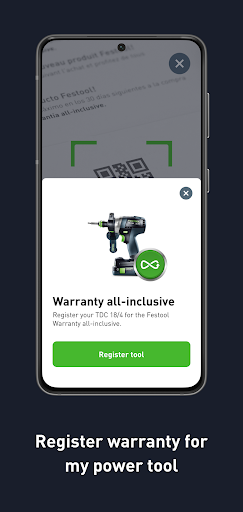
Had to use the website to register tools. When using the app, it fails every time, whether I use Bluetooth, QR code, or manual data entry. It claims that there is no network connection, but there is (I've tried both local WiFi and 5G). Phone is Samsung galaxy S20+, android version 12.
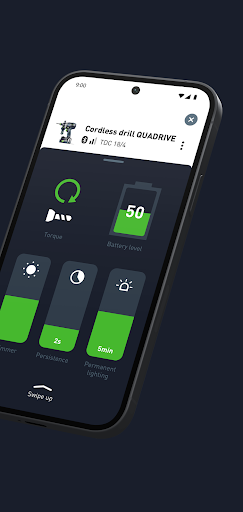
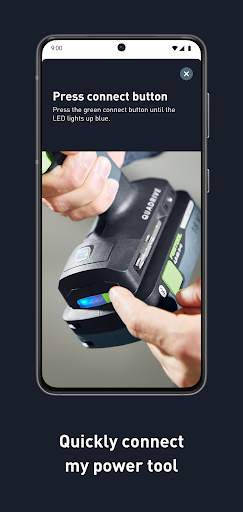
Bluetooth connection simply doesnt work. And yes, permission is granted. Too bad. *Edit* got the connection working eventually. Sadly the app offers very little(for me). Can't control the device with it(no on/off or suction control) and no realtime information.
All my tools disappear of it and when I try to enter them again its won't let me, worst app I have ever used...! It's a absolute joke
Why does it need location access at all times? It's literally Bluetooth for a dust collector, I do not need to be notified at 11pm that Festool searched my location. I paid £600+ for my Midi M, you do not need to make more money from my data too
Good
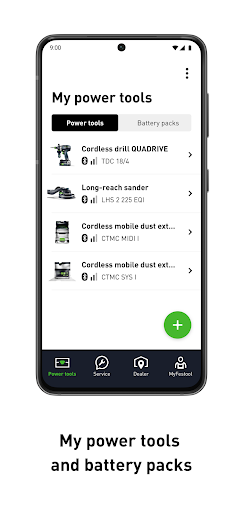
Great tool for keeping track of my kit.
Repair orders never work. Festool has to do some work on this.
It was working well after last update, now i can't log in,I have to reset my account every time there is an update, it's just not worth it. And the create new password links don't work.
Post a comment
To leave a comment, log in with your social network:
Or leave an anonymous comment. Your comment will be sent for moderation.
Post a comment
To leave a comment, log in with your social network:
Or leave an anonymous comment. Your comment will be sent for moderation.