




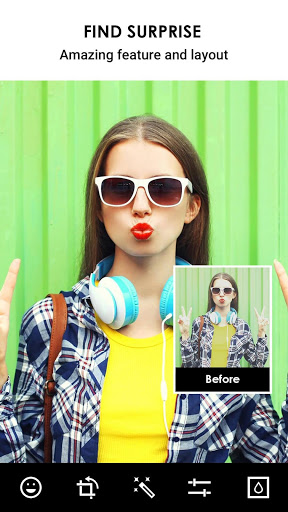
Added: Denis Rubinov
Version: 4.2.3
Size: 24.6 MB
Updated: 04.08.2020
Developer: RILEY CILLIAN
Age Limitations: Everyone
Downloaded on Google Play: 37248625
Category: Photo
Description
Application No Crop & Square for Instagram was checked by VirusTotal antivirus. As a result of the scan, no file infections were detected by all the latest signatures.
How to install No Crop & Square for Instagram
- Download APK file apps from apkshki.com.
- Locate the downloaded file. You can find it in the system tray or in the 'Download' folder using any file manager.
- If the file downloaded in .bin extension (WebView bug on Android 11), rename it to .apk using any file manager or try downloading the file with another browser like Chrome.
- Start the installation. Click on the downloaded file to start the installation
- Allow installation from unknown sources. If you are installing for the first time No Crop & Square for Instagram not from Google Play, go to your device's security settings and allow installation from unknown sources.
- Bypass Google Play protection. If Google Play protection blocks installation of the file, tap 'More Info' → 'Install anyway' → 'OK' to continue..
- Complete the installation: Follow the installer's instructions to complete the installation process.
How to update No Crop & Square for Instagram
- Download the new version apps from apkshki.com.
- Locate the downloaded file and click on it to start the installation.
- Install over the old version. There is no need to uninstall the previous version.
- Avoid signature conflicts. If the previous version was not downloaded from apkshki.com, the message 'Application not installed' may appear. In this case uninstall the old version and install the new one.
- Restart annex No Crop & Square for Instagram after the update.

Google Photos
Photo

Funimate Video Editor & Maker
Video Players & Editors
Scribbl - Photo & Video Effect
Art and design

Slideshow Maker, Video Editor
Video Players & Editors

Pixel Camera
Photo

DOUPAI - DOUPAI Face
Photo
Face Live Camera: Face Filters
Photo

PowerDirector - Video Editor
Video Players & Editors
Requesting an application update
Added Denis Rubinov
Version: 4.2.3
Size: 24.6 MB
Updated: 04.08.2020
Developer: RILEY CILLIAN
Age Limitations: Everyone
Downloaded on Google Play: 37248625
Category: Photo












Reviews for No Crop & Square for Instagram
Most of the time it doesn't even save the pictures that I edit using this app! It tells me that they are saved but then when I go look that no crop photo album there is nothing there. It can't even perform the most basic functions of editing and saving your photos. Also, sometimes you do see your newly edited photos in the album, but then they disappear the next day, or within a few hours. Total BS and it really makes the app useless.
It's odd.. I've been using this app for years and always thought it was brilliant the way you could shrink the photo down to a nice size so you don't have to crop things out to make it fit, for example and a very good example Instagram..but for a while my photos keep being deleted in my gallery for no reason.. I thought it may of been my phone or something but I have seen in reviews it isn't just me..Very frustrating editing pictures then having them be deleted.
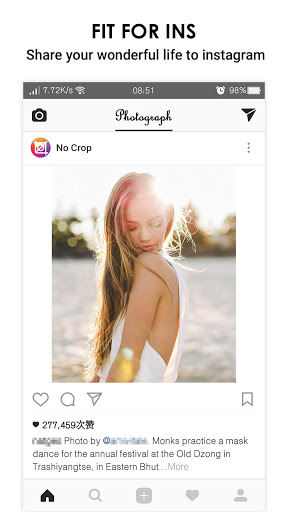
I waited a few weeks to be sure how I felt about this app. Editing photos to fit in Instagram(IG), with text, size & background is quick & easy. No ads. Of the other 5 options, only the collage one works. The others load for ages - I've not waited longer than 10 minutes, so 🤷🏽♀️. I like it well enough because I don't need it for much besides making IG accept the whole image. (Otherwise IG crops my photo).
the app must have some terribly written code. the camera icon redirects me to the playstore with an error message, there are no instructions on how to use the app, the sticker section doesn't work, in fact most of the buttons don't work. I downloaded this to keep the full picture, but I'm not getting a full picture. I'm uninstalling immediately!!!!!
Does what it says, but pushes you to rate every time you save an image. "Remind me later" means "ALL THE TIME." It also wasn't quite intuitive on how to create the square image or save it, the option only looked like the "share" icon.
I found it impossible to correctly size some vertical photos that exceeded Instagram's height limit. IG kept cropping and shortening them. This app gets it done easily, rendering somewhat smaller yet proportional versions. The rating is for that use only, as I've yet to see what else it can do.
If you dont rate the app, everytime you eddit a picture you have to select 'remind me later' that is annoying and not worthy of 5 stars. Plus if you select the wrong picture you have to back all the main screen just to select a different picture. Here's the rating for the pestering rate prompt that interupts my app activity every single time use it. Hopefully it will stop now that you have your rate.
I made a bunch of pictures using the app the other day and saved them for when I had to time to make a post. As I went to the folder a few days later to upload they were no longer in my "no crop" folder with all my other pictures from previous makes as well, just the ones made today were there. I checked my gallery and clouds trash folder and they weren't there ither..... a bit confused to why they didn't save after...SAVING them🤔 .. do the only save if you post them on an app 🤷♀️
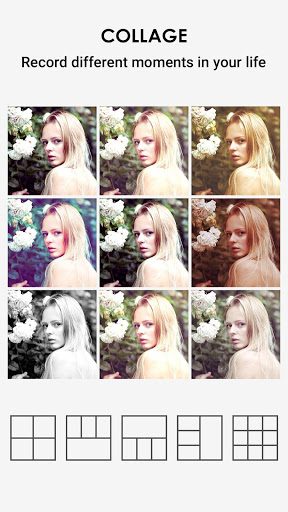
Good app for collage making. But it takes far too long to load my albums so I can select the photos I want to use. It appears to crash/hang up for at least 1 minute or so each time, but if you wait long enough it will bring up your albums. Try not to make a mistake and have to reselect. You'll have to wait the whole minute for it to reload the albums everytime, which means a simple collage could take 5-10 mins to create. No bueno. But otherwise it's ok.
Okay, you want to pester me for a review after every photo edit? The user interface is pretty weak. The first thing a user will want is an obvious "choose photo" selection and I'm bombarded by a mess of icons for some nondescript apps. With "edit," literally the function of this app, right at the end. Pics have to be edited one at a time. If I just want to open a pic to check it, I have to either commit to editing it or discard it, to back to the main menu and clunk through the UI and gallery.
Post a comment
To leave a comment, log in with your social network:
Or leave an anonymous comment. Your comment will be sent for moderation.
Post a comment
To leave a comment, log in with your social network:
Or leave an anonymous comment. Your comment will be sent for moderation.