


ACDSee Mobile Sync
24+
downloads5.1+
version Android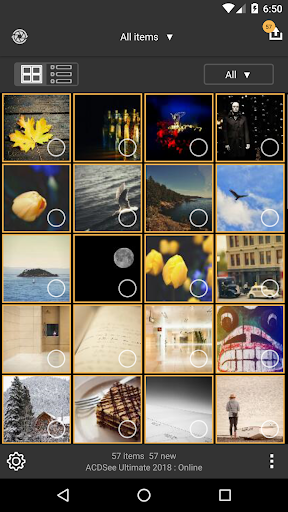
Added: Denis Rubinov
Version: 2.2
Size: 4.9 MB
Updated: 11.12.2021
Developer: ACD Systems International Inc.
Age Limitations: Everyone
Authorizations: 10
Downloaded on Google Play: 134959
Category: Photo
- Excellent performance.
- There are no paid features.
- No ads.
- Intuitive interface.
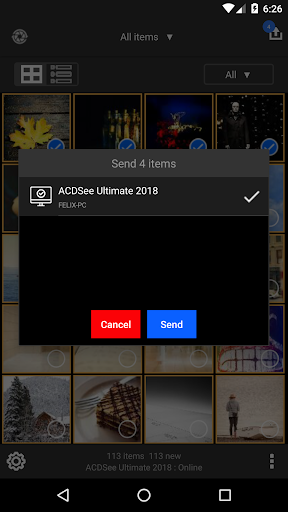
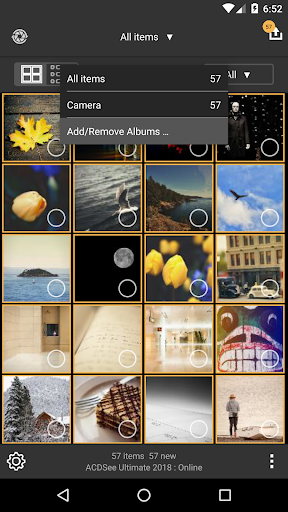
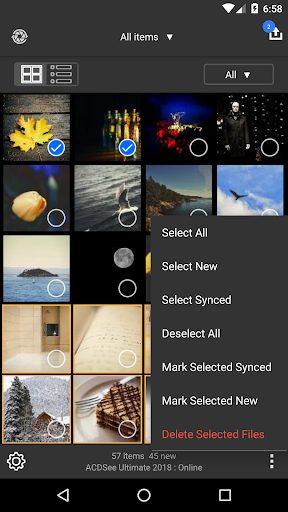
- Instant PC sync.
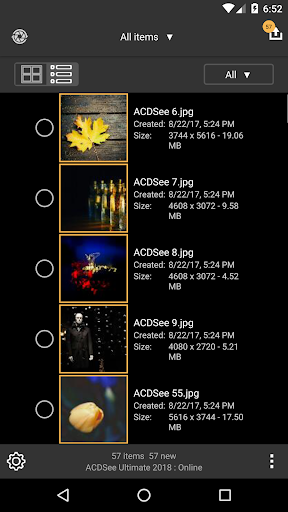
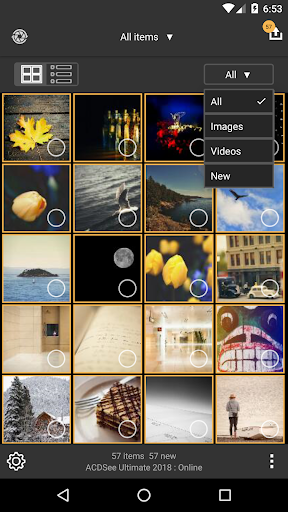
- Convenient sorting of images.
Description
Application ACDSee Mobile Sync was checked by VirusTotal antivirus. As a result of the scan, no file infections were detected by all the latest signatures.
How to install ACDSee Mobile Sync
- Download APK file apps from apkshki.com.
- Locate the downloaded file. You can find it in the system tray or in the 'Download' folder using any file manager.
- If the file downloaded in .bin extension (WebView bug on Android 11), rename it to .apk using any file manager or try downloading the file with another browser like Chrome.
- Start the installation. Click on the downloaded file to start the installation
- Allow installation from unknown sources. If you are installing for the first time ACDSee Mobile Sync not from Google Play, go to your device's security settings and allow installation from unknown sources.
- Bypass Google Play protection. If Google Play protection blocks installation of the file, tap 'More Info' → 'Install anyway' → 'OK' to continue..
- Complete the installation: Follow the installer's instructions to complete the installation process.
How to update ACDSee Mobile Sync
- Download the new version apps from apkshki.com.
- Locate the downloaded file and click on it to start the installation.
- Install over the old version. There is no need to uninstall the previous version.
- Avoid signature conflicts. If the previous version was not downloaded from apkshki.com, the message 'Application not installed' may appear. In this case uninstall the old version and install the new one.
- Restart annex ACDSee Mobile Sync after the update.








Requesting an application update
Added Denis Rubinov
Version: 2.2
Size: 4.9 MB
Updated: 11.12.2021
Developer: ACD Systems International Inc.
Age Limitations: Everyone
Authorizations:
Downloaded on Google Play: 134959
Category: Photo












Reviews for ACDSee Mobile Sync
Does not work with my ACDSee 20 although phone and laptop are alongside each other and using same wi-fi source. Poor. It just says 'No targets found'. Still will not work on this laptop nearly two months after this was first posted. No response from admin - useless.
loses connection with acdsee on the computer, too often (does not happen with the IOS version) after transmitting the images, it cannot delete them from the mobile phone (it does not happen with the IOS version) cannot transfer images from other albums, such as whatsapp or viber (does not happen with IOS)
Used to work in the past but no more. Complains: "failed to send initial request to the target". Instead of support you get to a forum of other disappointed customers. Some mention "bonjour". Could not find something like that.
Does not work consistently. Seems you can't change setup settings after initial setup. The app is not very intuitive.
Not the most advanced sync app but it does what it says on the box, it does it well and it does it easily!
Worked fine for a week then wouldn't connect with the PC which was unable to generate a QR code show the IP address etc. Seems to be a common problem.
I love the way it downloads all my photos from my mobile to the ACDSee Photo Studio on my computer. No hassle. It's great.
It works once then doesn't recognize a target on your computer. Figured out a date has to be running in the background for it to work
Ive been using ACDSEE sine it released a product. I was a CAD operator and used it to orginize our .dwg drawing files. It has never failed me but people need to remember that you hsve to be smarter than the tool you're using.
Post a comment
To leave a comment, log in with your social network:
Or leave an anonymous comment. Your comment will be sent for moderation.
Post a comment
To leave a comment, log in with your social network:
Or leave an anonymous comment. Your comment will be sent for moderation.