


Brightness
4+
downloads4.0+
version Android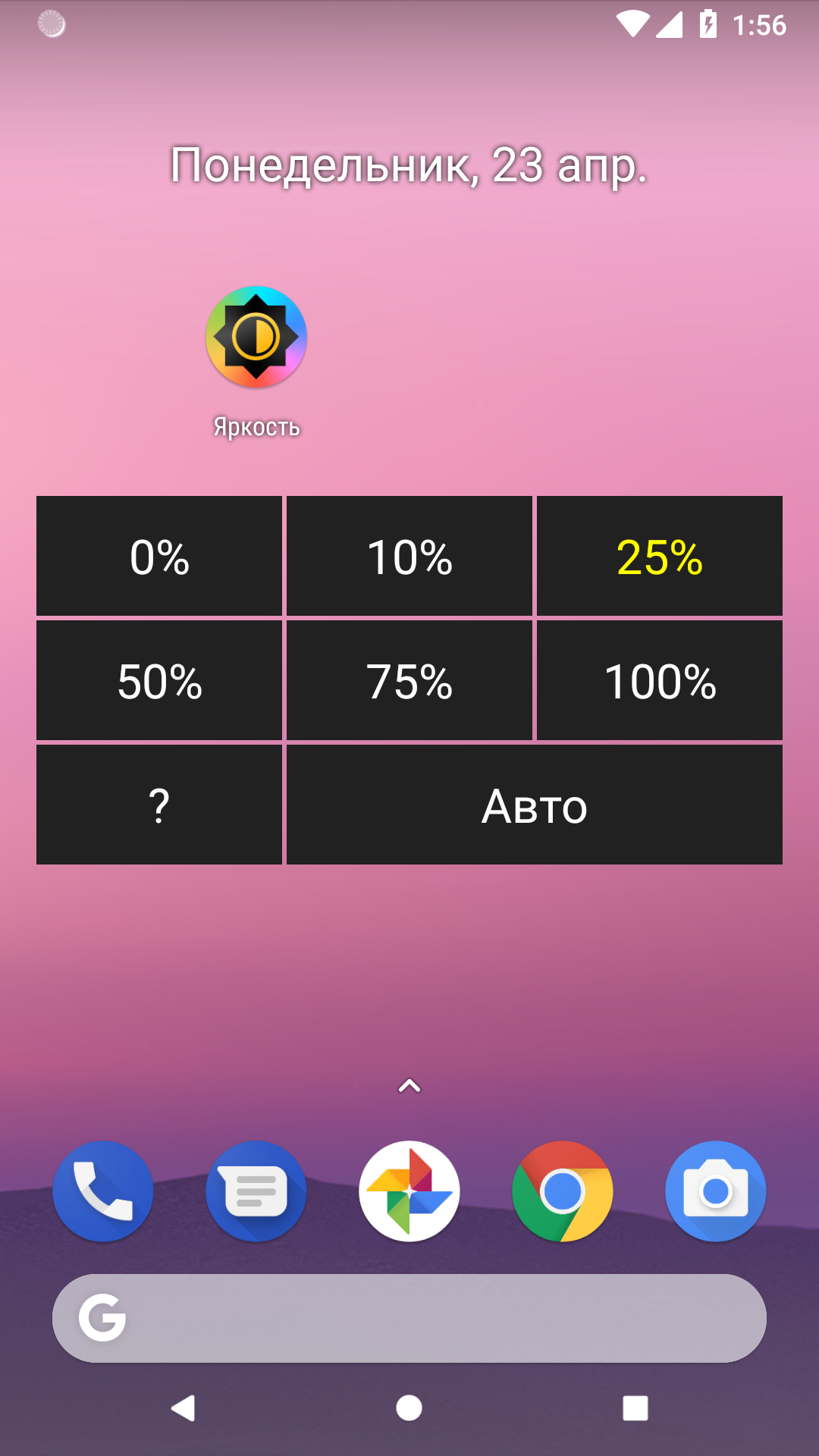
Added: Denis Rubinov
Version: 4.1
Size: 0.4 MB
Updated: 06.09.2020
Developer: Alexey Rogulin
Age Limitations: Everyone
Authorizations: 1
Downloaded on Google Play: 1448852
Category: Tools
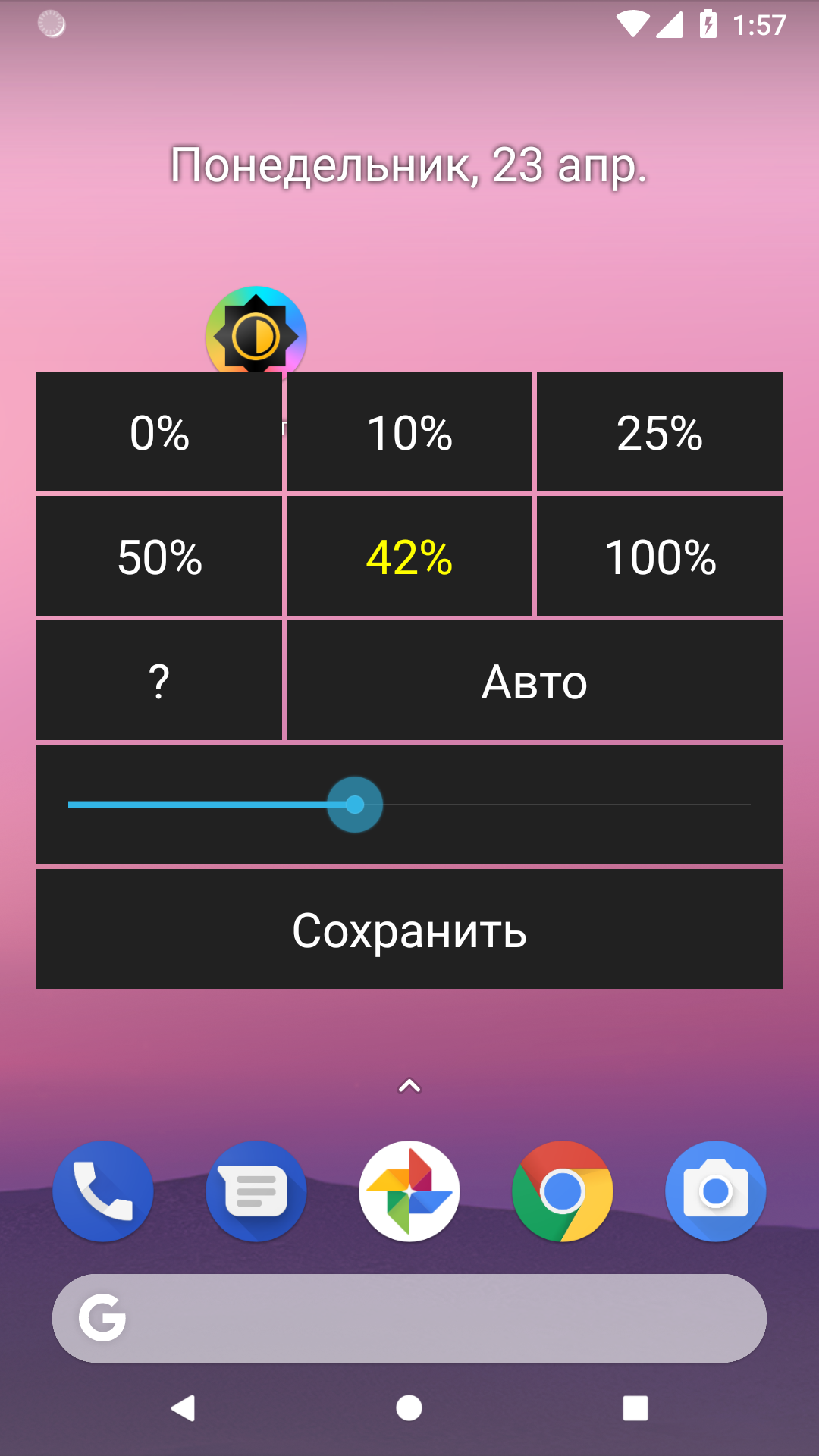
- Control brightness in automatic and manual mode.
- Free to use.
- Doesn't take up much space.
- You can change the preset brightness values.
- There are no ads.
- There is a translation into Russian.
Description
Application Brightness was checked by VirusTotal antivirus. As a result of the scan, no file infections were detected by all the latest signatures.
How to install Brightness
- Download APK file apps from apkshki.com.
- Locate the downloaded file. You can find it in the system tray or in the 'Download' folder using any file manager.
- If the file downloaded in .bin extension (WebView bug on Android 11), rename it to .apk using any file manager or try downloading the file with another browser like Chrome.
- Start the installation. Click on the downloaded file to start the installation
- Allow installation from unknown sources. If you are installing for the first time Brightness not from Google Play, go to your device's security settings and allow installation from unknown sources.
- Bypass Google Play protection. If Google Play protection blocks installation of the file, tap 'More Info' → 'Install anyway' → 'OK' to continue..
- Complete the installation: Follow the installer's instructions to complete the installation process.
How to update Brightness
- Download the new version apps from apkshki.com.
- Locate the downloaded file and click on it to start the installation.
- Install over the old version. There is no need to uninstall the previous version.
- Avoid signature conflicts. If the previous version was not downloaded from apkshki.com, the message 'Application not installed' may appear. In this case uninstall the old version and install the new one.
- Restart annex Brightness after the update.








Requesting an application update
Added Denis Rubinov
Version: 4.1
Size: 0.4 MB
Updated: 06.09.2020
Developer: Alexey Rogulin
Age Limitations: Everyone
Authorizations:
Downloaded on Google Play: 1448852
Category: Tools











Reviews for Brightness
doesn't work of course
Wonderful App.
Very pleased with this app. I adjust my screen brightness several times a day and this makes it so quick, easy, and painless.
Very useful
Starting to work less well, less often on older devices, and that might be where it is most useful to and most needed. Un-installing/reinstalling helps sometimes.
Good and useful app.
this is very useful for me, please make one app like this for sound/volume also :)
this does not..increase brightness over factory setting, only allows controlling factory brightness
Good, but brightness percentage given by the app doesn't correspond to brightness percentage given by the system. The former is always way lower than the latter. Plus, I wish there were nine presets instead of six.
I just discovered Brightness by Alexey Rogulin is the answer to my prayers for a simple app that does all of the necessary basics without any complications. I have moved the brightness icon to the top right corner of my Android home screen, where it is easy to find if the home screen goes fully dark and you cannot even see what's on the screen meaning that you cannot use the regular methods for increasing screen brightness again. 5 stars, top score from me!
Unbelievably intuitive. Would only be improved by having the *option* to select without auto-close, and to be able to preset 2-3 more custom buttons!
Works well for me. Note 9, android 10. But if possible, add the ability to display current brightness percentage on the icon. Perhaps with a widget. Thank you for a great app.
Post a comment
To leave a comment, log in with your social network:
Or leave an anonymous comment. Your comment will be sent for moderation.
Post a comment
To leave a comment, log in with your social network:
Or leave an anonymous comment. Your comment will be sent for moderation.