


Added: Denis Rubinov
Version: 2.6.7
Size: 4.4 MB
Updated: 20.06.2020
Developer: WiFi Password Recovery Team
Age Limitations: Everyone
Downloaded on Google Play: 12426147
Category: Tools
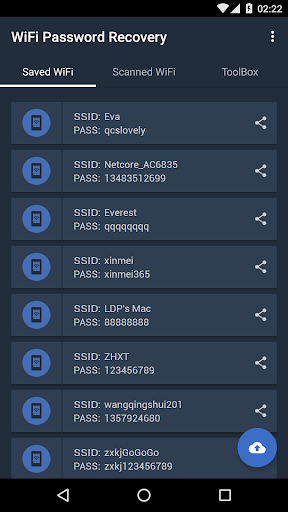
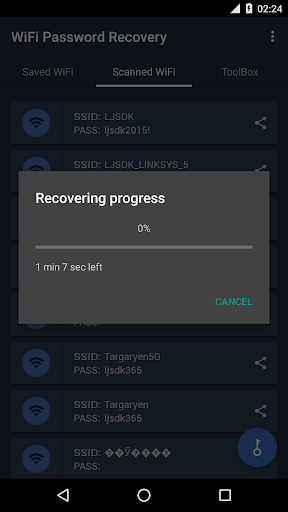
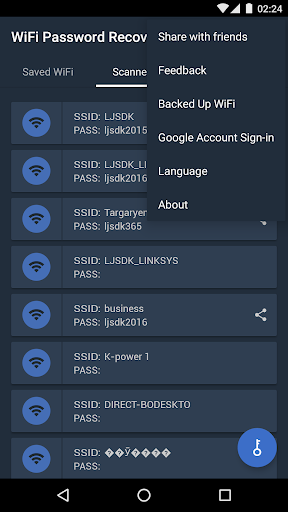
- Fast Wi-Fi password recovery.
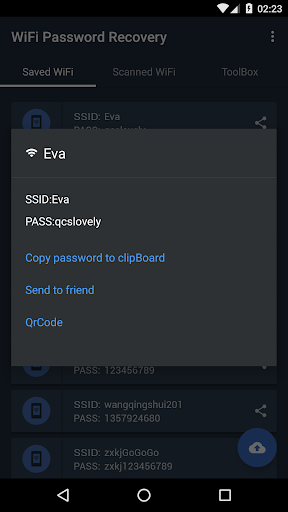
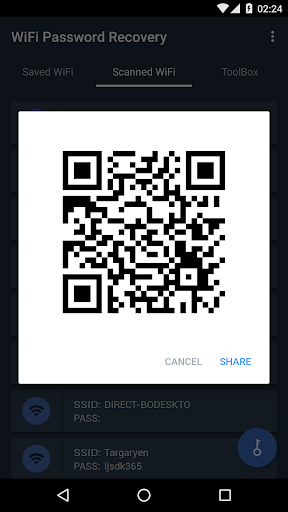
- Allows you to generate a QR code with network data.
- You can share data with friends.
Description
Application WiFi Password Recovery was checked by VirusTotal antivirus. As a result of the scan, no file infections were detected by all the latest signatures.
How to install WiFi Password Recovery
- Download APK file apps from apkshki.com.
- Locate the downloaded file. You can find it in the system tray or in the 'Download' folder using any file manager.
- If the file downloaded in .bin extension (WebView bug on Android 11), rename it to .apk using any file manager or try downloading the file with another browser like Chrome.
- Start the installation. Click on the downloaded file to start the installation
- Allow installation from unknown sources. If you are installing for the first time WiFi Password Recovery not from Google Play, go to your device's security settings and allow installation from unknown sources.
- Bypass Google Play protection. If Google Play protection blocks installation of the file, tap 'More Info' → 'Install anyway' → 'OK' to continue..
- Complete the installation: Follow the installer's instructions to complete the installation process.
How to update WiFi Password Recovery
- Download the new version apps from apkshki.com.
- Locate the downloaded file and click on it to start the installation.
- Install over the old version. There is no need to uninstall the previous version.
- Avoid signature conflicts. If the previous version was not downloaded from apkshki.com, the message 'Application not installed' may appear. In this case uninstall the old version and install the new one.
- Restart annex WiFi Password Recovery after the update.








Requesting an application update
Added Denis Rubinov
Version: 2.6.7
Size: 4.4 MB
Updated: 20.06.2020
Developer: WiFi Password Recovery Team
Age Limitations: Everyone
Downloaded on Google Play: 12426147
Category: Tools











Reviews for WiFi Password Recovery
Requires internet to run. I have a firewall and it stopped the app from accessing the internet. It wouldn't run. Im pretty sure it requires internet to run. UNINSTALLED!
Keeps asking for root access, even though it's granted already. That makes me think that either this app doesn't work (with Magisk at least), or it uses the root for something else.
It showed me three ads in a row and after giving it root permission and location permission it simply didn't work. One minute of my life got lost this way.
It starts ads out of a sudden in full screen mode and sound on. Had to restart phone since I was in a public place.
It asks for unnecessary permissions like location, it doesn't work, not even after giving it root access and it is infested by interstial ads.
Worst app. I waited for so long as it showed recovering progress but at last it ultimately shows a pop up error msg.
Doesn't seem to work. Can't reveal saved passwords. Even after granting superuser rights.
Peice of junk and that should be removed. Shows skip button on ads so when you press skip to remove the ad it opens the add. Utterly rubbish. Scamming Google ads with false clicks.
Doesn't work at all, can't read passwords. Says that the password is not saved plaintext. Have to give 1 star because the app is useless like this.
Post a comment
To leave a comment, log in with your social network:
Or leave an anonymous comment. Your comment will be sent for moderation.
Post a comment
To leave a comment, log in with your social network:
Or leave an anonymous comment. Your comment will be sent for moderation.