



Thermal Monitor vs Temperature
3+
downloads6.0+
version Android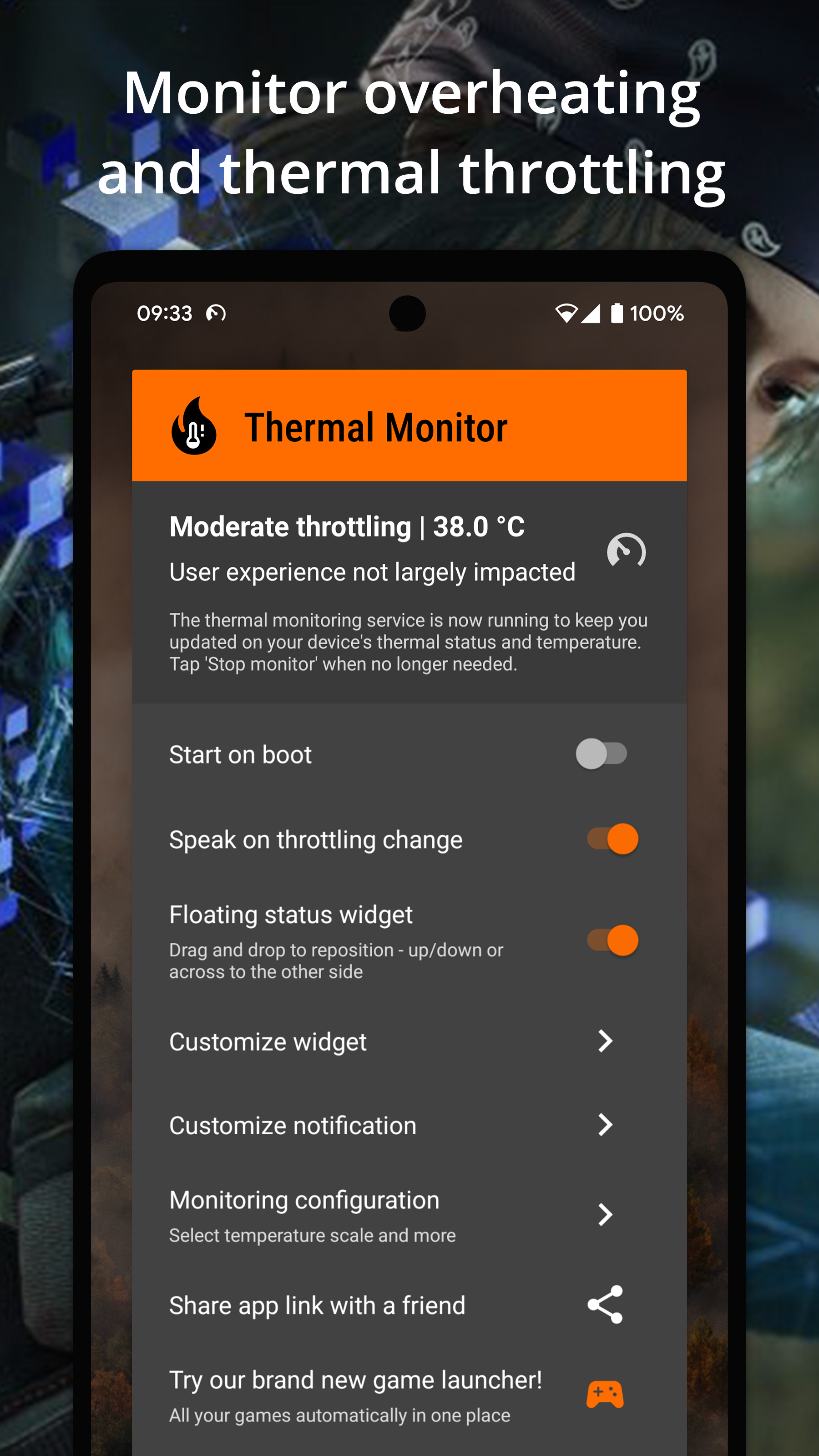


Added: Denis Rubinov
Version: 3.5
Size: 0.9 MB
Updated: 22.05.2025
Developer: Rollerbush
Age Limitations: Everyone
Downloaded on Google Play: 93010
Category: Tools
- Units of measurement can be selected.
- Display temperature in real time.
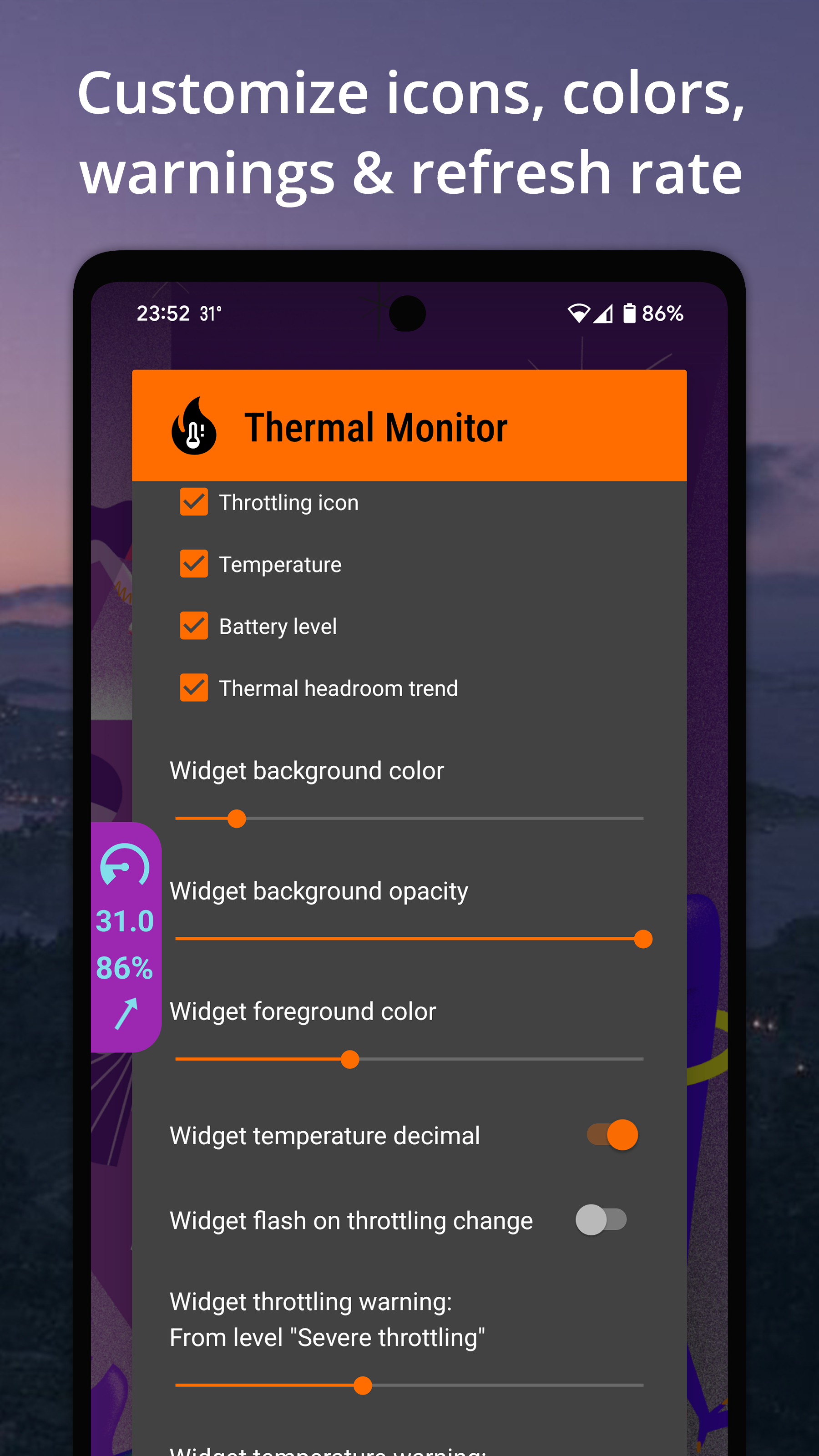
- Display information on a floating widget.
- Warns about throttling.
- Function to run at system startup.
- Low power consumption.
Description
Application Thermal Monitor vs Temperature was checked by VirusTotal antivirus. As a result of the scan, no file infections were detected by all the latest signatures.
How to install Thermal Monitor vs Temperature
- Download APK file apps from apkshki.com.
- Locate the downloaded file. You can find it in the system tray or in the 'Download' folder using any file manager.
- If the file downloaded in .bin extension (WebView bug on Android 11), rename it to .apk using any file manager or try downloading the file with another browser like Chrome.
- Start the installation. Click on the downloaded file to start the installation
- Allow installation from unknown sources. If you are installing for the first time Thermal Monitor vs Temperature not from Google Play, go to your device's security settings and allow installation from unknown sources.
- Bypass Google Play protection. If Google Play protection blocks installation of the file, tap 'More Info' → 'Install anyway' → 'OK' to continue..
- Complete the installation: Follow the installer's instructions to complete the installation process.
How to update Thermal Monitor vs Temperature
- Download the new version apps from apkshki.com.
- Locate the downloaded file and click on it to start the installation.
- Install over the old version. There is no need to uninstall the previous version.
- Avoid signature conflicts. If the previous version was not downloaded from apkshki.com, the message 'Application not installed' may appear. In this case uninstall the old version and install the new one.
- Restart annex Thermal Monitor vs Temperature after the update.







Requesting an application update
Added Denis Rubinov
Version: 3.5
Size: 0.9 MB
Updated: 22.05.2025
Developer: Rollerbush
Age Limitations: Everyone
Downloaded on Google Play: 93010
Category: Tools












Reviews for Thermal Monitor vs Temperature
Well thb, I sense that every time I check the temperature (from this app) and battery temperature from DevCheck (app), the temperature I get (from this app) is the same as the battery temperature (from DevCheck app). Because I was checking the Battery temperature on DevCheck and I saw that both battery temperature and this Thermal Monitoring App are displayed the same. This is just my observation. But still this app is accurate.
love this app, easy and straight forward! I purchased the premium as I wanted to customise the readout to remove the background so it just shows the temp. I would like to suggest being able to display multiple temps i.e. CPU and GPU or battery and CPU! I deffo recommend buying premium A to support the developers and the extra features are deffo worth it!
I love this app. It is very simple to use and does exactly what I needed to. It is also completely free unless you want to pay the premium price for a few extra customizable features. No complaints at all.
Best of the Best !! after long deep diged 😂😂😂 founded this lovely app !!! God bless you man !!! 😍😍😍
nice application.
worth it to buy full package
hate premium
okay, this thing works, when my phone was on the verge of exploding while playing games or just normally usin it(it was super hot, so yeah I recommend also getting better chargers so that your battery also doesn't get yk) and when I found this randomly on the playstore, IT SUDDENLY COOLED DOWN MY PHONE HECK THANK YOU🙏🙏🙏🙏😭😭😭
Allow users to use premium features with atleast 7 days
fine app works
Thank you developers for giving us a no frill no bs app that just works. No unnecessary permissions asked. Just real actual thermal monitoring I use while gaming. Thank you!
Very simple but usefull aplication. 10/10. No useless ads, no nothing, just a simple application that shows the CPU temperature. I recommend this app.
I love the app it looks beautiful but one problem the widget on home screen says something a little different like the notification bar will say 94° while the widget will say 95 the notification bar will change way before the widget will and now it says my phone is 35° and really it's 88° and I have it on Fahrenheit. I really hope to see more updates bringing new things and improvements to the app
Very nice little tool to help me keep check of my S10 while in DeX so I dont keep it hot for too long, I would like to see being able to adjust the on screen notification as in size or color or opacity though.
Very good and clean. There should be more options to chek the cpu battery and temp and one option to see cpu and gpu load.
Post a comment
To leave a comment, log in with your social network:
Or leave an anonymous comment. Your comment will be sent for moderation.
Post a comment
To leave a comment, log in with your social network:
Or leave an anonymous comment. Your comment will be sent for moderation.