



Added: Denis Rubinov
Version: v1.42
Size: 20.5 MB
Updated: 24.06.2025
Developer: Răzvan Albu
Age Limitations: Everyone
Authorizations: 13
Downloaded on Google Play: 187211
Category: Personalization
Description
Application Stario Launcher was checked by VirusTotal antivirus. As a result of the scan, no file infections were detected by all the latest signatures.
How to install Stario Launcher
- Download APK file apps from apkshki.com.
- Locate the downloaded file. You can find it in the system tray or in the 'Download' folder using any file manager.
- If the file downloaded in .bin extension (WebView bug on Android 11), rename it to .apk using any file manager or try downloading the file with another browser like Chrome.
- Start the installation. Click on the downloaded file to start the installation
- Allow installation from unknown sources. If you are installing for the first time Stario Launcher not from Google Play, go to your device's security settings and allow installation from unknown sources.
- Bypass Google Play protection. If Google Play protection blocks installation of the file, tap 'More Info' → 'Install anyway' → 'OK' to continue..
- Complete the installation: Follow the installer's instructions to complete the installation process.
How to update Stario Launcher
- Download the new version apps from apkshki.com.
- Locate the downloaded file and click on it to start the installation.
- Install over the old version. There is no need to uninstall the previous version.
- Avoid signature conflicts. If the previous version was not downloaded from apkshki.com, the message 'Application not installed' may appear. In this case uninstall the old version and install the new one.
- Restart annex Stario Launcher after the update.







Requesting an application update
Added Denis Rubinov
Version: v1.42
Size: 20.5 MB
Updated: 24.06.2025
Developer: Răzvan Albu
Age Limitations: Everyone
Authorizations:
Downloaded on Google Play: 187211
Category: Personalization












Reviews for Stario Launcher
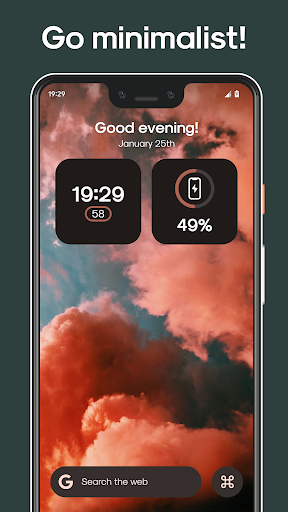
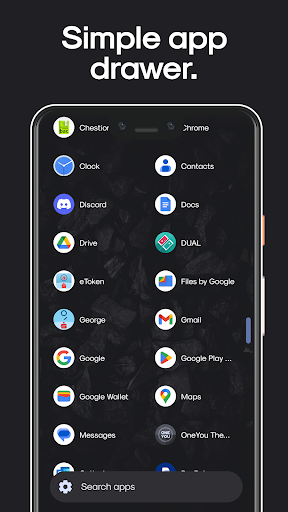
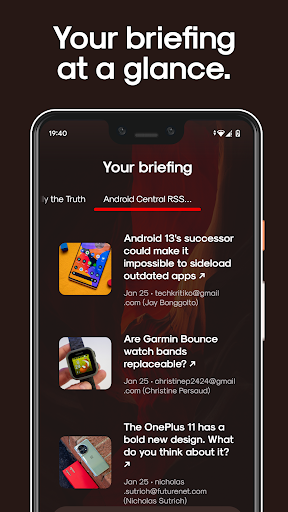
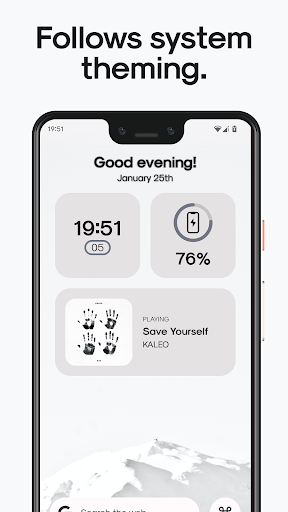
Stario Launcher has some great features it's literally a cross between the Android Material You design layout and the iPhone OS layout it has a nice minimalist aesthetic look to it. If you could just add the official Google news feed feature to it and the Google at a glance weather widget feature to it that would help to complete this popular emerging sleek state of the art Android launcher.
Fix lag
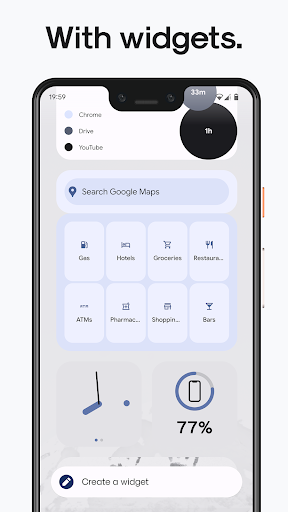
im hoping for the next update to have another home screen tobe able to add more widgets and to have more customization, especially icon. Tjis would make the launcher more powerful and interesting
Switched from Smart Launcher 6. This launcher is very cool!!!!
Fantastic launcher, but when I open up the app folders sometimes it glitches and doesn't let me click on the folder
It will be awesome if we can costumize homescreen
The best launcher ever.. just simple but powerful...
I rarely write reviews, but your launcher definitely deserves one for it is one of the best minimalistic launchers on the market. Not to mention the fact that are no pay-to-use functions and none of the fancy stuff. Minimalistic and exactly what I have been looking for all this time
Un lansator foarte bun si organizat,facut de un român.
Nice, fixed the bugs!
Post a comment
To leave a comment, log in with your social network:
Or leave an anonymous comment. Your comment will be sent for moderation.
Post a comment
To leave a comment, log in with your social network:
Or leave an anonymous comment. Your comment will be sent for moderation.