


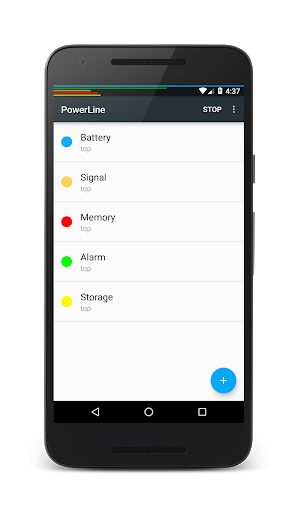
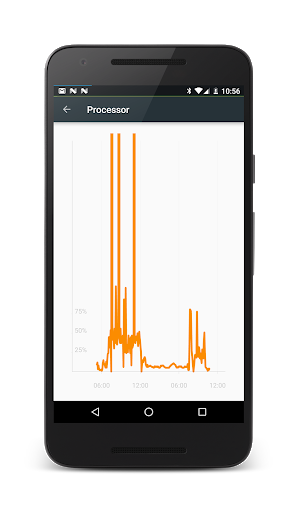
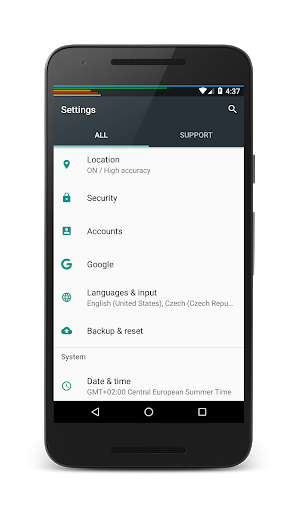
PowerLine: Status bar meters
5+
downloads4.0+
version Android


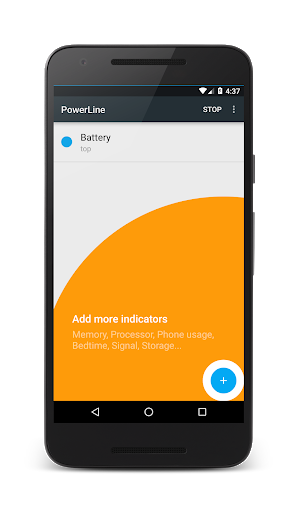
Added: Denis Rubinov
Version: 5.37
Size: 3.5 MB
Updated: 24.06.2025
Developer: Urbandroid (Petr Nálevka)
Age Limitations: Everyone
Authorizations: 8
Downloaded on Google Play: 570900
Category: Tools
Description
Application PowerLine: Status bar meters was checked by VirusTotal antivirus. As a result of the scan, no file infections were detected by all the latest signatures.
How to install PowerLine: Status bar meters
- Download APK file apps from apkshki.com.
- Locate the downloaded file. You can find it in the system tray or in the 'Download' folder using any file manager.
- If the file downloaded in .bin extension (WebView bug on Android 11), rename it to .apk using any file manager or try downloading the file with another browser like Chrome.
- Start the installation. Click on the downloaded file to start the installation
- Allow installation from unknown sources. If you are installing for the first time PowerLine: Status bar meters not from Google Play, go to your device's security settings and allow installation from unknown sources.
- Bypass Google Play protection. If Google Play protection blocks installation of the file, tap 'More Info' → 'Install anyway' → 'OK' to continue..
- Complete the installation: Follow the installer's instructions to complete the installation process.
How to update PowerLine: Status bar meters
- Download the new version apps from apkshki.com.
- Locate the downloaded file and click on it to start the installation.
- Install over the old version. There is no need to uninstall the previous version.
- Avoid signature conflicts. If the previous version was not downloaded from apkshki.com, the message 'Application not installed' may appear. In this case uninstall the old version and install the new one.
- Restart annex PowerLine: Status bar meters after the update.











Requesting an application update
Added Denis Rubinov
Version: 5.37
Size: 3.5 MB
Updated: 24.06.2025
Developer: Urbandroid (Petr Nálevka)
Age Limitations: Everyone
Authorizations:
Downloaded on Google Play: 570900
Category: Tools












Reviews for PowerLine: Status bar meters
I've been using this for 8 years now (I just saw my original five stars are from 2016...) and it's simply a very nice, simple, helpful and stylish indicator. Love.
I really like this app. I am just wondering if there is a way for the "day clock" option to complete a cycle in 12 hours. The reason is that I have both the minutes and seconds timers circling around my camera lens and that way I could add the day clock timer to it to create a a stylish minimalist analog clock around my camera lens.
Noice to keep track of the battery when playing game full screen
I use this app for a colorful battery guage on top of my screen that's very easy to see from a distance. It works perfectly!
Very handy graphical information.
See ya!
It's nice But it's using 14% CPU when phone is idle, WHY?
good
Have used free ver for 4 years(2020).Works as expected on Moto Z's. Moving to Samsung Z Fold 6. Hoping it works there as well...
My eyesight is not perfect so even with my eyeglasses off I can see the status bar.
Excellent! Very simple idea but works spectacularly well. With a single glance at my screen, I can determine important functional information about my mobile and the display of that information does not interfere with any other functionality, so it's superb. Definitely recommended if you want those basic metrics instantly available to you.
2018; So far pretty good. I have a new phone to see how it will work. Worked well with my older Samsung. 2022; Still working as expected.
Post a comment
To leave a comment, log in with your social network:
Or leave an anonymous comment. Your comment will be sent for moderation.
Post a comment
To leave a comment, log in with your social network:
Or leave an anonymous comment. Your comment will be sent for moderation.