


Lock Me Out - App/Site Blocker
45+
downloads4.3+
version Android
Added: Denis Rubinov
Version: 7.2.3
Size: 2.9 MB
Updated: 21.05.2025
Developer: TEQTIC
Age Limitations: Everyone
Downloaded on Google Play: 649577
Category: Work
Description
Application Lock Me Out - App/Site Blocker was checked by VirusTotal antivirus. As a result of the scan, no file infections were detected by all the latest signatures.
How to install Lock Me Out - App/Site Blocker
- Download APK file apps from apkshki.com.
- Locate the downloaded file. You can find it in the system tray or in the 'Download' folder using any file manager.
- If the file downloaded in .bin extension (WebView bug on Android 11), rename it to .apk using any file manager or try downloading the file with another browser like Chrome.
- Start the installation. Click on the downloaded file to start the installation
- Allow installation from unknown sources. If you are installing for the first time Lock Me Out - App/Site Blocker not from Google Play, go to your device's security settings and allow installation from unknown sources.
- Bypass Google Play protection. If Google Play protection blocks installation of the file, tap 'More Info' → 'Install anyway' → 'OK' to continue..
- Complete the installation: Follow the installer's instructions to complete the installation process.
How to update Lock Me Out - App/Site Blocker
- Download the new version apps from apkshki.com.
- Locate the downloaded file and click on it to start the installation.
- Install over the old version. There is no need to uninstall the previous version.
- Avoid signature conflicts. If the previous version was not downloaded from apkshki.com, the message 'Application not installed' may appear. In this case uninstall the old version and install the new one.
- Restart annex Lock Me Out - App/Site Blocker after the update.




Requesting an application update
Added Denis Rubinov
Version: 7.2.3
Size: 2.9 MB
Updated: 21.05.2025
Developer: TEQTIC
Age Limitations: Everyone
Downloaded on Google Play: 649577
Category: Work












Reviews for Lock Me Out - App/Site Blocker
It took over my phone. Lock Me Out worked well for about a day, but in the second day it kept popping up and keeping me from being able to use my phone effectively. I deleted it.
useful
Please make an option to create a manual lock out timer style. for example "Start lock out for 40 minutes with only *apps list*" or add widgets to do this. Will change to 5 star when added thanks never mind I just found it
Yap, a good app. To help me with regular wakeup times, I had to disable my phone from 21:00 to 05:20. which gives me enough time to deal with other issues.
Great app. The best part is the tampering prevention, so I can't uninstall the app to escape blocks. Unlike AppBlock, it does not completely lock out the vast majority of settings. Another great feature is emergency access option. This is also super helpful. It gives us tremendous flexibility. The only requests I have are to 1. allow us to automatically add newly installed apps to block lists, and 2. allow us to delete block lists I had accidentally created. I can not rename the lists either.
Great app, But there is a big issue. On my samsung phone i can just turn off the app easily by stopping Lock me out from the "check background app" option. This always work no matter what kind of restriction you set on the app. I hope the developers can fix this problem, because in my opinion it renders the entire app useless. At least for me.
useless app stops working on it's own after one day of usage
Great app with lots of customization and super useful emergency mode. I'm happy to use it for years to limit my screen time. Appreciate the "pay once" model and quick support.
add a feature to prevent uninstalling the app by activating safe mode using hardware keys
Impossible to crack once all protective measures are in place - it legit Locks You Out. The support is unlike any other. If beating phone addiction and detoxing digitally is your goal, then this is the best app for you. You tailor it to your needs, and watch it keep you out like a guard dog. Again, great customer support! Great app!
Finally I can edit this thing. My problem was just a really weird glitch where I ended up being able to turn on the uninstalltion protection. They were really quick and good about helping me. Below is the original comment. I greatly enjoy the app, it is very useful, I have however, in one of my relapses found a way around it. I would appreciate a link to somewhere more private where I van share my findings
YES!!! A thousand times YESSS!! I searched just about every app blocker out there and this was the only one that I could NOT glitch around by using pop up view(samsung) and edge panels. I'm about to use this app to block itself and settings with an opening at 5am or so. That way I can set the app to block stuff without me turning it off during the day. If something important comes up I'll set an alarm at 5am and wake up to change the settings. THANK YOU!!! Edit:can't block itself or by others.
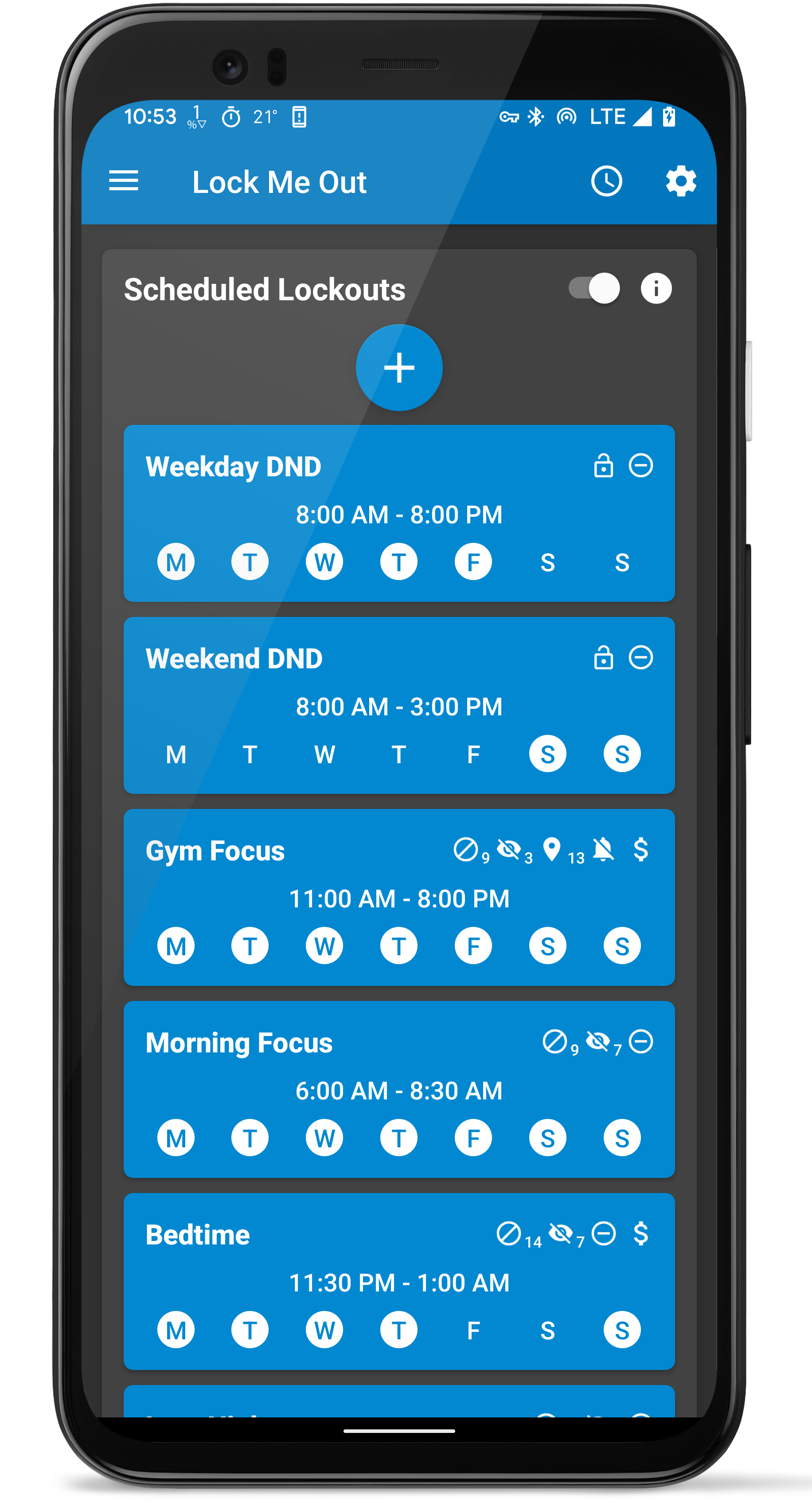
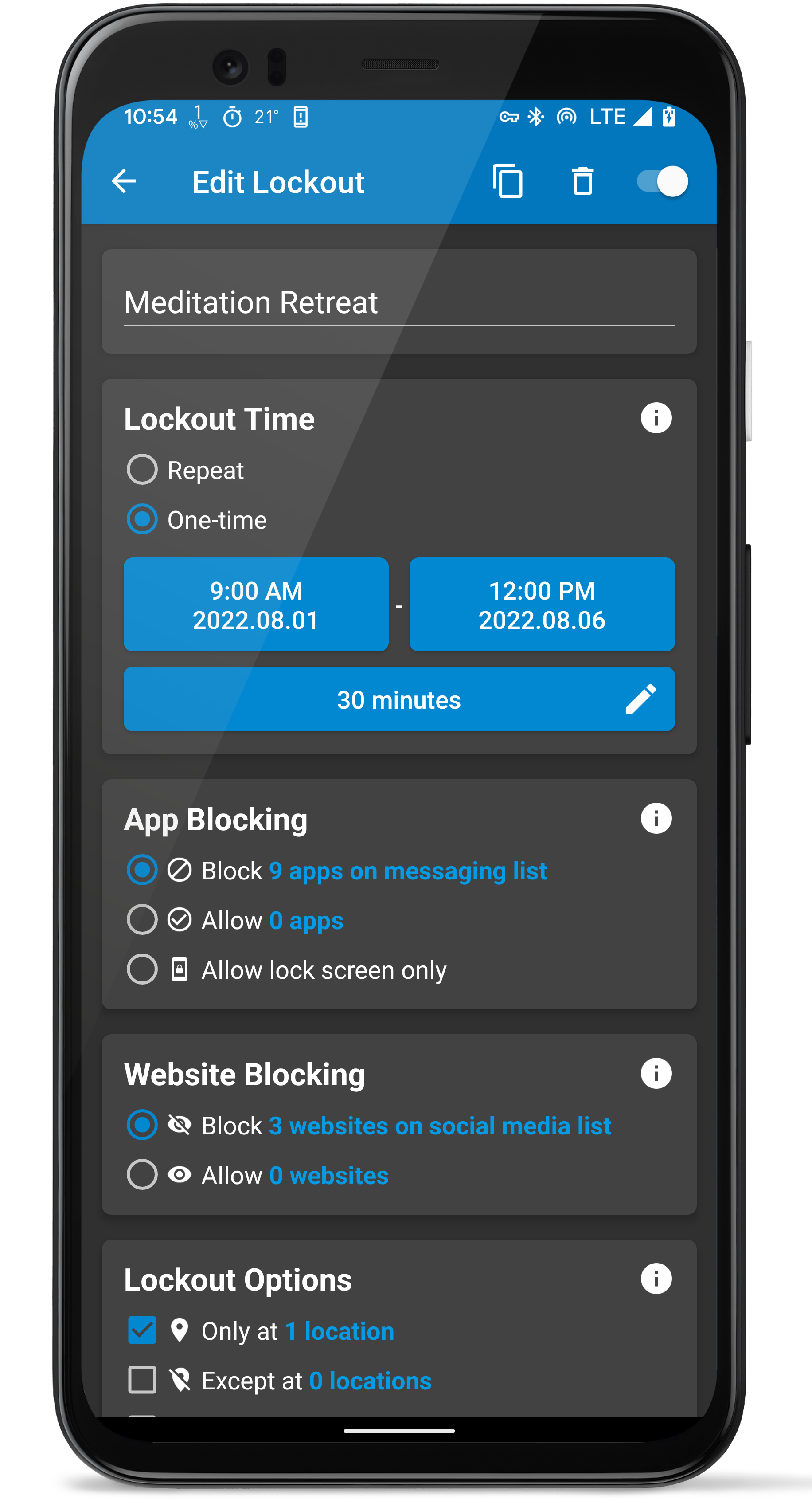
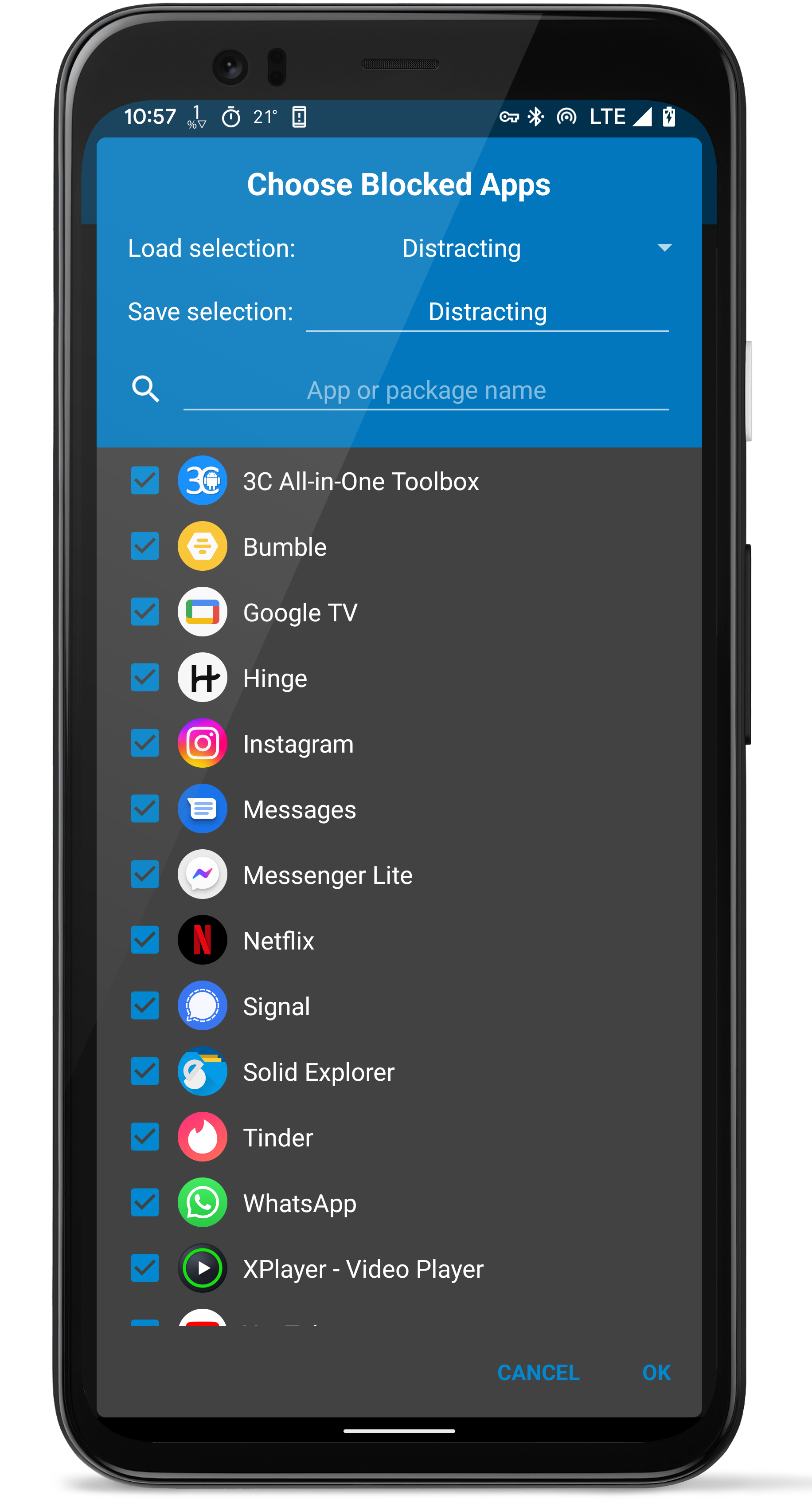
Over the years I've seen the app mature into what it currently has become. I don't see any sign of the dev stopping the improvements. This is not your one-hit wonder app that gets abandoned after a year. And this is definitely not an app that has a dev who's not receptive to feedback. It has one job, saving yourself from being used by your phone. It does that job really well. You can achieve extremely fine-grained blocking, or you can go cold turkey with the lockscreen only mode. Your call.
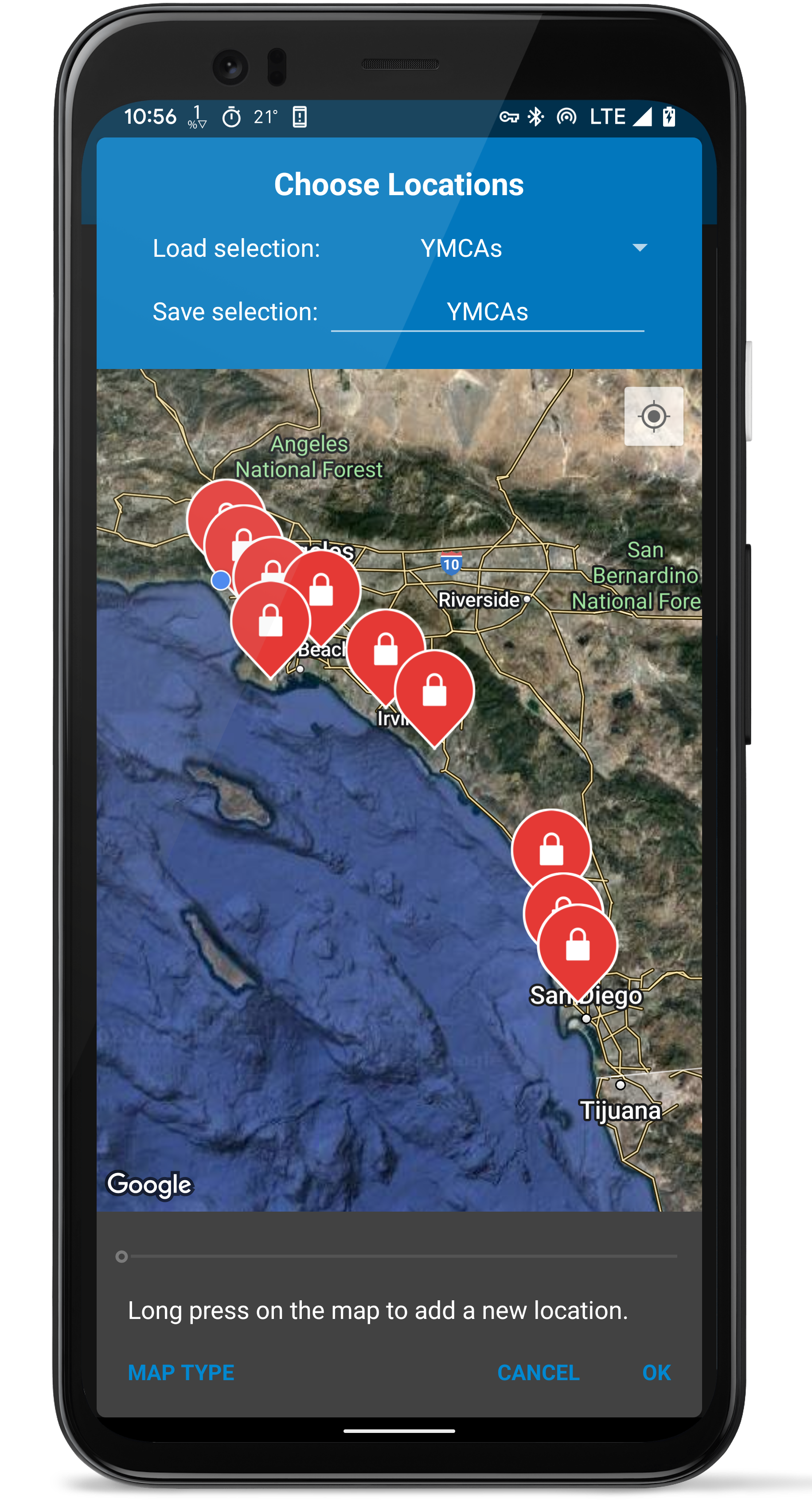
Ooh I love it. It's a great design with clear options and lots of possible customizations for both apps and websites. I like that I can set up a regularly occuring block and an instant block when needed, and it's simple to set up. It's both excellent at and essential for avoiding procrastination. A big thank you to the developer!
I love this app. It really does keep me out of certain, specified apps at the time I've specified. The only thing I would improve is that even though I've set it to lock me out at night and limit my phone use during the day at the same time (both of those settings are on), it doesn't actually limit my use during the day. But it does lock me out every night from 10:30pm - 7am. I'll keep using it!
Post a comment
To leave a comment, log in with your social network:
Or leave an anonymous comment. Your comment will be sent for moderation.
Post a comment
To leave a comment, log in with your social network:
Or leave an anonymous comment. Your comment will be sent for moderation.