



Last.fm
4+
downloads1.0+
version Android
Added: Denis Rubinov
Version: 2.5.1.5
Size: 10 MB
Updated: 06.01.2023
Developer: Last.fm Ltd.
Age Limitations: Teen
Authorizations: 8
Downloaded on Google Play: 6237460
Category: Music and audio
Description
Application Last.fm was checked by VirusTotal antivirus. As a result of the scan, no file infections were detected by all the latest signatures.
How to install Last.fm
- Download APK file apps from apkshki.com.
- Locate the downloaded file. You can find it in the system tray or in the 'Download' folder using any file manager.
- If the file downloaded in .bin extension (WebView bug on Android 11), rename it to .apk using any file manager or try downloading the file with another browser like Chrome.
- Start the installation. Click on the downloaded file to start the installation
- Allow installation from unknown sources. If you are installing for the first time Last.fm not from Google Play, go to your device's security settings and allow installation from unknown sources.
- Bypass Google Play protection. If Google Play protection blocks installation of the file, tap 'More Info' → 'Install anyway' → 'OK' to continue..
- Complete the installation: Follow the installer's instructions to complete the installation process.
How to update Last.fm
- Download the new version apps from apkshki.com.
- Locate the downloaded file and click on it to start the installation.
- Install over the old version. There is no need to uninstall the previous version.
- Avoid signature conflicts. If the previous version was not downloaded from apkshki.com, the message 'Application not installed' may appear. In this case uninstall the old version and install the new one.
- Restart annex Last.fm after the update.

Yandex Music, Books & Podcasts
Music and audio

Zaycev.Net: music for everyone
Music and audio

Mp3Mp4U Download mp3
Music and audio

Spotify: Music and Podcasts
Music and audio

Music Equalizer - Bass Booster
Music and audio

Music Player - Mp3 Player
Music and audio

DJ Loop Pads
Music and audio

Просто Радио онлайн
Music and audio
Requesting an application update
Added Denis Rubinov
Version: 2.5.1.5
Size: 10 MB
Updated: 06.01.2023
Developer: Last.fm Ltd.
Age Limitations: Teen
Authorizations:
Downloaded on Google Play: 6237460
Category: Music and audio












Reviews for Last.fm
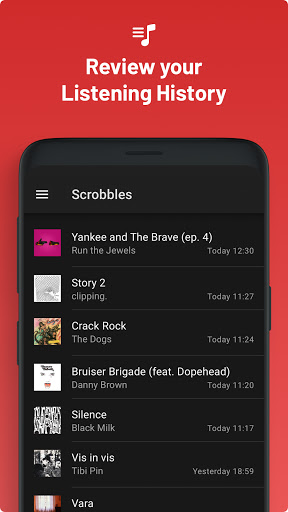
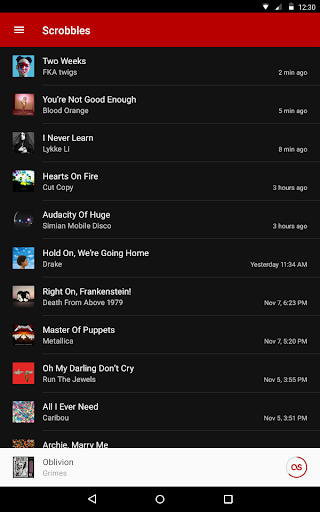
App frequently gets stuck on just one song and doesn't scrobble it neither the previous ones. Commonly just two to four songs are scrobbled out of a 12song album. Have tried restarting, reinstalling, logging back and nothing helps
Just use the website instead.
It works well on my samsung tab but not on my Vivo 27 or on my laptop.
Doesn't scribble YouTube half the time.
Used to work so well but for most of 2024 it's been glitching and unusable:(
Highly inaccurate using YouTube music, can't view much of anything stat related using the app itself, very poor UI
Recently, everytime I open the app it says " Server unavailable, please try a bit later". How is it possible an application and service with this much history using a server or a mobile app with this poor experience. Mosyly use this app to scrobble music from Sound Cloud and YouTube on my android phone.
What a downfall. Whats the point of the app if it lacks any functionality - cant edit tags, make tags, play tag radio, delete or love tracks anymore. Truly just a shadow of once the best user based/driven music library software. And PRO accounts? R.I.P ⚰️ Last.fm 2005-2016 it is really over now.
It says that I'm listening to a song on loop which isn't true please fix this
I don't know why and I cannot find why it scrobbles 2-5x the same song.
I lile the service of lastfm, but the mobile app is not it. Its pretty slow and basically just a condensed version of the website. The layout is pretty akward on mobile and is often unresponsive to clicks. At the top left hand corner, there is a big red back button that signs me out every time I click. It is very easy to misclick.
couldn't get it to record my tracks I listened to on Spotify. so after a bunch of googling and figuring it out, I do what it tells me to do and it still didn't work. I uninstall the application and reinstall it and now the log-in won't even load up... I've tried three times so far, it was nice while it lasted. I've had this for years and I guess it's over now... don't waist your time
Constantly gets stuck on scrobbling a song and will not get unstuck until you restart your phone. Caching scrobbles until WiFi doesn't work, at best you get the first two songs. Now doesnt scrobble at all from the Google Play Music app even after restarting and reinstalling. Love the scrobbling feature it just doesn't work well enough.
It would be much better if I could post shouts and send messages through the app. New update makes a notification for every song. My phone keeps vibrating each track. Please remove it. Seriously, it's giving me anxiety. Another thing, your new updates are messing up your website by scrobbling artists wrong when listening to an album through web browser. Now ads from Spotify too 😑
works fine enough, but you definitely have to babysit it sometimes. sometimes (but rarely) it just won't show up, and you have to pause then play your music again for it to start up. and the fact that it doesn't scrobble tracks thatre less than thirty seconds is an annoyance, why isn't there at least a built in manual scrobbler?
Post a comment
To leave a comment, log in with your social network:
Or leave an anonymous comment. Your comment will be sent for moderation.
Post a comment
To leave a comment, log in with your social network:
Or leave an anonymous comment. Your comment will be sent for moderation.