


Bike Computer - Cycling Tool
5+
downloads4.2+
version Android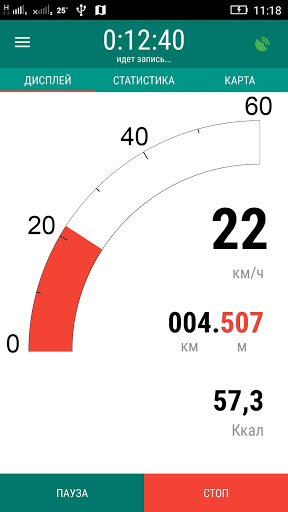

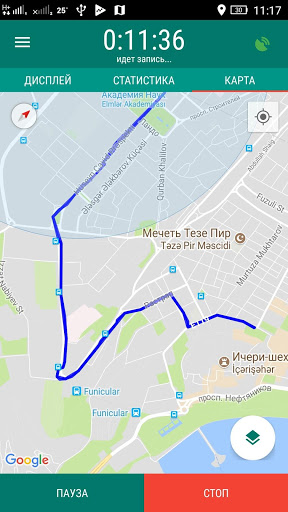
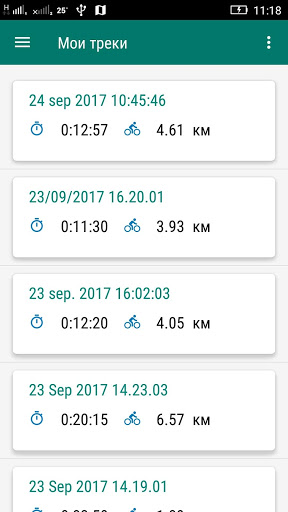
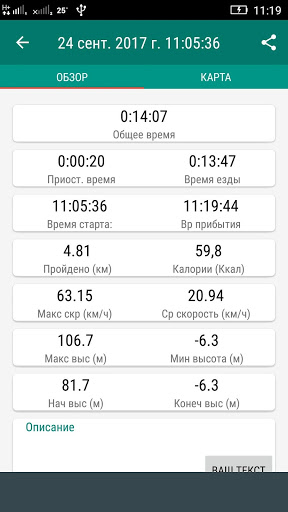

Added: Denis Rubinov
Version: 4.0
Size: 10.2 MB
Updated: 01.02.2024
Developer: fitzeee.com
Age Limitations: Everyone
Authorizations: 9
Downloaded on Google Play: 5210665
Category: Health & Fitness
Description
Application Bike Computer - Cycling Tool was checked by VirusTotal antivirus. As a result of the scan, no file infections were detected by all the latest signatures.
How to install Bike Computer - Cycling Tool
- Download APK file apps from apkshki.com.
- Locate the downloaded file. You can find it in the system tray or in the 'Download' folder using any file manager.
- If the file downloaded in .bin extension (WebView bug on Android 11), rename it to .apk using any file manager or try downloading the file with another browser like Chrome.
- Start the installation. Click on the downloaded file to start the installation
- Allow installation from unknown sources. If you are installing for the first time Bike Computer - Cycling Tool not from Google Play, go to your device's security settings and allow installation from unknown sources.
- Bypass Google Play protection. If Google Play protection blocks installation of the file, tap 'More Info' → 'Install anyway' → 'OK' to continue..
- Complete the installation: Follow the installer's instructions to complete the installation process.
How to update Bike Computer - Cycling Tool
- Download the new version apps from apkshki.com.
- Locate the downloaded file and click on it to start the installation.
- Install over the old version. There is no need to uninstall the previous version.
- Avoid signature conflicts. If the previous version was not downloaded from apkshki.com, the message 'Application not installed' may appear. In this case uninstall the old version and install the new one.
- Restart annex Bike Computer - Cycling Tool after the update.

Star Chart
Education

Дурак на раздевание
Board games

Card Game Durak - Rules and Tips
Books and Reference

Durak - Rules of Card Games
Books and Reference

Карточная игра дурак на раздевание - Правила игры
Books and Reference

World Travel Guide by Triposo
Travels

izi.TRAVEL: Get a Travel Guide
Travels

Magic: The Gathering Arena
Board games
Requesting an application update
Added Denis Rubinov
Version: 4.0
Size: 10.2 MB
Updated: 01.02.2024
Developer: fitzeee.com
Age Limitations: Everyone
Authorizations:
Downloaded on Google Play: 5210665
Category: Health & Fitness












Reviews for Bike Computer - Cycling Tool
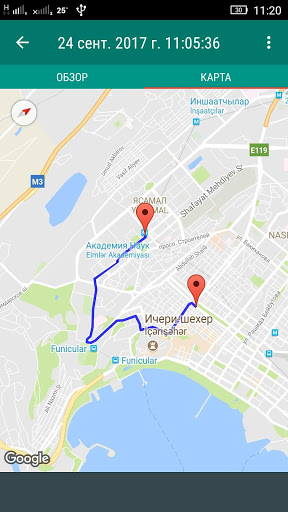
Amazing app, very usefull, and easy to use. You can track your route, even works while driving a car. It's very accurate.
Great app! I've been using this app for a while. It's simple. And keeps track of my miles.
Good product, limited functionality but does what I want it to do. Works well with no fuss.
I love how simple it is compared to other similar apps I have tried. I just like a bare bones cycling app that tracks miles, calories, time and speed. Used app for a few years now. Speed and distance has been way off recently. Adds 3-4 miles on my speed and distance. Looking for a new app.
Simple and very usefull up! Just what is needed to track bike activity.
It's a very good app but if you accidentally stop it should be able to resume instead of starting all over
Use it all the time, super helpful. I wish there was a way to name trips after the fact, or for the app to automatically detect when you're driving so the data doesn't get skewed if you forget to stop tracking.
Very good interface. Minor, not important glitch occasionally.
Excellent app gives me what I need without too many bills and whistles. Useful to have route saved.
Good
Great... until your phone goes to sleep and pauses the app. the first time I used the app I figured it was user error, so made sure that it was running in the background. apparently the app won't run in the background, so unless you have your phone set to always be on, I'm not sure that this would work for you. it certainly isn't working for me.
Post a comment
To leave a comment, log in with your social network:
Or leave an anonymous comment. Your comment will be sent for moderation.
Post a comment
To leave a comment, log in with your social network:
Or leave an anonymous comment. Your comment will be sent for moderation.