



Comatose — Android Deep Sleep
3+
downloads6.0+
version Android
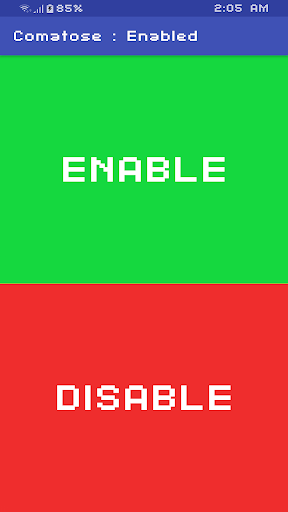
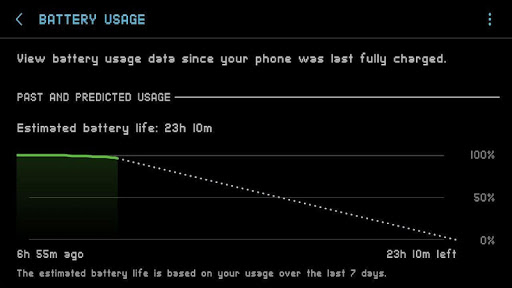
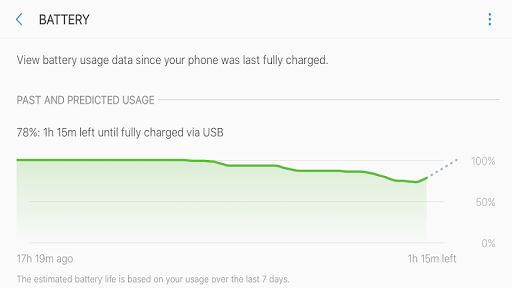
Added: Denis Rubinov
Version: 3.0.2
Size: 2 MB
Updated: 24.06.2025
Developer: Tyler Nijmeh
Age Limitations: Everyone
Authorizations: 2
Downloaded on Google Play: 5865
Category: Tools
- Very small program size.
- No payment required.
- There are no ads.
Description
Application Comatose — Android Deep Sleep was checked by VirusTotal antivirus. As a result of the scan, no file infections were detected by all the latest signatures.
How to install Comatose — Android Deep Sleep
- Download APK file apps from apkshki.com.
- Locate the downloaded file. You can find it in the system tray or in the 'Download' folder using any file manager.
- If the file downloaded in .bin extension (WebView bug on Android 11), rename it to .apk using any file manager or try downloading the file with another browser like Chrome.
- Start the installation. Click on the downloaded file to start the installation
- Allow installation from unknown sources. If you are installing for the first time Comatose — Android Deep Sleep not from Google Play, go to your device's security settings and allow installation from unknown sources.
- Bypass Google Play protection. If Google Play protection blocks installation of the file, tap 'More Info' → 'Install anyway' → 'OK' to continue..
- Complete the installation: Follow the installer's instructions to complete the installation process.
How to update Comatose — Android Deep Sleep
- Download the new version apps from apkshki.com.
- Locate the downloaded file and click on it to start the installation.
- Install over the old version. There is no need to uninstall the previous version.
- Avoid signature conflicts. If the previous version was not downloaded from apkshki.com, the message 'Application not installed' may appear. In this case uninstall the old version and install the new one.
- Restart annex Comatose — Android Deep Sleep after the update.








Requesting an application update
Added Denis Rubinov
Version: 3.0.2
Size: 2 MB
Updated: 24.06.2025
Developer: Tyler Nijmeh
Age Limitations: Everyone
Authorizations:
Downloaded on Google Play: 5865
Category: Tools












Reviews for Comatose — Android Deep Sleep
App is nice. But please add option to indicate what preset is chosen so I can rate 5 stars 🤩
Works great, Thanks!! [re:no indication whether the script completed] Thanks!
Ahh thanks for quick reply will test more on night as i am having 7to8% drain overnight without data or WiFi but from morning i am using it and i have been noticing idle drain is improving so yeah i will definitely give much star after some days of testing
Is it not at all possible to implement granting the special permission using a ROOT method instead? That'd be super handy as my pc is down for the moment
could you update to support pie? as of now, the doze setting will auto reset every 12h or so due to pie policy..
Does this app do the same thing franco's naptime app does? I have been using that app, and if this app does the same thing, i would like to switch.
Since last update my phone gets restarted randomly....any help ( Samsung S10e Android 10 )
like this app, my battery not drain faster in idle mode, i love this app 😁
Buoy and comatose a good combo? My device is not rooted
Good app, its working great on one ui 2.5
Post a comment
To leave a comment, log in with your social network:
Or leave an anonymous comment. Your comment will be sent for moderation.
Post a comment
To leave a comment, log in with your social network:
Or leave an anonymous comment. Your comment will be sent for moderation.