



Coinoscope: Coin identifier
1+
downloads6.0
version Android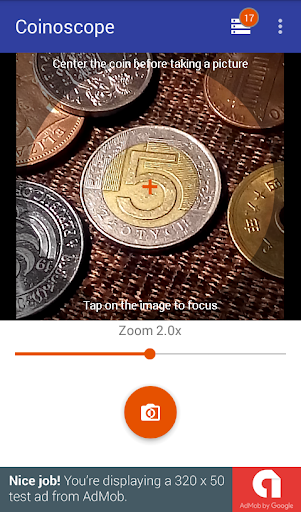
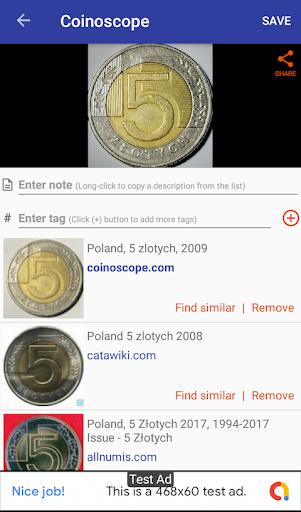
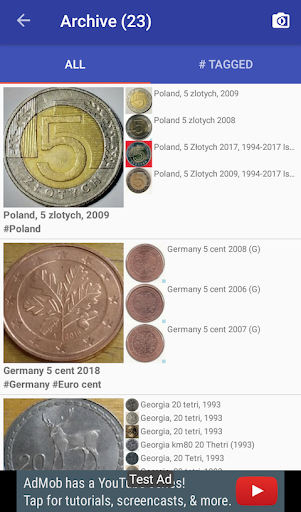
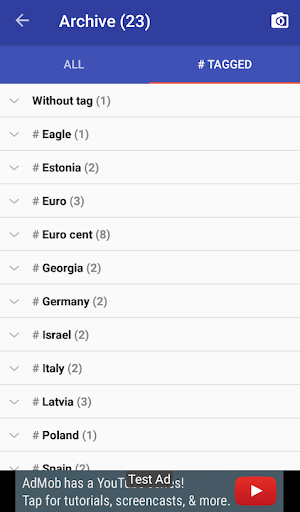
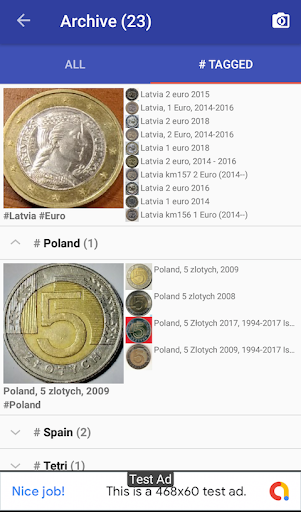
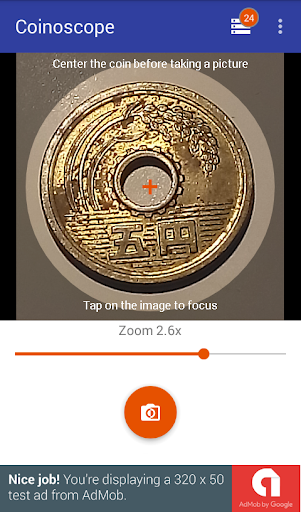
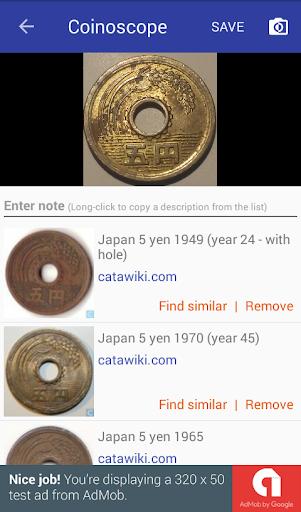

Added: Denis Rubinov
Version: 4.2.2
Size: 8.7 MB
Updated: 24.06.2025
Developer: Miccron
Age Limitations: Everyone
Authorizations: 7
Downloaded on Google Play: 1493942
Category: Books and Reference
Description
Application Coinoscope: Coin identifier was checked by VirusTotal antivirus. As a result of the scan, no file infections were detected by all the latest signatures.
How to install Coinoscope: Coin identifier
- Download APK file apps from apkshki.com.
- Locate the downloaded file. You can find it in the system tray or in the 'Download' folder using any file manager.
- If the file downloaded in .bin extension (WebView bug on Android 11), rename it to .apk using any file manager or try downloading the file with another browser like Chrome.
- Start the installation. Click on the downloaded file to start the installation
- Allow installation from unknown sources. If you are installing for the first time Coinoscope: Coin identifier not from Google Play, go to your device's security settings and allow installation from unknown sources.
- Bypass Google Play protection. If Google Play protection blocks installation of the file, tap 'More Info' → 'Install anyway' → 'OK' to continue..
- Complete the installation: Follow the installer's instructions to complete the installation process.
How to update Coinoscope: Coin identifier
- Download the new version apps from apkshki.com.
- Locate the downloaded file and click on it to start the installation.
- Install over the old version. There is no need to uninstall the previous version.
- Avoid signature conflicts. If the previous version was not downloaded from apkshki.com, the message 'Application not installed' may appear. In this case uninstall the old version and install the new one.
- Restart annex Coinoscope: Coin identifier after the update.

Wattpad - Read & Write Stories
Books and Reference

JW Library
Books and Reference

Avidly: Stories, Manga, Comics
Books and Reference

ReadEra – book reader pdf epub
Books and Reference

AlReader -any text book reader
Books and Reference

Google Play Books & Audiobooks
Books and Reference

Namoz Kitobi
Books and Reference

Storytel: Audiobooks & Ebooks
Books and Reference
Requesting an application update
Added Denis Rubinov
Version: 4.2.2
Size: 8.7 MB
Updated: 24.06.2025
Developer: Miccron
Age Limitations: Everyone
Authorizations:
Downloaded on Google Play: 1493942
Category: Books and Reference












Reviews for Coinoscope: Coin identifier
I thought that maybe I'd be able to speak with someone about an error on a coin but it is good for telling you what coin you have
Identified my coin right away
Great app in con descripción
Learning
It couldn't even identify a very clear photo of a penny.
Good way to find coins
Extremely vague on how to use. When you do have your coin and it snaps the pic, after the ad, if you can find the continue to app, it will pull up many possibilities of what it could be, but not exact you have to click on pics and search and 8/10 it's not what you're looking for. Frustrating and a waste of space on my phone.
I'm giving a 2 because the actual app is very helpful and is a great resource for finding the value of your coins. HOWEVER I have gotten NOTHING BUT SCAM requests as inquiries for my collection. BEWARE when being contacted by anyone inquiring about your inquiries. They will prefer sending $ via Cash app and then send fake emails from "Cashapp" stating you have to pay to receive the funds. SCAM SCAM SCAM!!!
App is working well. Pictures are clear and details are easy to list. So far, a nice exsperience as i moved forward with app. Thank you. George L. Prater
Didn't work
Love this app I have all my coins all pictured and I can compare prices on the internet love it!
Its accurate to a certain degree
Good overall app that is great for identifying any kind of coin with a clear photo. My only reason for 4 stars over 5 is that ads can come up unexpectedly and distract some from the experience.
I believe this site to be off alot of true info that will add the value to your coins to come.
It's good at getting you the right country not always right years.
Post a comment
To leave a comment, log in with your social network:
Or leave an anonymous comment. Your comment will be sent for moderation.
Post a comment
To leave a comment, log in with your social network:
Or leave an anonymous comment. Your comment will be sent for moderation.