





Added: Denis Rubinov
Version: 6.1.51
Size: 154.9 MB
Updated: 02.02.2024
Developer: Heifeng Zhizao(Shenzhen)Technology Co.,Ltd.
Age Limitations: Everyone
Authorizations: 23
Downloaded on Google Play: 1466785
Category: Tools
Description
Application bebird was checked by VirusTotal antivirus. As a result of the scan, no file infections were detected by all the latest signatures.
How to install bebird
- Download APK file apps from apkshki.com.
- Locate the downloaded file. You can find it in the system tray or in the 'Download' folder using any file manager.
- If the file downloaded in .bin extension (WebView bug on Android 11), rename it to .apk using any file manager or try downloading the file with another browser like Chrome.
- Start the installation. Click on the downloaded file to start the installation
- Allow installation from unknown sources. If you are installing for the first time bebird not from Google Play, go to your device's security settings and allow installation from unknown sources.
- Bypass Google Play protection. If Google Play protection blocks installation of the file, tap 'More Info' → 'Install anyway' → 'OK' to continue..
- Complete the installation: Follow the installer's instructions to complete the installation process.
How to update bebird
- Download the new version apps from apkshki.com.
- Locate the downloaded file and click on it to start the installation.
- Install over the old version. There is no need to uninstall the previous version.
- Avoid signature conflicts. If the previous version was not downloaded from apkshki.com, the message 'Application not installed' may appear. In this case uninstall the old version and install the new one.
- Restart annex bebird after the update.








Requesting an application update
Added Denis Rubinov
Version: 6.1.51
Size: 154.9 MB
Updated: 02.02.2024
Developer: Heifeng Zhizao(Shenzhen)Technology Co.,Ltd.
Age Limitations: Everyone
Authorizations:
Downloaded on Google Play: 1466785
Category: Tools











Reviews for bebird
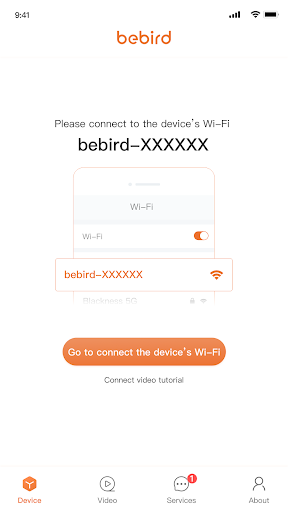
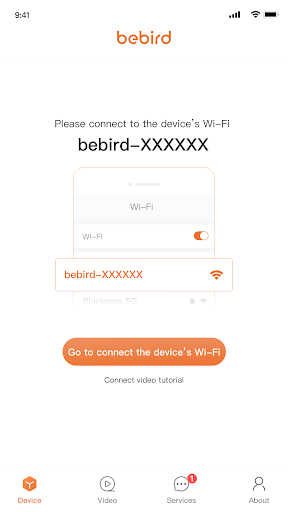
App doesn't work. Though wifi connects to the device, the app never leaves the "connect to device" splash page.
You need to make connecting easier. I have been trying for over a week to figure out how to connect my w3. I'm sick of the connection tutorial failing to even load.
it wouldn't let me connect the wifi
Couldn't connect
It used to connect right away after I switched to the correct WiFi. Now it never connects properly and disconnects constantly. Am probably going to return the device.
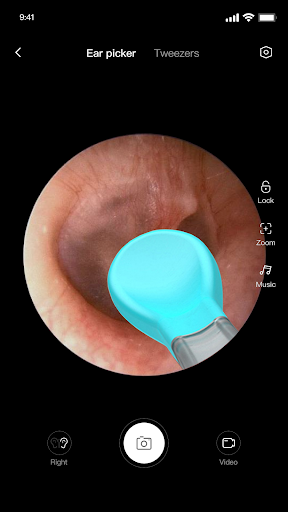
I suffer badly from Glue Ear and must clean my ears of wax at least twice a month. I find this tool great for keeping track of the build up so that I am not cleaning when it is not needed. Just remember to link your internet to the Bebird and not your home Wi-Fi else it will not work. You MUST also be careful not to push the tool too far into your ear or else you can cause damage, even perforated your ear drum which will mean hospital treatment. I love this, but it must be used with care.
Won't work
Just Awful - Rarely Connects AND Ads?!
This is not an APP, it's a trap. It seems impossible to gain any information about navigating the app. the way it operates is confusing. For example, when I was typing my reply, I was only able to read the line I was typing. The previous line disappeared. I have never seen that type of process in my thirty years of using the internet, So far, I feel as if I have been screwed. There is no way i see to read the reviews of others. I'm very unhappy.
Can't connect to your apps. Please fix it
Post a comment
To leave a comment, log in with your social network:
Or leave an anonymous comment. Your comment will be sent for moderation.
Post a comment
To leave a comment, log in with your social network:
Or leave an anonymous comment. Your comment will be sent for moderation.