



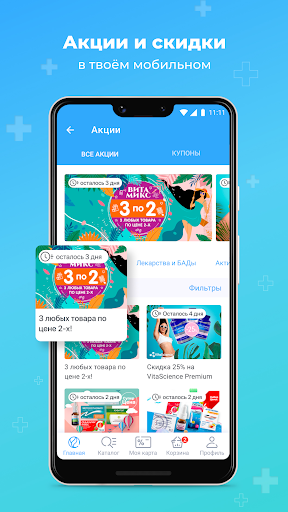
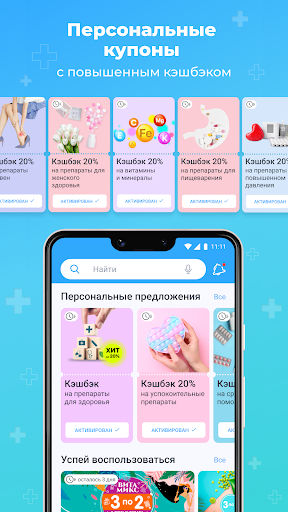
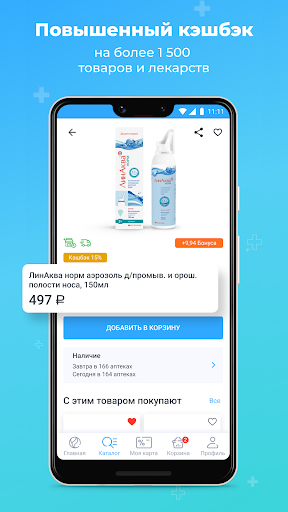
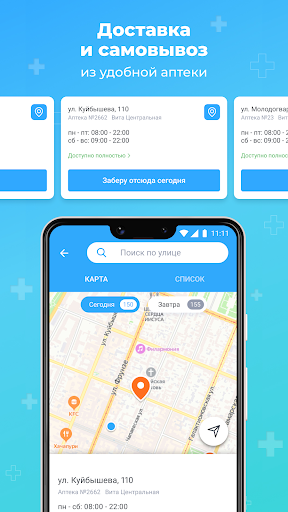
Аптека Вита — поиск лекарств
0+
downloads5.0
version Android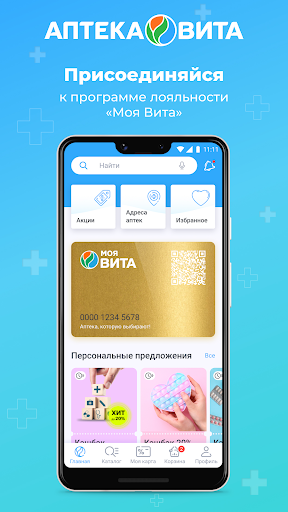
Added: Denis Rubinov
Version: 3.3
Size: 74.9 MB
Updated: 24.06.2025
Developer: RONA, OOO
Authorizations: 18
Downloaded on Google Play: 4856692
Category: Medicine
Description
Application Аптека Вита — поиск лекарств was checked by VirusTotal antivirus. As a result of the scan, no file infections were detected by all the latest signatures.
How to install Аптека Вита — поиск лекарств
- Download APK file apps from apkshki.com.
- Locate the downloaded file. You can find it in the system tray or in the 'Download' folder using any file manager.
- If the file downloaded in .bin extension (WebView bug on Android 11), rename it to .apk using any file manager or try downloading the file with another browser like Chrome.
- Start the installation. Click on the downloaded file to start the installation
- Allow installation from unknown sources. If you are installing for the first time Аптека Вита — поиск лекарств not from Google Play, go to your device's security settings and allow installation from unknown sources.
- Bypass Google Play protection. If Google Play protection blocks installation of the file, tap 'More Info' → 'Install anyway' → 'OK' to continue..
- Complete the installation: Follow the installer's instructions to complete the installation process.
How to update Аптека Вита — поиск лекарств
- Download the new version apps from apkshki.com.
- Locate the downloaded file and click on it to start the installation.
- Install over the old version. There is no need to uninstall the previous version.
- Avoid signature conflicts. If the previous version was not downloaded from apkshki.com, the message 'Application not installed' may appear. In this case uninstall the old version and install the new one.
- Restart annex Аптека Вита — поиск лекарств after the update.







Requesting an application update
Added Denis Rubinov
Version: 3.3
Size: 74.9 MB
Updated: 24.06.2025
Developer: RONA, OOO
Authorizations:
Downloaded on Google Play: 4856692
Category: Medicine












Reviews for Аптека Вита — поиск лекарств
Неизвестно, зачем вообще есть вариант "Завтра(привезём в удобную аптеку)", если приложение не даёт сделать заказ, потому что в УДОБНОЙ аптеке НЕ ВСЕ составляющие заказа СЕГОДНЯ. Требует привести заказ в соответствии с наличием на данный момент! Алло, я поэтому и выбираю этот вариант, чтобы вы всё ТУДА доставили! Тупость какая-то. Пока вы это не исправите или не обьясните, что за чушь, только две звезды, так-то приложение вроде нормальное.
Избыточная форма регистрации, зачем вам столько данных кроме телефона? нельзя посмотреть наличие лекарства без регистрации, просто бред. Приложение ходит в смс, хотя в описании нет такого указания. Сразу в помойку.
The application is made on the knee, according to a crooked template. When choosing a time delivery of the order, only "today" or "tomorrow" is displayed. After the order has not arrived "tomorrow", the hotline says that the order can take a day, a week, a month or even two. Well at least not a year.I wish you a good shoppin
Nice
Good
Неудобная программа. Нельзя отменить заказ из программы. И почему вы позиционируете себя как аптека с "быстрым заказом"? Всегда больше часа ваши заказы готовят.
Очень плохо, что нельзя отдельно выключить рекламные уведомления. Приходится либо выключать полностью, либо сносить приложение. PS. Я пишу о том, что не хочу инфы о скидках и акциях, а разработчик мне указывает, как сделать, чтобы их было ещё больше. Придется сносить.
This app is very nice
Приложение сделано на коленке, по кривому шаблону. При выборе времени доставки заказа, отображается только "сегодня" или "завтра". После того, как заказ не пришёл "завтра", на горячей линии говорят, что заказ может идти день, неделю, месяц и даже два. Хорошо хоть не год. Через три дня пришел заказ, но выяснилось, что я не могу забрать только часть заказа! Нужно забирать полностью! Вопрос, в чем проблема "горячей линии" не говорить, того чего они не знают и возможность забирать заказ частями?
Super
Post a comment
To leave a comment, log in with your social network:
Or leave an anonymous comment. Your comment will be sent for moderation.
Post a comment
To leave a comment, log in with your social network:
Or leave an anonymous comment. Your comment will be sent for moderation.