


Added: Denis Rubinov
Version: 2.2.2
Size: 15.3 MB
Updated: 09.08.2022
Developer: Sony Home Entertainment & Sound Products Inc.
Age Limitations: Everyone
Downloaded on Google Play: 1557349
Category: Tools
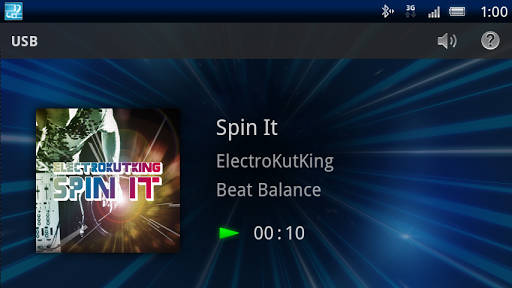
- Quick connection setup.
- Support for voice control.
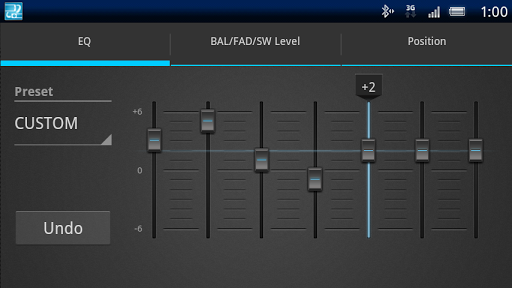
- Built-in equalizer.
- The most simple settings.
- No payment required.
- There are no ads.
Description
Application App Remote was checked by VirusTotal antivirus. As a result of the scan, no file infections were detected by all the latest signatures.
How to install App Remote
- Download APK file apps from apkshki.com.
- Locate the downloaded file. You can find it in the system tray or in the 'Download' folder using any file manager.
- If the file downloaded in .bin extension (WebView bug on Android 11), rename it to .apk using any file manager or try downloading the file with another browser like Chrome.
- Start the installation. Click on the downloaded file to start the installation
- Allow installation from unknown sources. If you are installing for the first time App Remote not from Google Play, go to your device's security settings and allow installation from unknown sources.
- Bypass Google Play protection. If Google Play protection blocks installation of the file, tap 'More Info' → 'Install anyway' → 'OK' to continue..
- Complete the installation: Follow the installer's instructions to complete the installation process.
How to update App Remote
- Download the new version apps from apkshki.com.
- Locate the downloaded file and click on it to start the installation.
- Install over the old version. There is no need to uninstall the previous version.
- Avoid signature conflicts. If the previous version was not downloaded from apkshki.com, the message 'Application not installed' may appear. In this case uninstall the old version and install the new one.
- Restart annex App Remote after the update.









Requesting an application update
Added Denis Rubinov
Version: 2.2.2
Size: 15.3 MB
Updated: 09.08.2022
Developer: Sony Home Entertainment & Sound Products Inc.
Age Limitations: Everyone
Downloaded on Google Play: 1557349
Category: Tools











Reviews for App Remote
One that works it's great but it loses connection with a stereo all the time and now Pandora crashes it. 6.2022 it is worse. Crashes all the time.
Bad, use to work great, after android update just crashes. you have the opportunity here to do something awesome with your radios and show what sony is about but no development.
The app just opens and tells you all the features it can do but there is no options menu to actually connect the app to the head unit. Completely useless.
Shouldn't be giving it any stars.. I have been using Sony phones for long and this app worked brilliantly on the earlier phones. Unfortunately it is not uite compatible with the newer phones and the app needs an update. Sony pls let us have an update so that we can use it with the newer phone models..
App works great with my Motorola cell. All functions work and connects automatically. Only problem is the app won't close at all. It pulls added juice from my cell battery.
Used to work OK a couple of year's ago. App crashes every time and won't open.
I do t think this really want to connect to anything? App just don't make sense, why would you want to connect all your other apps - like banking apps to your radio, and there is no place to connect on the app.. And this is definitely not build by Sony like they would like you to believe.
The app was perfect two years ago. App crashes everytime it connects. Crashed on my note 8 and crashes more on my note 9 now. Very bad app now
Not working anymore with android pie. Please please please update it. Im having a hardtime connecting this with my car audio system. Please read my email. Please update this to the latest version android.
SONY audio App I use it for my tab that works Iike a menu for Floating display. Neat interface that gives customizing option that works like a proper factory fit display.
Post a comment
To leave a comment, log in with your social network:
Or leave an anonymous comment. Your comment will be sent for moderation.
Post a comment
To leave a comment, log in with your social network:
Or leave an anonymous comment. Your comment will be sent for moderation.