



Animated Stories
12+
downloads5.0+
version Android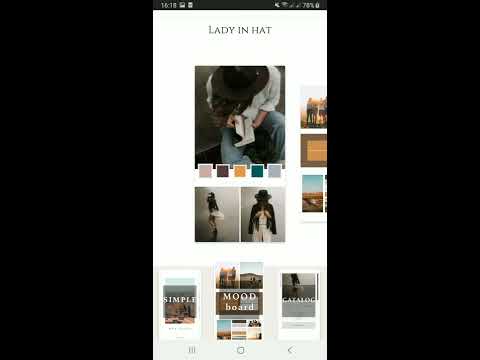



Added: Denis Rubinov
Version: 2.1.11
Size: 74.1 MB
Updated: 20.05.2025
Developer: FedorkZSoft
Age Limitations: Everyone
Authorizations: 7
Downloaded on Google Play: 2251639
Category: Video Players & Editors
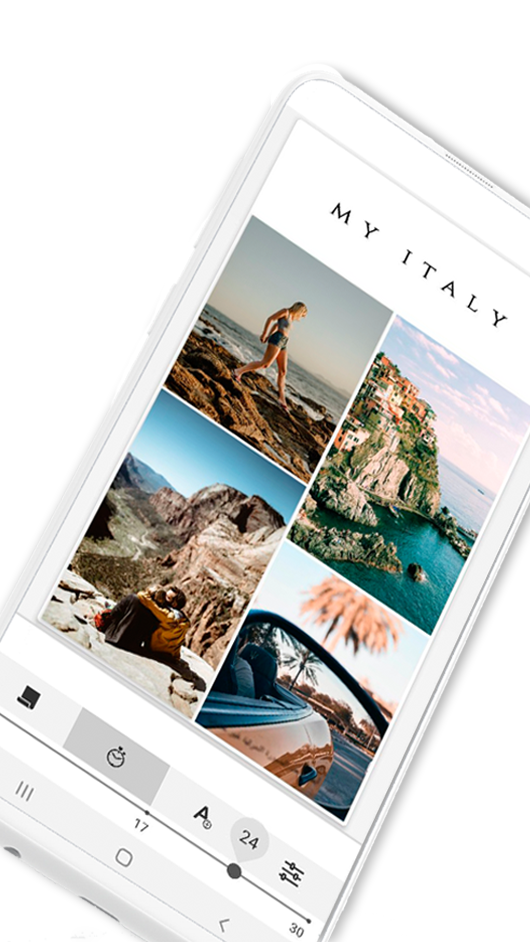
- Lots of templates available for free.
- Function to change the background.
- A very simple photo-to-animation conversion.
- Self-managed video length.
Description
Application Animated Stories was checked by VirusTotal antivirus. As a result of the scan, no file infections were detected by all the latest signatures.
How to install Animated Stories
- Download APK file apps from apkshki.com.
- Locate the downloaded file. You can find it in the system tray or in the 'Download' folder using any file manager.
- If the file downloaded in .bin extension (WebView bug on Android 11), rename it to .apk using any file manager or try downloading the file with another browser like Chrome.
- Start the installation. Click on the downloaded file to start the installation
- Allow installation from unknown sources. If you are installing for the first time Animated Stories not from Google Play, go to your device's security settings and allow installation from unknown sources.
- Bypass Google Play protection. If Google Play protection blocks installation of the file, tap 'More Info' → 'Install anyway' → 'OK' to continue..
- Complete the installation: Follow the installer's instructions to complete the installation process.
How to update Animated Stories
- Download the new version apps from apkshki.com.
- Locate the downloaded file and click on it to start the installation.
- Install over the old version. There is no need to uninstall the previous version.
- Avoid signature conflicts. If the previous version was not downloaded from apkshki.com, the message 'Application not installed' may appear. In this case uninstall the old version and install the new one.
- Restart annex Animated Stories after the update.








Requesting an application update
Added Denis Rubinov
Version: 2.1.11
Size: 74.1 MB
Updated: 20.05.2025
Developer: FedorkZSoft
Age Limitations: Everyone
Authorizations:
Downloaded on Google Play: 2251639
Category: Video Players & Editors












Reviews for Animated Stories
I went ahead and purchased the pro version right out the gate because it was cheap for lifetime. But when I went to save my first story, it told me that I needed a pro subscription. Isn't that what I paid $23.99 for? If it is, why didn't the app accept my purchase and how do I get it to use my purchase to go into lifetime pro?
Overall great but they don't add more options to their catalogue it's been the same for years. I would have paid if they kept adding more stuff. It's a set and forget "side hustle" for the devs and I don't appreciate that.
Nice App
Nothing butifal all are like buisneuses
Simple but effective. Nice
🤜🤜🤜
Excellent 🥳
It's good💕
Please fix the stickers . After saving the stickers, move from the place. Even blur stickers are not fixed in place after downloading. It's time-consuming as I can't add any stickers
It is not letting me restore purchases or even start a new subscription. It keeps declining my cards on file. I d2nt have issues with any other subscriptions, just this app.
Bought the annual subscription, there was an issue but the help desk fixed the issue immediately with an update to my app. It shows PRO still but isn't prompting me for payment so I'm completely happy!! The app is absolutely beautiful and I'm looking forward to changing my IG stories. Great Job!!
I paid for one year subscription for the PRO version in May this year. It's July and the app is asking to subscribe again. If I click subscribe, it says I already paid but doesn't give access to to pro features - please fix the bug ASAP.
For 2 pictures and single text, this works fine, If we more than 5 pictures it is taking hell lot of time for processing, literally i waited for more than 15 minutes for it to complete but it didn't even start processing, i was very disappointed.
A great animated story app but when I share it in my Facebook story...the quality of the video is not clear...as in pixelated! Not sure if this is because I am not a pro subscriber. Or there is some setting that must be tweaked before I upload it in my story.
Great app overall, first impression is very good. Although I have quite figured out how to move around images and to change their sizes. I'm sure this feature is there somewhere
Post a comment
To leave a comment, log in with your social network:
Or leave an anonymous comment. Your comment will be sent for moderation.
Post a comment
To leave a comment, log in with your social network:
Or leave an anonymous comment. Your comment will be sent for moderation.