


Added: Denis Rubinov
Version: 1.0
Size: 1.5 MB
Updated: 28.04.2020
Developer: SimpleTheDeveloper
Age Limitations: Everyone
Category: Tools
Description
Application Airpush Detector was checked by VirusTotal antivirus. As a result of the scan, no file infections were detected by all the latest signatures.
How to install Airpush Detector
- Download APK file apps from apkshki.com.
- Locate the downloaded file. You can find it in the system tray or in the 'Download' folder using any file manager.
- If the file downloaded in .bin extension (WebView bug on Android 11), rename it to .apk using any file manager or try downloading the file with another browser like Chrome.
- Start the installation. Click on the downloaded file to start the installation
- Allow installation from unknown sources. If you are installing for the first time Airpush Detector not from Google Play, go to your device's security settings and allow installation from unknown sources.
- Bypass Google Play protection. If Google Play protection blocks installation of the file, tap 'More Info' → 'Install anyway' → 'OK' to continue..
- Complete the installation: Follow the installer's instructions to complete the installation process.
How to update Airpush Detector
- Download the new version apps from apkshki.com.
- Locate the downloaded file and click on it to start the installation.
- Install over the old version. There is no need to uninstall the previous version.
- Avoid signature conflicts. If the previous version was not downloaded from apkshki.com, the message 'Application not installed' may appear. In this case uninstall the old version and install the new one.
- Restart annex Airpush Detector after the update.








Requesting an application update
Added Denis Rubinov
Version: 1.0
Size: 1.5 MB
Updated: 28.04.2020
Developer: SimpleTheDeveloper
Age Limitations: Everyone
Category: Tools












Reviews for Airpush Detector
Nonsense. As soon as I opened the app, I was asked to install some antivirus app. I closed the app, opened it again and it asked me to install Nord VPN. I closed it again and reopened the app, I was asked to rate the app but a scan button was in the background. I opted to rate later to get to the scan button. I "scanned," which took all of two seconds and was notified that nothing was wrong w/ the apps on my device. Then an ad for Pier 1 popped up. This doesn't work. Uninstalled!
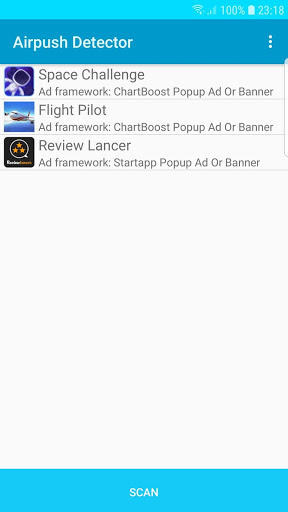
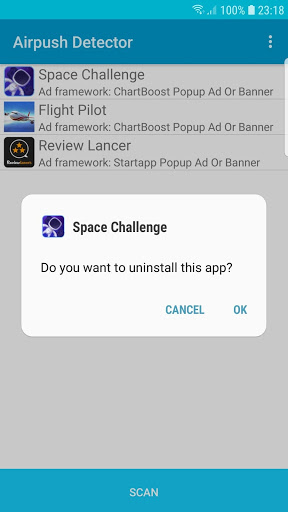
Ads were constantly popping up every few minutes on my phone aggravating the heck out of me. This app showed me the 3 apps causing the problem, one app I never heard of or even installed. After uninstalling all 3. The problem is gone. I love this app and I recommend it.
I had continuous irritating advertisements on my phone after I done a factory reset. It went on for many weeks even though I have tried every settings that I have found with Google. But after installing Ads Detector & Airpush Detector, the app which was causing the advertisements was eventually found and removed. Now all the advertisements have completely stopped! Amazing!
Doesnt work at all. At first, after I scanned it, two of my applications appears and I am really greatful that it did cause then I know where my pop ups come from. I uninstalled both of them without hesitation even though they are an important app/s for me. And still, even though I already uninstalled whats causing the problem, based on what did this app tell me to. Still nothing has change, they still pop up on my screen everytime I open an app. It never works for me
Easy to use & worked great for me! Some form of embedded pop-up adware from downloading a copy of I Dig It Remastered - which I paid Google for (last year my SD Card blew out & I lost everything)-most redownloaded with the exception of the game above & a few other games & apps I paid for, because Google removed them from the store!! This app. quickly identified an app. with No Name - I tried Force stop first - didn't work - deleted it - Problem Solved!¡¡! Norton 360 couldn't even find it¡!!¡👌👍
I had apps popping up on my phone everytime I would use it. It has been like this for about 3 weeks. so I went searching and I tried the Airpush app. I followed the directions, and found the culprit. I would have never knew the app I was using would be causing it. I uninstalled it, and no more ads. thank you Airpush!
Something finally helped. I've been getting pop up adswhile texting or trying to make phone calls or go on the internet. it was extremely annoying. I downloaded this app I found out which apps are causing the pop ups and I deleted them. Haven't had any issues so far.
I installed the Ad Detector and Airpush Detector. I tapped the "did not install" and it scanned all of my apps. 8 apps appeared. I disinstalled three of the most recent apps. 1 hour later no further random unsolicited pop-up ads have appeared on my phone. Cautiously optimistic the problem is solved. Very pleased.
THANKS FOR THIS WONDERFUL Ads Detector & Airpush Detector (Simple Version) Yes, you do immediately get a pop up ad when running this for the first time. It's a free version, so they have ads. But I received one and only one ad, then Airpush successfully targeted where my non-stop annoying popups were coming from. I disabled those apps thru Airpush, and problem solved. I ha..
This is a great app! offers a number of different products for adblocking and safe browsing in internet. It allows me to browse the internet faster and without interruptions. This app solved my problems with all those popping ads on my screen. I am glad that i downloaded this.
Post a comment
To leave a comment, log in with your social network:
Or leave an anonymous comment. Your comment will be sent for moderation.
Post a comment
To leave a comment, log in with your social network:
Or leave an anonymous comment. Your comment will be sent for moderation.