



Added: Denis Rubinov
Version: 1.8.8
Size: 18.7 MB
Updated: 16.11.2019
Developer: StreamElements
Category: Tools
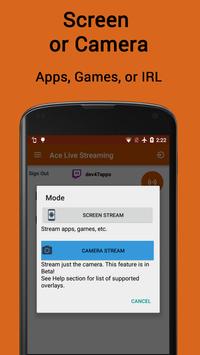
- Two modes of operation.
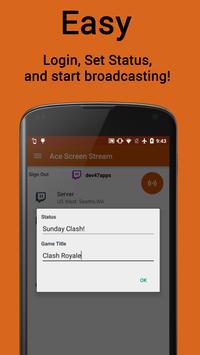
- The process of creating streams is as simple as possible.
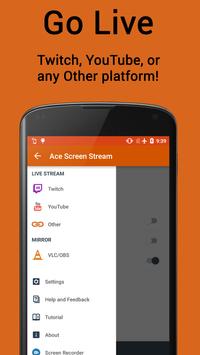
- Support for major streaming sites.
- Control your broadcast from the notification bar.
- Mute function for incoming calls.
- Free to use.
Description
Application Ace Live Streaming was checked by VirusTotal antivirus. As a result of the scan, no file infections were detected by all the latest signatures.
How to install Ace Live Streaming
- Download APK file apps from apkshki.com.
- Locate the downloaded file. You can find it in the system tray or in the 'Download' folder using any file manager.
- If the file downloaded in .bin extension (WebView bug on Android 11), rename it to .apk using any file manager or try downloading the file with another browser like Chrome.
- Start the installation. Click on the downloaded file to start the installation
- Allow installation from unknown sources. If you are installing for the first time Ace Live Streaming not from Google Play, go to your device's security settings and allow installation from unknown sources.
- Bypass Google Play protection. If Google Play protection blocks installation of the file, tap 'More Info' → 'Install anyway' → 'OK' to continue..
- Complete the installation: Follow the installer's instructions to complete the installation process.
How to update Ace Live Streaming
- Download the new version apps from apkshki.com.
- Locate the downloaded file and click on it to start the installation.
- Install over the old version. There is no need to uninstall the previous version.
- Avoid signature conflicts. If the previous version was not downloaded from apkshki.com, the message 'Application not installed' may appear. In this case uninstall the old version and install the new one.
- Restart annex Ace Live Streaming after the update.








Requesting an application update
Added Denis Rubinov
Version: 1.8.8
Size: 18.7 MB
Updated: 16.11.2019
Developer: StreamElements
Category: Tools











Reviews for Ace Live Streaming
its very nice to be able to livestream android games. only issue i have is Device audio doesnt get picked up. and theres no help on how to enable it
Let me buy pro. I want unlimited so it doesn't close when I open apps to stream, other than that , it's good, keep up the work, -sneakyjugg
Is so good, I'm waiting for another update that includes songs for streaming or something like that. Thanks for give us a form to made streams on Android. Congrats from Mexico.
The app is absolute garbage. I activated the live streaming feature but the app will not let me stream.
crashed my pc and i had to go to app store to delete. it didnt even start to stream. honestly do not recomend.
I like the app but is there a help site on how to make it work with Facebook. I have the code/stream key but not working
i think this is a great free app. limited as to its options, but works great for the price
Best app for streaming to YouTube channel. Tried others they failed. Ace Live Streaming works Great on all my smart phones.
Great except it isn't fully functional but also the link to 'go pro' doesn't work either....
It got on my nerves because the second time I was trying to live stream it said it was not enabled everything is fine tho with others things within this app
Post a comment
To leave a comment, log in with your social network:
Or leave an anonymous comment. Your comment will be sent for moderation.
Post a comment
To leave a comment, log in with your social network:
Or leave an anonymous comment. Your comment will be sent for moderation.