



F-Secure: Total Security & VPN
140+
downloads5.0+
version AndroidRequest an update
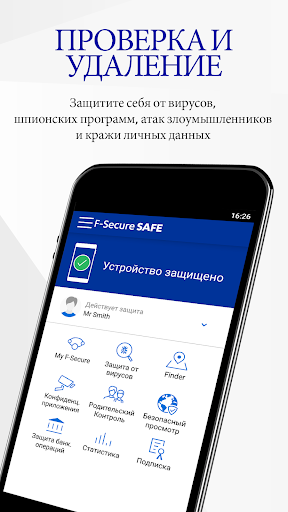
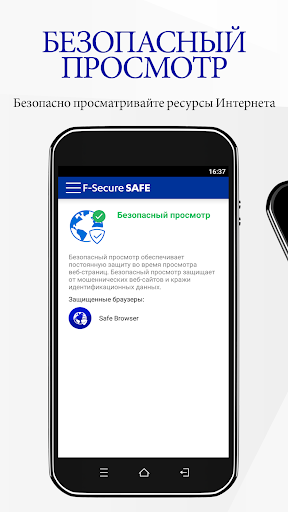
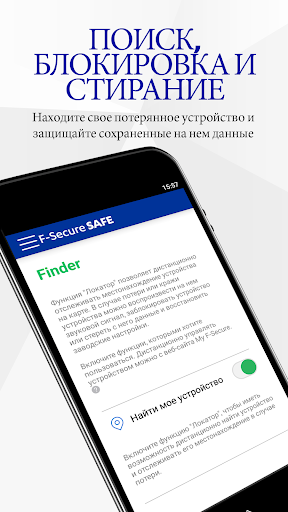
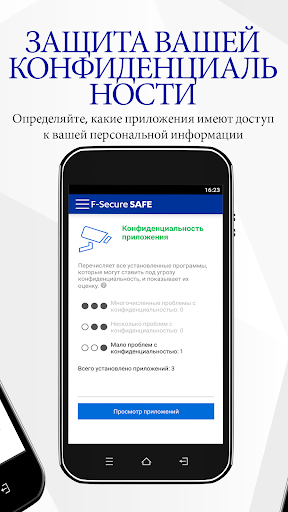


Added: Denis Rubinov
Version: 25.4.9633911
Size: 36.2 MB
Updated: 24.06.2025
Developer: F-Secure Corporation
Age Limitations: Everyone
Authorizations: 29
Downloaded on Google Play: 1917960
Category: Tools
Description
Application F-Secure: Total Security & VPN was checked by VirusTotal antivirus. As a result of the scan, no file infections were detected by all the latest signatures.
How to install F-Secure: Total Security & VPN
- Download APK file apps from apkshki.com.
- Locate the downloaded file. You can find it in the system tray or in the 'Download' folder using any file manager.
- If the file downloaded in .bin extension (WebView bug on Android 11), rename it to .apk using any file manager or try downloading the file with another browser like Chrome.
- Start the installation. Click on the downloaded file to start the installation
- Allow installation from unknown sources. If you are installing for the first time F-Secure: Total Security & VPN not from Google Play, go to your device's security settings and allow installation from unknown sources.
- Bypass Google Play protection. If Google Play protection blocks installation of the file, tap 'More Info' → 'Install anyway' → 'OK' to continue..
- Complete the installation: Follow the installer's instructions to complete the installation process.
How to update F-Secure: Total Security & VPN
- Download the new version apps from apkshki.com.
- Locate the downloaded file and click on it to start the installation.
- Install over the old version. There is no need to uninstall the previous version.
- Avoid signature conflicts. If the previous version was not downloaded from apkshki.com, the message 'Application not installed' may appear. In this case uninstall the old version and install the new one.
- Restart annex F-Secure: Total Security & VPN after the update.








Requesting an application update
Added Denis Rubinov
Version: 25.4.9633911
Size: 36.2 MB
Updated: 24.06.2025
Developer: F-Secure Corporation
Age Limitations: Everyone
Authorizations:
Downloaded on Google Play: 1917960
Category: Tools













Reviews for F-Secure: Total Security & VPN
It is not web protection if I have to use the safe browser every time I want to visit a webpage! I am using microsoft edge browser and turns out that this antivirus does not work with edge, and the so called web protection is only available in the safe browser! :(
Forced to keep notification active, preferred previous version where it'd check newly installed apps without being constantly visible on device. Option to revert to previous version, or enable/disable in app would be great. Cheers,
This found a file that almost none of my other file scanning file removal utilities could see. I had to manually remove the infected system file and factory reset. Thanks for finding the rogue app on my system
Seems to work well and have had no issues. If you have a Virginmedia Broadband then this app comes as part of the package that protects your computer, at an excellent price.
Ive tried so many of these malware / virus protection apps , most of them had a ton of ads etc it was difficult to determine if they actually worked , This app has been excellent and after the 30 day trial I paid for full protection and ive seen a difference in activity and It actually found several high risk malious activity ,I recommend this protection for your device
I'm not recommending this app. F-Secure do not let you ignore apps ("infected apps") or those alerts, only options are now: 'Remove' and 'Cancel'. In case you false positive, you need to report it, you will make all the work. Instead providing information and tools, they think you are not able to make a correct decision and/or take a full responsibility of your own action/decision, like EVERY other security apps let you do. I just removed every product from them, and i found out I'm not alone.
Works very well on all platforms
Post a comment
To leave a comment, log in with your social network:
Or leave an anonymous comment. Your comment will be sent for moderation.
Post a comment
To leave a comment, log in with your social network:
Or leave an anonymous comment. Your comment will be sent for moderation.