



Niagara Launcher ‧ Home Screen
30+
downloads1.0+
version AndroidRequest an update
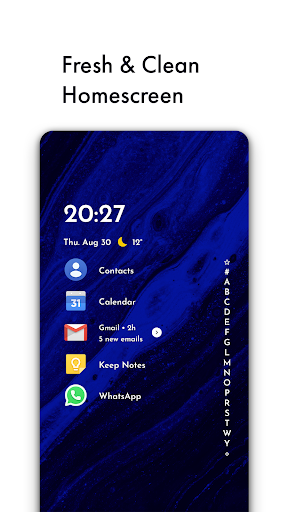
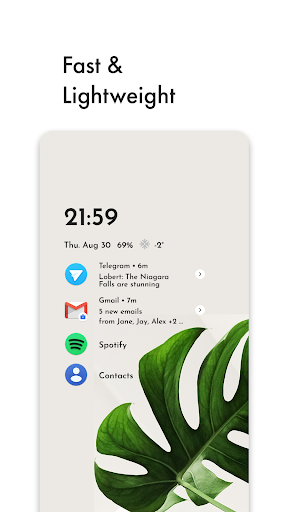
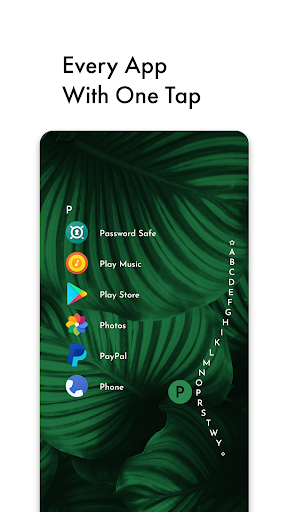
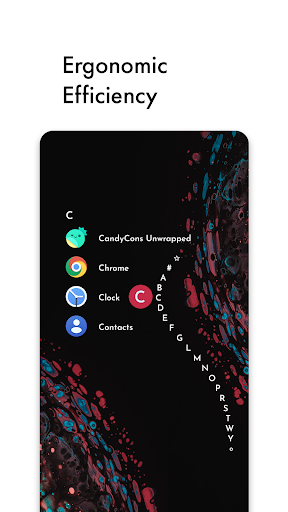
Added: Denis Rubinov
Version: 1.13.18
Size: 13 MB
Updated: 24.06.2025
Developer: Peter Huber
Age Limitations: Everyone
Authorizations: 15
Downloaded on Google Play: 6724071
Category: Personalization
Description
Application Niagara Launcher ‧ Home Screen was checked by VirusTotal antivirus. As a result of the scan, no file infections were detected by all the latest signatures.
How to install Niagara Launcher ‧ Home Screen
- Download APK file apps from apkshki.com.
- Locate the downloaded file. You can find it in the system tray or in the 'Download' folder using any file manager.
- If the file downloaded in .bin extension (WebView bug on Android 11), rename it to .apk using any file manager or try downloading the file with another browser like Chrome.
- Start the installation. Click on the downloaded file to start the installation
- Allow installation from unknown sources. If you are installing for the first time Niagara Launcher ‧ Home Screen not from Google Play, go to your device's security settings and allow installation from unknown sources.
- Bypass Google Play protection. If Google Play protection blocks installation of the file, tap 'More Info' → 'Install anyway' → 'OK' to continue..
- Complete the installation: Follow the installer's instructions to complete the installation process.
How to update Niagara Launcher ‧ Home Screen
- Download the new version apps from apkshki.com.
- Locate the downloaded file and click on it to start the installation.
- Install over the old version. There is no need to uninstall the previous version.
- Avoid signature conflicts. If the previous version was not downloaded from apkshki.com, the message 'Application not installed' may appear. In this case uninstall the old version and install the new one.
- Restart annex Niagara Launcher ‧ Home Screen after the update.



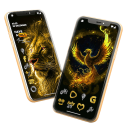


Requesting an application update
Added Denis Rubinov
Version: 1.13.18
Size: 13 MB
Updated: 24.06.2025
Developer: Peter Huber
Age Limitations: Everyone
Authorizations:
Downloaded on Google Play: 6724071
Category: Personalization













Reviews for Niagara Launcher ‧ Home Screen
Niagara is beautiful, customizable, has never worked less than perfectly for me, and the developer(s) are very open about their reasoning for preferring a (very cheap) subscription while still providing an option for a single purchase and a free version. Every android release gets more frustrating and broken than the last for me and Google isn't incentivized to improve; I'm not exaggerating when I say this launcher is _the_ thing that saved me from giving up on Android.
I've had a long history of not liking default UI's for phones and desktop OS's. Most replacements are just cosmetic, some feature rich, but it's rare to get something transformative. This launcher changes the way I interact with my phone in a huge way, and it's not only simpler, but it's much cleaner and very efficient. There's enough customization to make it your own, but it's all about functionality. Outstanding.
There are many features I'd like to see: An app to be added to the main list when it receives a notification. Folder icon to actually show icons of the apps inside the folder, not a generic folder icon. It makes the list difficult to look at when you have bunch of folders on your list with same icon. This launcher feels like incomplete, I switched back to OneUI because of this.
I have now used the pro version of this launcher for over a year. I tried going back to default - everything took way longer. This launcher is perfect for finding things fast on your phone. Honestly, I just paid for my 2nd year of this today because there's no way I'm going back to default now. Give this a go, you will not regret it; you'll notice a productivity increase once you've set it all up to your liking.
I get the philosophy, but for a subcription there are some glaring omissions here. The gestures leave so much to be desired and in other apps I was able to bind phone and messages to left or right swipe (wasn't able to find it here, maybe someone smarter than me can). Also the battery optimization is terrible, I don't even have a wallpaper (just black so oled screen uses less juice) and this thing kills my phone in half a day. Olauncher kept me going for two entire days, so I'll be going back.
The UI is very good looking, the animations are cool. It's a good launcher, but to have to pay to show battery percentage, is just kinda not what I wanna do, understand why y'all do it, but this has potential for sure, I know I have some ideas now from using it for 10 minutes, great app other than the aforementioned. It does crash when I change screens like every 3rd time. TCL600 phone here. I do have all animation and transitions off, and all msaa and other flags from devops Outoflines now
Post a comment
To leave a comment, log in with your social network:
Or leave an anonymous comment. Your comment will be sent for moderation.
Post a comment
To leave a comment, log in with your social network:
Or leave an anonymous comment. Your comment will be sent for moderation.